






 See Compatible Printers
 Read more about our ink!
Brother
Compatible Brother TN229 (TN229BK, TN229C, TN229Y, TN229M) Toner Cartridge 5 Color Set
- Page Yield:
- Black: 1500, Color: 1200
- Availability:
- In Stock
- Shipping:
- Calculated at Checkout

Amazon Price:

- Page Yield:
- Black: 1500, Color: 1200
- Availability:
- In Stock
- Shipping:
- Calculated at Checkout
- Compatible Printers
- Specifications
- SKU:
- CS-Brother-TN229-5Set
- Printer Brand:
- Brother
- OEM Number:
- TN229BK, TN229C, TN229Y, TN229M
- Ink Color:
- Black,Cyan,Magenta,Yellow
- Page Yield:
- Black: 1500, Color: 1200
- Printer Type:
- Laser Cartridge
- Condition:
- New Compatible
- Description
- Reviews
Frequently Asked Questions
When does changing all four cartridges at once make more sense than one at a time?
When several colors are fading together — the usual story with a printer that has worked through its first set as a team. A single box with black, cyan, magenta and yellow ends the drip-feed of one warning after another and gives the machine a clean, even starting point. For the three TN229 tiers priced side by side — standard, XL and the four-model XXL — see our Best Brother TN229, TN229XL & TN229XXL Toner Cartridges — including why the biggest tier is priced below the smaller ones.
Will a matched fresh set make my colors look more consistent?
It helps. When one cartridge is brand new and the others are near the end, color balance tilts toward whichever color is freshest. Four cartridges at the same stage of life keep mixes predictable, which matters most for logos, charts and anything a customer will see.
What exactly is in this set?
One standard TN229 black (up to 1,500 pages) and one each of the standard cyan, magenta and yellow (up to 1,200 pages each) — a complete standard-yield refill for the whole printer in a single box.
Which printers is this set made for?
The set covers Brother's TN229 platform, including DCP-L3560CDW, HL-L3220CDW, HL-L3280CDW, HL-L3295CDW, HL-L3300CDW, HL-L8245CDW, MFC-L3720CDW, MFC-L3765CDW, MFC-L3780CDW and MFC-L8395CDW. Because every tier on this platform shares the same cartridge design, these standard cartridges also drop into machines currently running XL or XXL versions.
Do I have to install all four the day the box arrives?
No. The cartridges are individually sealed, so many people install the ones that are actually empty and keep the rest boxed until their turn comes. Toner is a dry powder and stores well at room temperature, out of direct sunlight.
How does the set work alongside the drum?
These printers use a separate DR830 drum unit that lasts through many toner changes. A full fresh set is a good moment to glance at print quality: if output is still streaky with new toner everywhere, the drum — not the cartridges — is the next thing to inspect.
What should I count and confirm when this set is delivered?
Four individually sealed cartridges: one TN229 black, plus the cyan, magenta and yellow. Read the final letter on each box — BK, C, M and Y — and match it against the slot it is destined for before anything is opened. Sets get ordered in a hurry when several colors fade together, and a two-minute check on arrival is what keeps a hurried order from turning into a second wait.
Why write install dates on each cartridge's box?
Because a set installed on different days empties on different days, and the dates turn guesswork into knowledge. Note the day each color goes in; when one finally fades, its box tells you how many months that slot lasted under your real workload. After one full cycle you will know whether your office burns cyan twice as fast as yellow — and you can order singles accordingly instead of reflexively buying whole sets.
How do two-sided documents draw on this set?
Every printed side counts. A duplexed color report spends black on both faces and whichever colors appear on each face, so the set's rated pages are consumed in sides even though the paper stack grows at half that rate. When you judge how long the set lasted, compare the printer's total page counter — not the number of sheets in the tray — against the ratings on the boxes.
How do I keep track of which slots were refreshed if I install the set in stages?
Mark the box of each cartridge as it goes in — date and, if the office runs more than one of these printers, the machine's name. Months later, when output from one color looks tired, that small habit tells you instantly whether the suspect cartridge is a fresh one from this set or an older survivor the set never replaced. It turns a four-slot guessing game into a single look at a box end.
About This TN229 Four-Cartridge Set
A complete standard-yield refresh for Brother's TN229 platform: black, cyan, magenta and yellow together in one box, so the whole printer starts fresh at the same time instead of one color at a time. Every cartridge in the set is covered by a one-year warranty with free returns for a year — see our shipping and returns page — and the set ships from our IL, PA, GA or CA warehouses as part of the full Brother toner range.
Printer showing "Replace Toner" or "No Toner" after a cartridge change? Our TN229 troubleshooting guide walks through the reseat, contact-cleaning and counter-reset steps for this family.
Related Items

Brother
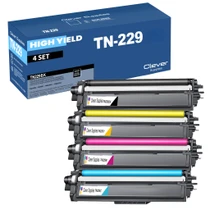
Compatible Brother TN229 (TN229BK, TN229C, TN229Y, TN229M) Toner Cartridge 4 Color Set
/>


Brother
Brother TN229BK TN229C TN229M TN229Y Black Cyan Magenta Yellow Genuine OEM Toner Cartridge 4 Color Set - Black: 1,500 pages, Color: 1,400 pages each
/>


Brother
Compatible Brother TN229 (TN229BK) Toner Cartridge Black
/>


Brother
Compatible Brother TN229 (TN229M) Toner Cartridge Magenta
/>