






 See Compatible Printers
 Read more about our ink!
Brother
Compatible Brother TN229 (TN229BK) Toner Cartridge Black
- Page Yield:
- Black: 1500
- Availability:
- In Stock
- Shipping:
- Calculated at Checkout

Amazon Price:

- Page Yield:
- Black: 1500
- Availability:
- In Stock
- Shipping:
- Calculated at Checkout
- Compatible Printers
- Specifications
- SKU:
- CS-Brother-TN229-BK
- Printer Brand:
- Brother
- OEM Number:
- TN229BK
- Ink Color:
- Black
- Page Yield:
- Black: 1500
- Printer Type:
- Laser Cartridge
- Condition:
- New Compatible
- Description
- Reviews

/> 

Power through your printing tasks with the Brother TN229, including the high-yield TN229BK Black, TN229C Cyan, TN229M Magenta, and TN229Y Yellow toner cartridges. These cartridges are designed to produce sharp text and vibrant colors, making them ideal for both everyday documents and high-impact graphics. Built for high efficiency, the Brother TN229 toner cartridge and Brother TN229 toner cartridge deliver outstanding performance and long-lasting results. With higher page yields, youll spend less time replacing cartridges and more time printing without interruption. Compatible with a wide range of Brother printers, these cartridges work seamlessly with models like MFC-L3720CDW, MFC-L3780CDW, HL-L3220CDW, HL-L3280CDW, HL-L3300CDW, and HL-L3295CDW. Each print is clean, consistent, and professionally finished to meet the needs of home offices or busy workplaces. Optimized for extended use in devices such as the HL-L8245CDW, MFC-L8395CDW, and MFC-L3765CDW, the TN229BK Black, TN229C Cyan, TN229M Magenta, and TN229Y Yellow cartridges ensure your prints look sharp and stay vividpage after page. Trust these high-yield solutions to deliver the quality and reliability Brother is known for.
Frequently Asked Questions
What does roughly 2.38 cents per page actually mean for my printing?
It means a 100-page black-and-white job costs about $2.38 in toner. This standard-yield TN229 black cartridge is rated for up to 1,500 pages at $35.63, so it suits steady, everyday document printing where you would rather keep the upfront price low than stock the biggest cartridge available. For the three TN229 tiers priced side by side — standard, XL and the four-model XXL — see our Best Brother TN229, TN229XL & TN229XXL Toner Cartridges — it works out what a full-color page costs at each tier.
Who is the standard-yield black the right size for?
It fits home offices and small workplaces printing a few hundred pages a month: invoices, shipping labels, schoolwork, contracts. If you regularly run through a cartridge in a few weeks, one of the larger tiers will interrupt you less often, but for moderate volume this is the straightforward choice.
If I outgrow this cartridge, what is the next step up?
The TN229XL black doubles the rating to 3,000 pages in the same slot, and the TN229XXL black goes to 4,500 pages. All three tiers work in the same machines, so moving up never means changing printers.
Which printers does this cartridge fit?
This black cartridge is made for Brother's TN229 platform, including DCP-L3560CDW, HL-L3220CDW, HL-L3280CDW, HL-L3295CDW, HL-L3300CDW, HL-L8245CDW, MFC-L3720CDW, MFC-L3765CDW, MFC-L3780CDW and MFC-L8395CDW. If your printer takes a TN229, TN229XL or TN229XXL cartridge, this standard black drops into the same slot.
Is the drum a separate part I need to think about?
Yes. These printers pair the toner cartridge with a DR830 drum unit, which is replaced on its own much longer cycle. When print quality drops and a new toner does not fix it, the drum is usually the part to check — you do not replace it every time you change toner.
What protection do I have if something goes wrong with it?
Every Clever Supplies compatible cartridge is backed by a one-year warranty, and returns are free for a full year as well — the full policy is on our shipping and returns page. If a cartridge underperforms, contact us Monday to Friday, 9 AM to 5 PM CST, and we will make it right.
How does two-sided printing affect this cartridge's 1,500 pages?
The rating is counted in printed sides. A duplexed 100-page document still spends 100 pages of the TN229BK's life, even though it leaves the printer as 50 sheets. Two-sided printing halves paper use and leaves toner use exactly where it was. So if you measure the cartridge by reams it will seem to underdeliver; measured by the printer's own page counter, it delivers what the rating promises.
How do I confirm I am holding the standard black and not a different tier?
Read the full code on the label: TN229BK. All three black tiers for this platform — this standard cartridge, the XL and the XXL — share the same slot and look alike on the shelf, so the letters and numbers are the only reliable distinction. Checking takes seconds, and it matters most at reorder time, when a mistyped code delivers a bigger or smaller cartridge than the one your budget planned for.
What simple habit tells me when to reorder before the warning appears?
Write the install date on the box end when the TN229BK goes in. A home office printing a few hundred pages a month will see this cartridge last a predictable span, and after one dated cycle you know your own rhythm — the next order can be placed a week before the expected end instead of the day the printer stops. The low-toner message then confirms your planning rather than starting an emergency.
What should I do with the empty cartridge after fitting a fresh one?
Keep it until the new TN229BK has printed a few ordinary documents cleanly; that short overlap proves the replacement before the old unit leaves. Then send the empty for recycling rather than into general waste. If the fresh cartridge's output disappoints while the empty is still with you, the comparison is useful evidence for our support team when you call on a weekday.
About This TN229 Black Toner Cartridge
This is the entry black cartridge for Brother's TN229 platform: up to 1,500 pages at about 2.38 cents per page, priced at $35.63 for buyers who prefer a lower upfront cost over maximum capacity. It installs in seconds, works alongside the DR830 drum, and ships from our warehouses in IL, PA, GA and CA — see the full Brother toner range for the color cartridges and larger tiers that share the same printers.
Printer showing "Replace Toner" or "No Toner" after a cartridge change? Our TN229 troubleshooting guide walks through the reseat, contact-cleaning and counter-reset steps for this family.
Related Items


Brother
Compatible Brother TN229 (TN229BK) Toner Cartridge Black 2 Pack
/>


Brother
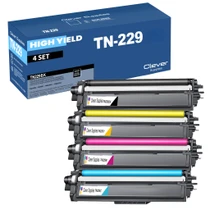
Compatible Brother TN229 (TN229BK, TN229C, TN229Y, TN229M) Toner Cartridge 4 Color Set
/>


Brother
Compatible Brother TN229 (TN229BK, TN229C, TN229Y, TN229M) Toner Cartridge 5 Color Set
#N/A Frequently Asked Questions When does changing all four cartridges at once make more sense than one at a time? When several colors are fading together — the usual story with a printer that has...


Brother
Compatible Brother TN229 (TN229C) Toner Cartridge Cyan
/>