






 See Compatible Printers
 Read more about our ink!
Brother
Compatible Brother TN229 (TN229Y) Toner Cartridge Yellow
- Page Yield:
- Color: 1200
- Availability:
- In Stock
- Shipping:
- Calculated at Checkout

Amazon Price:

- Page Yield:
- Color: 1200
- Availability:
- In Stock
- Shipping:
- Calculated at Checkout
- Compatible Printers
- Specifications
- SKU:
- CS-Brother-TN229-Y
- Printer Brand:
- Brother
- OEM Number:
- TN229Y
- Ink Color:
- Yellow
- Page Yield:
- Color: 1200
- Printer Type:
- Laser Cartridge
- Condition:
- New Compatible
- Description
- Reviews

/> 

Power through your printing tasks with the Brother TN229, including the high-yield TN229BK Black, TN229C Cyan, TN229M Magenta, and TN229Y Yellow toner cartridges. These cartridges are designed to produce sharp text and vibrant colors, making them ideal for both everyday documents and high-impact graphics. Built for high efficiency, the Brother TN229 toner cartridge and Brother TN229 toner cartridge deliver outstanding performance and long-lasting results. With higher page yields, youll spend less time replacing cartridges and more time printing without interruption. Compatible with a wide range of Brother printers, these cartridges work seamlessly with models like MFC-L3720CDW, MFC-L3780CDW, HL-L3220CDW, HL-L3280CDW, HL-L3300CDW, and HL-L3295CDW. Each print is clean, consistent, and professionally finished to meet the needs of home offices or busy workplaces. Optimized for extended use in devices such as the HL-L8245CDW, MFC-L8395CDW, and MFC-L3765CDW, the TN229BK Black, TN229C Cyan, TN229M Magenta, and TN229Y Yellow cartridges ensure your prints look sharp and stay vividpage after page. Trust these high-yield solutions to deliver the quality and reliability Brother is known for.
Frequently Asked Questions
Why do my greens turn blue-ish as the yellow runs down?
Green is printed as cyan plus yellow. When the yellow cartridge fades, the cyan wins the mix and greens slide toward teal and blue. It is the classic early warning sign that this standard yellow — rated up to 1,200 pages — is nearly done.
Will the printer refuse to print when yellow is empty?
On most models, yes for color jobs: the machine pauses rather than printing wrong colors. Black-only documents may still go through depending on settings, but for anything in color a fresh yellow is the fix, not a workaround.
Does this yellow work in my machine?
Yes, if your Brother printer runs on the TN229 platform — the family includes DCP-L3560CDW, HL-L3220CDW, HL-L3280CDW, HL-L3295CDW, HL-L3300CDW, HL-L8245CDW, MFC-L3720CDW, MFC-L3765CDW, MFC-L3780CDW and MFC-L8395CDW. All tiers share the same cartridge design, so this standard yellow clicks into the same slot an XL or XXL yellow would use.
Is replacing just the yellow a waste of money?
Not at all — it is the opposite. Each cartridge is consumed independently, so swapping only the empty yellow at $36.19 keeps the still-working black, cyan and magenta earning their keep instead of being retired early in a full-set change. For the three TN229 tiers priced side by side — standard, XL and the four-model XXL — see our Best Brother TN229, TN229XL & TN229XXL Toner Cartridges and check the set-versus-singles arithmetic while you are there.
How long can I store a spare yellow before using it?
A long time. Kept sealed, flat and out of direct sunlight, laser toner does not dry out the way ink does. Many offices keep one spare of the color that surprises them most — and yellow is usually that color, because it fades quietly.
What is the return situation if I order the wrong cartridge?
Returns are free within a year, and the cartridge itself is warranted for a year — see the shipping and returns page for the simple steps. If you are unsure before ordering, call us on a weekday between 9 AM and 5 PM CST and we will confirm the right cartridge first.
Our reports are printed double-sided — does that halve what this yellow prints?
No. The 1,200-page rating counts printed sides, so a fifty-sheet report printed on both faces still uses a hundred pages of yellow life wherever color appears. Duplexing is a paper saving, not a toner saving: each side of the sheet receives exactly the toner it would have received as a single-sided page. Plan this TN229Y's life in documents and sides, not in reams.
Yellow is fading but a replacement is two days away — is there a stopgap?
Yes, the classic one. Remove the cartridge and rock it gently from side to side a few times to redistribute the toner still inside, then refit it and test with a color page. Density often evens out enough to carry ordinary work for a short run. It is a bridge, not a refill — if greens still lean blue straight after rocking, the TN229Y is genuinely at its end and the new cartridge cannot arrive too soon.
Why did this yellow run out sooner than the page count suggested?
Because the rating assumes standard document coverage, and real color work rarely matches it. A page carrying a small color logo uses a fraction of the yellow that a page of charts, shaded tables or photos uses. If your color output is graphics-heavy, count your color pages rather than your total pages when judging the 1,200-page figure — text documents with light color touches land close to the rating, dense graphics land well under it.
Before I reorder, how do I confirm the standard yellow is the code I actually want?
Read the code on the cartridge you take out. TN229Y is this standard-yield yellow; the same slot also takes the TN229XLY and TN229XXLY, which are the same design with larger fills. The final letter Y marks the yellow slot in every tier. If the last cartridge vanished quickly, stepping up a tier is the fix; if it lasted a year or more, reordering this standard TN229Y matches your real rhythm.
About This TN229 Yellow Toner Cartridge
A standard-yield yellow rated for up to 1,200 pages at about 3.02 cents per page, built for Brother's TN229 platform. Yellow is the silent partner in every green, orange and warm tone your printer makes — this cartridge restores it on its own, in seconds, and sits alongside the full Brother lineup of standard, XL and XXL options for the same machines.
Printer showing "Replace Toner" or "No Toner" after a cartridge change? Our TN229 troubleshooting guide walks through the reseat, contact-cleaning and counter-reset steps for this family.
Related Items
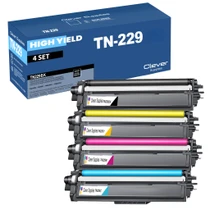

Brother
Compatible Brother TN229 (TN229BK, TN229C, TN229Y, TN229M) Toner Cartridge 4 Color Set
/>



Brother
Compatible Brother TN229 (TN229BK, TN229C, TN229Y, TN229M) Toner Cartridge 5 Color Set
#N/A Frequently Asked Questions When does changing all four cartridges at once make more sense than one at a time? When several colors are fading together — the usual story with a printer that has...


Brother
Compatible Brother TN229 (TN229M) Toner Cartridge Magenta
/>


Brother
Compatible Brother TN229 (TN229C) Toner Cartridge Cyan
/>