






 See Compatible Printers
 Read more about our ink!
Brother
Compatible Brother TN229 (TN229BK) Toner Cartridge Black 2 Pack

Amazon Price:

- Page Yield:
- Black: 1500
- Availability:
- In Stock
- Shipping:
- Calculated at Checkout
- Compatible Printers
- Specifications
- SKU:
- CS-Brother-TN229-2BK
- Printer Brand:
- Brother
- OEM Number:
- TN229BK
- Ink Color:
- Black
- Page Yield:
- Black: 1500
- Printer Type:
- Laser Cartridge
- Condition:
- New Compatible
- Description
- Reviews

/> 

Power through your printing tasks with the Brother TN229, including the high-yield TN229BK Black, TN229C Cyan, TN229M Magenta, and TN229Y Yellow toner cartridges. These cartridges are designed to produce sharp text and vibrant colors, making them ideal for both everyday documents and high-impact graphics. Built for high efficiency, the Brother TN229 toner cartridge and Brother TN229 toner cartridge deliver outstanding performance and long-lasting results. With higher page yields, youll spend less time replacing cartridges and more time printing without interruption. Compatible with a wide range of Brother printers, these cartridges work seamlessly with models like MFC-L3720CDW, MFC-L3780CDW, HL-L3220CDW, HL-L3280CDW, HL-L3300CDW, and HL-L3295CDW. Each print is clean, consistent, and professionally finished to meet the needs of home offices or busy workplaces. Optimized for extended use in devices such as the HL-L8245CDW, MFC-L8395CDW, and MFC-L3765CDW, the TN229BK Black, TN229C Cyan, TN229M Magenta, and TN229Y Yellow cartridges ensure your prints look sharp and stay vividpage after page. Trust these high-yield solutions to deliver the quality and reliability Brother is known for.
Frequently Asked Questions
What do I actually save by buying the black two-pack?
Two single TN229 blacks would cost $71.26; this two-pack is $52.76, so you save $18.50 and the per-cartridge price drops to $26.38. Across the pair's 3,000 combined pages, your black cost works out to about 1.76 cents per page instead of 2.38. For the three TN229 tiers priced side by side — standard, XL and the four-model XXL — see our Best Brother TN229, TN229XL & TN229XXL Toner Cartridges — it names the duplicate set listings to watch for, too.
Is 3,000 pages of black a sensible amount to stock?
For most small offices, yes — it is roughly two normal cartridge cycles in one box. Black is the cartridge every TN229 printer burns through fastest, so having the second one on the shelf turns a "printer is down" moment into a two-minute swap.
Which printers use the cartridges in this pack?
Both are standard TN229 blacks for Brother's TN229 platform, including DCP-L3560CDW, HL-L3220CDW, HL-L3280CDW, HL-L3295CDW, HL-L3300CDW, HL-L8245CDW, MFC-L3720CDW, MFC-L3765CDW, MFC-L3780CDW and MFC-L8395CDW. They also fit any machine on the platform currently running XL or XXL blacks, since every tier uses the identical slot.
Should I install both cartridges right away?
No — install one now and keep the second sealed as your spare. Toner keeps well in its sealed bag at room temperature, and a one-in, one-on-the-shelf rhythm means you always know exactly how much black you have left.
How does this compare with jumping straight to a bigger tier?
The TN229XL black puts the same 3,000 pages in a single cartridge. The two-pack splits that capacity across two standard cartridges, which some buyers prefer: the printer gets a completely fresh cartridge halfway through instead of one long-serving unit.
What cover comes with the two-pack?
Both cartridges carry our one-year warranty, and free returns run for a year too — the details are on the shipping and returns page. If either cartridge in the box lets you down, weekday support (9 AM–5 PM CST) will sort it out.
How do I rotate the two black cartridges so the spare does not sit forgotten?
Fit one TN229BK now and write the install date and the printer's page counter on the second cartridge's box before it goes on the shelf. When the second one goes in, that note gives you the first cartridge's true service interval — and the moment the spare is fitted is your reorder point, so a black is never the thing standing between you and a print run. First in, first out, with the dates to prove it.
Does two-sided printing change the pair's combined 3,000 pages?
Only in sheets. The 3,000-page figure counts printed sides across both cartridges, so duplexed documents put those pages onto roughly 1,500 sheets. Each side still receives the same toner whether it shares a sheet or not. If you budget by the ream, the pair looks shorter-lived than it is; budget by the printer's page counter and the numbers line up with the rating.
Will dense, coverage-heavy documents shorten the pair's real life?
Yes, somewhat — the 3,000 combined pages assume standard document coverage, and pages carrying heavy fills, bold graphics or dense tables spend toner faster than a plain letter. A household or office printing mostly text will land close to the rating; one printing coverage-heavy work will cycle through both cartridges sooner. Either way the two-pack structure absorbs it: the second cartridge is already on the shelf when the first gives out early.
What should I do with the first empty while the second cartridge is running?
Keep it until the second TN229BK has printed its first documents cleanly. That brief overlap confirms the replacement is healthy before the evidence leaves the building. After that, the pair of empties is worth a glance before they go for recycling: two boxes with your install dates on them are a consumption record that tells you exactly how long 3,000 pages lasts in your hands — the best basis for timing the next two-pack.
About This TN229 Black Two-Pack
Two standard-yield TN229 black cartridges in one box: up to 3,000 pages in total, $26.38 per cartridge, about 1.76 cents per page, and $18.50 less than buying the pair separately. It is the entry tier packaged the way black toner is actually consumed — one working, one waiting — and ships from our IL, PA, GA or CA warehouses alongside the rest of the Brother range.
Printer showing "Replace Toner" or "No Toner" after a cartridge change? Our TN229 troubleshooting guide walks through the reseat, contact-cleaning and counter-reset steps for this family.
Related Items


Brother
Compatible Brother TN229 (TN229BK) Toner Cartridge Black
/>


Brother
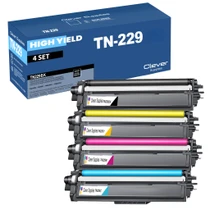
Compatible Brother TN229 (TN229BK, TN229C, TN229Y, TN229M) Toner Cartridge 4 Color Set
/>


Brother
Compatible Brother TN229 (TN229BK, TN229C, TN229Y, TN229M) Toner Cartridge 5 Color Set
#N/A Frequently Asked Questions When does changing all four cartridges at once make more sense than one at a time? When several colors are fading together — the usual story with a printer that has...


Brother
Compatible Brother TN229 (TN229C) Toner Cartridge Cyan
/>