




What Toner Does the Brother HL-L3280CDW Use?
Nov 4th 2026
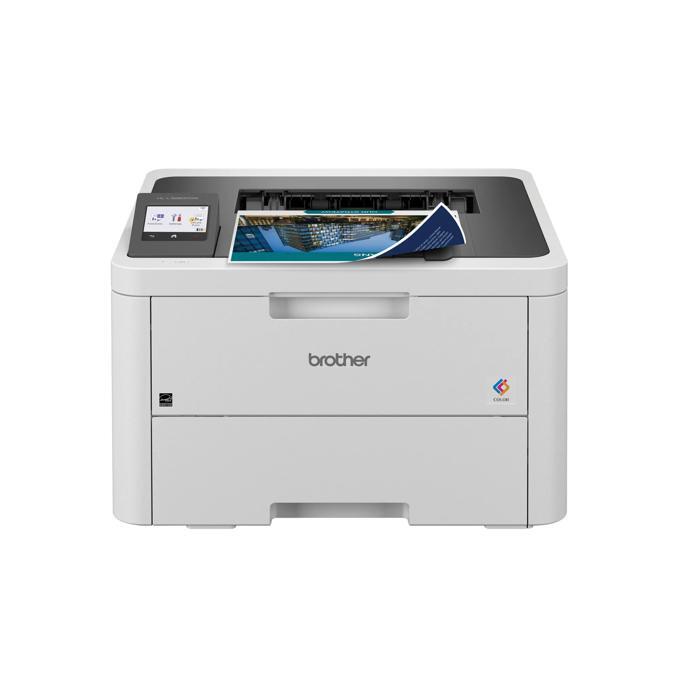
Quick answer: TN229 or TN229XL — four cartridges, one per color. The HL-L3280CDW takes Brother's TN229 standard-yield toner (about 1,500 pages black, 1,200 per color) or the TN229XL high-yield version (about 3,000 pages black, 2,300 per color), working with a DR229CL drum unit rated at roughly 20,000 pages that you replace only occasionally.
Think of this model as the L3220's quicker, better-connected sibling: still print-only, still compact, but running at up to 27 pages per minute, with Gigabit Ethernet alongside dual-band Wi-Fi and a 2.7″ color touchscreen on the front.
Cost First: What Each Size Costs to Run
The two sizes do not cost the same, and how the difference plays out per page is the whole decision. Using our compatible cartridges, priced on their product pages on November 2, 2026:
| Option | Price | Rated yield | Cost per page |
|---|---|---|---|
| Compatible TN229XLBK (black) | $37.84 | ~3,000 pages | ~1.3¢ |
| Compatible TN229XL color (each) | $37.84 | ~2,300 pages | ~1.6¢ |
| Compatible TN229BK (black) | $30.98 | ~1,500 pages | ~2.1¢ |
| Compatible TN229 color (each) | $31.47 | ~1,200 pages | ~2.6¢ |
At 27 ppm, this printer can get through a standard black cartridge in a busy week. Unless yours sits idle most days, the XL is where the arithmetic points.
The Full Supply Picture
Beyond toner, three long-life parts live inside the machine, all fitted when new: the DR229CL drum unit (about 20,000 pages), the BU229CL belt unit (about 50,000 pages) and the WT229CL waste toner box (about 50,000 pages). Brother ships the printer with starter toner rated near 1,000 pages per color, which is why the first "toner low" message tends to surprise people — the replacements you buy are bigger than the ones it came with.
Order by Color, by Code
High yield — the set most owners settle on: TN229XLBK Black · TN229XLC Cyan · TN229XLM Magenta · TN229XLY Yellow
Standard yield, if you print lightly: TN229BK Black · TN229C Cyan · TN229M Magenta · TN229Y Yellow
The Set Question
The compatible TN229XL four-color set costs $103.13. The same four cartridges bought individually total $151.36, so the set saves $48.23. One caution on set math: the four cartridges' rated yields add up to 9,900 pages on paper, but a color page draws on all four cartridges at once — so a full-color page costs roughly the sum of the four per-color figures (about 6 cents a page with the XL cartridges), while a black-only page costs about 1.3 cents. For an office that prints color daily, that is the sensible default.
Where singles win: staged replacement. A home user whose magenta dies in March and whose cyan lasts until autumn is better served by two single purchases months apart than by a set bought all at once. The set rewards synchronized, steady use; singles reward patience.
Swapping a Cartridge
1. Lift the top cover until it locks; the cartridge row pulls out with the drum assembly. 2. Take out the spent cartridge for the color shown on the touchscreen. 3. Shake the replacement gently from side to side, remove its protective cover, and press it into the same color's slot. 4. Run the green cleaning tab on that drum section across and back once. 5. Push the assembly home and close the cover; the printer recalibrates on its own.
Two Things Worth Knowing About This Model
It prints straight from cloud services. The touchscreen is not decoration: Brother builds in print-from access to services such as Google Drive, OneDrive, Dropbox and SharePoint Online, so a file can come off the cloud without a computer in between. None of that changes the toner — but it does mean this model often ends up as a shared office printer, and shared printers eat XL cartridges happily.
Wired networking is its party trick. Among the print-only models in this family, the Gigabit Ethernet port is what separates the HL-L3280CDW from the HL-L3220CDW. On a wired network the toner conversation is the same, yet the machine tends to serve more people — another nudge toward high yield.
Built for a Shared Network
A wired printer in a shared space needs manners, and Brother equips this one accordingly: Secure Print holds a job until its owner is standing at the machine, Secure Function Lock lets an administrator decide who may print in color at all, and the spec sheet lists enterprise-grade network protections including 802.1x authentication, IPSec and TLS/SSL. Color locking, in particular, has a supply-side benefit nobody advertises — routing the office's draft work to black-only quietly preserves the three color cartridges for documents where color earns its cost.
Frequently Asked Questions
Are TN229 and TN229XL cartridges the same physical size? They fit the same slots and install identically; the XL simply holds more toner. There is no tray or setting to change.
How long should the DR229CL drum last me? Brother rates it at about 20,000 pages — roughly seven XL black cartridges' worth. The printer will tell you when it is due; faded output with a fresh cartridge is the usual early symptom.
Can the HL-L3280CDW scan or copy? No — it is a printer only. The HL-L3300CDW adds a flatbed scanner and copier while using this same TN229 family.
My starter black gave me far fewer pages than 1,500. Is something wrong? Nothing is wrong. The in-box starters are rated around 1,000 pages per color; the 1,500-page figure belongs to the full standard-yield replacement.
Twenty Thousand Pages on Two Shelves
One DR229CL drum life — about 20,000 pages — is the honest horizon for this machine's supply bill. It comes with a wrinkle: we stock no compatible drum for this family, so the drum line below is the genuine Brother unit on both paths, at its Brother USA list price checked November 3, 2026. The contest is toner only, and at rated yields (about seven black cartridges and nine of each color across the span) it is not close:
| Across one drum life (20,000 pages) | Genuine Brother | Our compatibles |
|---|---|---|
| Black toner — about seven cartridges | $641.93 | $252.27 |
| Color toner — about nine of each color | $3,221.48 | $987.13 |
| Drum unit — genuine on both paths | $187.99 | $187.99 |
| Total supply spend | $4,051.40 | $1,427.39 |
| Blended cost per page | ~20.3¢ | ~7.1¢ |
Even with the drum costing the same either way, the compatible path runs $2,624.01 lower across a single drum life. A networked machine in a shared office can cross that distance in well under two years, which makes the toner shelf the largest running-cost decision this printer's owner will ever take — larger, over time, than the hardware decision that preceded it.
When Output Goes Wrong on the HL-L3280CDW
Colors drift or turn muddy after a heavy week. Color lasers wander out of registration as cartridges age at different rates, and the fix lives in the machine, not in a new box: run the color calibration routine from the touchscreen and let it finish before printing anything that matters. Calibration after a cartridge change is normal behavior on this platform, not a fault.
One color bands down every page while the text stays sharp. Banding confined to a single color points at that color's section of the DR229CL drum unit. A fresh cartridge will not cure a drum band — swap in a known-good cartridge of that color if one is handy, and if the band stays put, the drum section is the cause.
A drum message arrives while the toner gauges look healthy. The drum keeps its own roughly 20,000-page clock, independent of all four cartridges. Nothing about the message asks you to touch the toner; the cartridges in the machine simply move across into the new drum unit's working life when its turn comes.
Standard or XL — the short version: the XL, decisively, on a machine this quick. Across one drum life the standard size means about thirteen black swaps against the XL's seven, at 2.1 cents a page in black against 1.3. The standard TN229 remains defensible only on a genuinely personal printer that prints in occasional bursts — everywhere else the TN229XL tier is where the arithmetic already pointed.
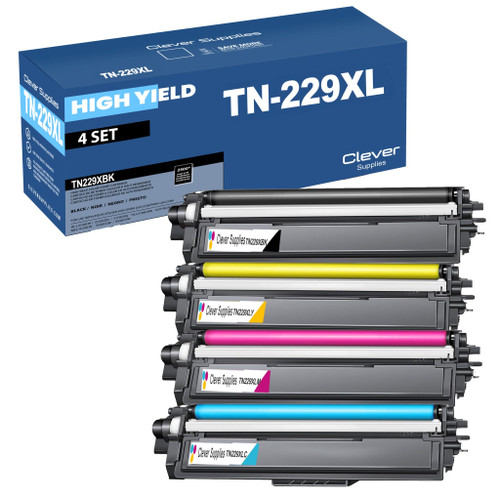 brother tn229xl tn229xlbk tn229xlc tn229xly tn229xlm toner c
 brother tn229 tn229bk tn229c tn229y tn229m toner cartridge 4
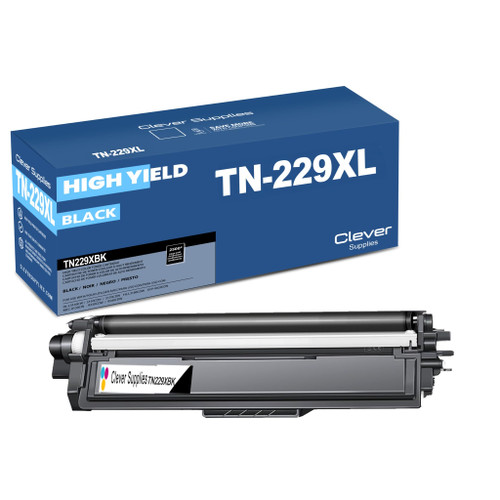 brother tn229xl tn229xlbk toner cartridge black
 brother tn229xl tn229xlc toner cartridge cyan
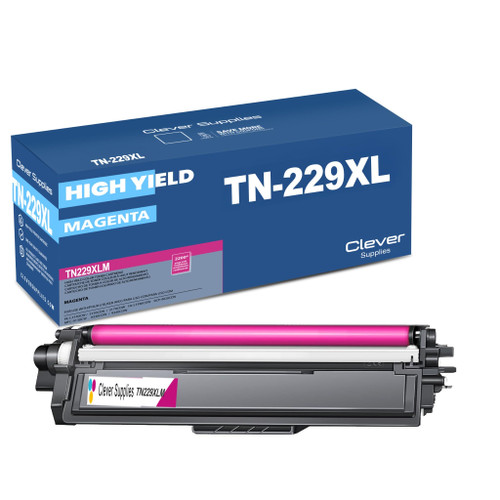 brother tn229xl tn229xlm toner cartridge magenta
 brother tn229xl tn229xly toner cartridge yellow
Key takeaways
- The top cartridge here is rated at 3,000 pages — fewer swaps, lower cost per page.
- Lowest cost per page in this family: ~1.3¢ with the highest-yield cartridge.
- Buying the set instead of the individual cartridges saves $48.23.
Other Printers That Use TN229 and TN229XL
Everything that fits this printer, in one list: the HL-L3280CDW category page.