






 See Compatible Printers
 Read more about our ink!
Brother
Compatible Brother TN229XXL (TN229XXLBK) Toner Cartridge Black

Amazon Price:

- Page Yield:
- Black: 4500
- Availability:
- In Stock
- Shipping:
- Calculated at Checkout
- Compatible Printers
- Specifications
- SKU:
- CS-Brother-TN229XXL-BK
- Printer Brand:
- Brother
- OEM Number:
- TN229XXLBK
- Ink Color:
- Black
- Page Yield:
- Black: 4500
- Printer Type:
- Laser Cartridge
- Condition:
- New Compatible
- Description
- Reviews

/> 

Upgrade your printing capabilities with the Brother TN229XXL, featuring ultra high-yield performance from the TN229XXLBK Black, TN229XXLC Cyan, TN229XXLM Magenta, and TN229XXLY Yellow toner cartridges. These cartridges are engineered to produce vivid colors and crisp black text, ideal for both everyday use and professional-grade documents. Crafted for long-lasting performance, the Brother TN229XXL toner cartridge and Brother TN229XXL toner cartridge are perfect for high-volume printing environments. Enjoy more pages per cartridge while maintaining the reliable quality Brother is known for. Compatible with a variety of Brother printer models, these cartridges work flawlessly with the MFC-L3720CDW, MFC-L3780CDW, HL-L3220CDW, HL-L3280CDW, HL-L3300CDW, and HL-L3295CDW, delivering consistently excellent results with every page. Optimized for demanding workflows, these ultra high-yield cartridges are also a perfect fit for the HL-L8245CDW, MFC-L8395CDW, and MFC-L3765CDW. Count on the TN229XXLBK Black, TN229XXLC Cyan, TN229XXLM Magenta, and TN229XXLY Yellow to reduce cartridge changes and deliver professional results that last.
Frequently Asked Questions
How does a black page come out at about 0.73 cents?
By spreading the cartridge's price across a lot of pages: this TN229XXL black costs $32.90 and is rated for up to 4,500 pages. Divide one by the other and each black page carries roughly three-quarters of a cent of toner — the lowest per-page figure on the entire TN229 platform. For the three TN229 tiers priced side by side — standard, XL and the four-model XXL — see our Best Brother TN229, TN229XL & TN229XXL Toner Cartridges — it works out what a full-color page costs at each tier.
How long does 4,500 pages of black actually last?
For a home office printing 200 pages a month, well over a year and a half. For a small business printing 1,000 pages a month, a full working quarter and then some. Either way, it is the longest stretch this platform offers between black cartridge changes.
Which printers does the XXL black fit?
The whole TN229 platform, including MFC-L3720CDW, MFC-L3780CDW, HL-L3220CDW, HL-L3280CDW, HL-L3300CDW, HL-L3295CDW, HL-L8245CDW, MFC-L8395CDW and MFC-L3765CDW. The XXL shares the family's common cartridge design, so it fits the same slot as the standard and XL blacks — no adapter, no different machine, just more pages inside.
One XXL or three standard blacks — what is the practical difference?
Capacity-wise, one XXL equals three standard cartridges (3 × 1,500 pages). The difference is the interruptions: a single cartridge means two fewer low-toner warnings, two fewer swaps and two fewer orders to remember across the same 4,500 pages.
Does the biggest cartridge change how the printer runs?
No. Print speed, quality and handling are identical — the printer simply reports a much longer remaining life. The matching DR830 drum continues on its own separate cycle in the background, exactly as it does with any other tier.
What if the XXL black gives me trouble?
It is backed by a one-year warranty, and returns are free within a year — the process is set out on our shipping and returns page. Weekday support runs 9 AM to 5 PM CST if you would rather talk it through first.
Can I coax a few extra pages from this cartridge when it finally fades?
Yes — rock the TN229XXLBK gently from side to side a few times to level out the powder remaining inside, and even coverage usually returns for a while. After 4,500 rated pages the reserve is genuinely thin, so treat any improvement as a bridge measured in days, not weeks. When fading comes back, the cartridge has given everything it has, and repeated shaking will not change that verdict.
Is it worth noting the page counter the day this cartridge goes in?
It is the only way to verify the XXL is delivering its promise in your printer. Record the counter at install; when the cartridge eventually flags, the difference is your true yield under your real coverage — the number that tells you whether the top tier or the XL below it is the smarter buy for your workload. One note on the box flap is all the bookkeeping this takes.
How do I keep the XXL and XL blacks straight when I reorder?
By the code, read in full: this cartridge is the TN229XXLBK. The XL black drops one X — TN229XLBK — and carries 3,000 pages instead of 4,500; the standard drops the XL entirely at 1,500 pages. All three share the same slot and a similar shell, so the printer offers no protection against a downgraded reorder. The label on the cartridge you are replacing is the authority — order what it says.
How should the empty XXL black be handled?
Leave the old cartridge by the printer until the replacement has printed several ordinary pages to your satisfaction — it is the quickest proof of whether any remaining issue sits with the cartridge or the machine. Then return the empty to its bag or box, which keeps residual toner contained, and dispose of it through your normal office recycling. A cartridge that delivered thousands of pages needs no special send-off and carries no return obligation.
About This TN229XXL Black Toner Cartridge
The maximum-capacity black of the TN229 platform: up to 4,500 pages at about 0.73 cents per page, priced at $32.90. It is the cartridge for printers whose black workload dwarfs everything else — three standard cartridges' worth of pages with a single install — and it sits at the top of the Brother range for these machines, above the standard TN229 black.
Printer showing "Replace Toner" or "No Toner" after a cartridge change? Our TN229 troubleshooting guide walks through the reseat, contact-cleaning and counter-reset steps for this family.
Related Items

Brother
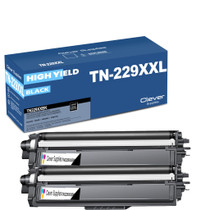
Compatible Brother TN229XXL (TN229XXLBK) Toner Cartridge Black 2 Pack
/>



Brother
Compatible Brother TN229XXL (TN229XXLBK, TN229XXLC, TN229XXLY, TN229XXLM) Toner Cartridge 4 Color Set
/>


Brother
Compatible Brother TN229XXL (TN229XXLBK, TN229XXLC, TN229XXLY, TN229XXLM) Toner Cartridge 5 Color Set
#N/A Frequently Asked Questions Roughly how long does a full XXL set last a small office? It depends on volume, but the capacity gives you a yardstick: 4,500 pages from the black and 4,000 from each...


Brother
Compatible Brother TN229XXL (TN229XXLY) Toner Cartridge Yellow
/>