




ML-2850D
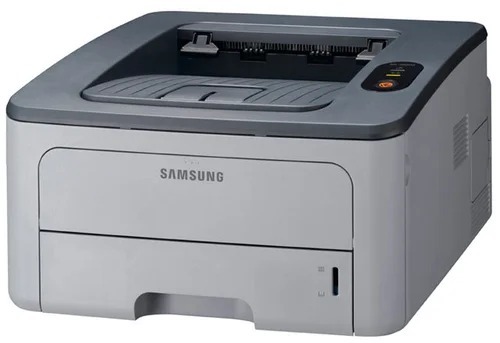
The D in the Samsung ML-2850D stands for duplex — automatic two-sided printing on the ML-2850's small-office mono platform, cutting paper use for everyday office documents.
It takes ML-D2850A or ML-D2850B toner. Both compatible and genuine OEM cartridges for the ML-2850D are available here.
Toner Cartridges for ML-2850D
This printer works with the following toner cartridges:
- Samsung ML-D2850A
- Samsung ML-D2850B
More Samsung Printers
Frequently Asked Questions
Sometimes my ML-2850D prints completely blank pages — what might be going wrong?
After clearing a jam, the ML-2850D printing blank pages usually means a small torn scrap is still lodged in the paper path or the ML-D2850A was not put back firmly. Open the printer up and scan for leftover bits of paper, then push the cartridge in until it is firmly seated. Running a test page from the control panel will confirm the path is clear.
Will the ML-2850D report levels differently for a high-yield cartridge?
The ML-D2850A is the standard-yield option while ML-D2850B is the high-yield option for the ML-2850D, and they install exactly the same way. Choose based on how often you print rather than any quality concern. The printer detects and reports both without any settings change.
Why does my ML-2850D show a toner error right after installing a new ML-D2850A?
If the ML-2850D reports an unrecognized cartridge right after you installed the ML-D2850A, a recent firmware update may have tightened the chip checks. Take the cartridge out, wipe the chip contacts gently with a dry cloth, and reseat it firmly. When the cartridge worked before the update and reseating does not help, ask the supplier about a compatible replacement.