




ML-2850ND
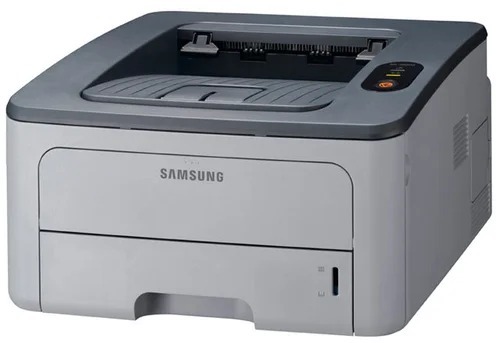
With both network and duplex onboard, the Samsung ML-2850ND was the fully equipped 2850 — shared Ethernet printing plus automatic two-sided output for the small office.
Its cartridges are ML-D2850A and ML-D2850B. Compatible and genuine OEM options for the ML-2850ND are available here.
Toner Cartridges for ML-2850ND
This printer works with the following toner cartridges:
- Samsung ML-D2850A
- Samsung ML-D2850B
More Samsung Printers
Frequently Asked Questions
What is the correct way to get the driver set up when the ML-2850ND is not detected by my computer?
Gibberish or symbol pages from the ML-2850ND almost always indicate a wrong driver or print language. Delete the printer entry, reinstall with the model-specific Samsung driver, and retry. If plain text prints cleanly afterward, the ML-D2850A toner was never to blame.
Could a firmware update be the reason the ML-2850ND is showing cartridge warnings?
A blinking toner light on the ML-2850ND can mean low toner, a loosely installed ML-D2850A, or a cartridge the printer cannot read. Reseat the cartridge and look for leftover packaging like seals or tabs. If the light persists with a known-good ML-D2850A, swap in another cartridge to determine whether the cartridge or the printer is at fault.
Why is the ML-2850ND outputting blank pages after I cleared a paper jam?
A brand-new ML-D2850A printing blank in the ML-2850ND is usually an intact seal or poor seating — a genuinely defective cartridge is uncommon. Reseat the cartridge and check the supplies status to confirm the printer recognizes it. If a different ML-D2850A prints fine, the first cartridge is the faulty one.