




ML-2850
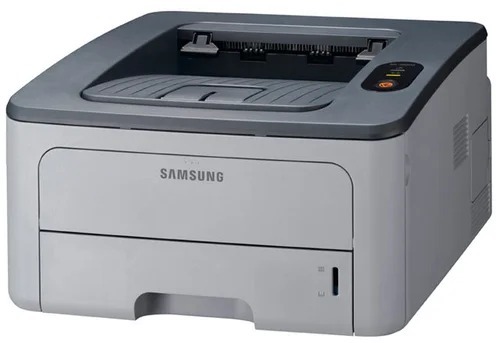
The Samsung ML-2850 was a small-office mono laser with a modern look for its era — quick to print, simple to use, and aimed at workgroups needing reliable black-and-white output.
Its cartridges are the ML-D2850A standard yield and ML-D2850B high yield. Compatible and genuine OEM toner for the ML-2850 is stocked here.
Toner Cartridges for ML-2850
This printer works with the following toner cartridges:
- Samsung ML-D2850A
- Samsung ML-D2850B
More Samsung Printers
Frequently Asked Questions
My ML-2850 won't recognize a new cartridge — what's the fix?
An unrecognized-cartridge message after installing the ML-D2850A can sometimes follow a firmware update that tightens chip checks on the ML-2850. First reseat the cartridge and wipe the chip contacts gently with a dry cloth. If it worked before the update and reseating does not help, check with the cartridge supplier for a compatible replacement.
What keeps triggering repeated update notifications on the ML-2850?
Firmware for the ML-2850 fixes bugs and security holes, but it can also tighten cartridge chip checks — so update on purpose, not on autopilot. Take updates only from the official Samsung or HP support site for your exact model. Jot down your ML-D2850A cartridge code beforehand in case you need to reference it later.
Does a high-yield cartridge change anything about how the ML-2850 prints?
Moving from ML-D2850A to ML-D2850B in the ML-2850 needs no setup at all — the printer takes both and monitors their levels identically. The practical difference is simply how long each lasts before the low-toner warning appears. That is why many offices standardize on the high-yield cartridge to reorder less often.