




CLP-670ND
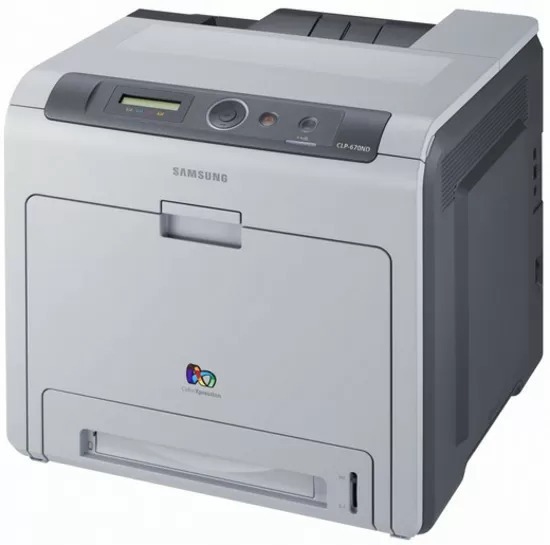
Samsung's CLP-670ND is the networked, duplexing member of the late 2000s CLP-670 color laser family — where the plain CLP-670 stopped, this variant adds wired Ethernet and automatic two-sided printing, and it was aimed squarely at workgroups with serious color workloads. Its toner system is the CLT-508 family in two grades. The high-yield CLT-508L range leads with CLT-K508L black and the CLT-C508L, CLT-M508L and CLT-Y508L colors, while the standard CLT-508S range covers the same four slots with CLT-K508S, CLT-C508S, CLT-M508S and CLT-Y508S. Every grade and pack size sold for the machine is gathered in the table below.
A departmental color printer lives a different life from a desktop one: longer runs, more hands, and queues of jobs from people who never see the machine itself. That distance changes the toner routine. Levels get checked on a schedule rather than when output fades, and the supply cabinet — not the printer — is where the planning happens. For a CLP-670ND still in front-line service, the practical setup is high-yield cartridges in all four slots, a spare black in reserve, and a standing rule that whoever sees a low-toner warning orders the replacement the same day.
Toner Cartridges for CLP-670ND
Which cartridge should you buy?
Volume should make this decision for you. A workgroup machine burning through standard cartridges every few weeks belongs on the high-yield CLT-508L grade: fewer swaps, fewer interruptions and a lower cost on every page. The standard CLT-508S grade still has a place where the printer's workload has tailed off — a legacy machine kept for occasional color jobs does not need the bigger cartridges. Full four-color sets suit a planned refresh of all four slots; the multi black packs suit the reality that black empties two or three times for every color change on a report-heavy machine. Nothing prevents mixing grades slot by slot as levels dictate.
Chip, toner and everyday use
Treat cartridge changes on a shared machine as a small procedure: power the printer down if your office routine calls for it, pull the old unit straight out, keep the new one's drum shutter away from bright light, and never touch the green drum surface or the chip contacts — fingerprints there become permanent marks on every page. The printer reads the chip at start-up to log the grade and starting level, so let it complete its cycle before sending the queue. Toner level readings are estimates built on assumed page coverage; heavy graphics work pulls the real number down faster than the gauge expects.
Frequently Asked Questions
Why does Windows keep installing a generic driver for the CLP-670ND?
Symbol-filled or garbled pages almost always mean the wrong driver or print language is selected, not a toner fault. Remove the printer, reinstall it with the model-specific Samsung driver, and plain text should print correctly afterward.
Why does the printer ask for toner right after I installed a new cartridge?
A blinking toner light signals low toner, a cartridge that is not fully seated, or one the printer cannot read. Take the CLT-K508S out, check for leftover seals or tabs, and reinstall it firmly. If the light stays on with a known-good cartridge, swapping in a different unit isolates whether the cartridge or the printer is at fault.
Can a brand-new cartridge cause blank pages?
It can, but the cause is almost always mechanical rather than a defect: a seal left in place or a cartridge not fully seated. Reseat the unit and confirm the supplies status shows it. If a second cartridge prints normally, the first one is the problem and should go back to the seller.
Should our office standardize on one grade for all four slots?
It simplifies ordering, and for a busy CLP-670ND the high-yield grade in every slot is the tidy choice. But nothing in the machine requires it — replacing each slot with whichever grade fits its consumption is equally valid.
More printers that use the same cartridges
One cartridge family serves this whole group of Samsung workgroup machines: Samsung-CLT508, CLX-6250FX, CLX-6250FR, CLX-6250, CLX-6220FX/XAA, CLX-6220FX, CLX-6220, CLP-670N, CLP-670, CLP-620ND, CLP-620.