




CLP-670ND
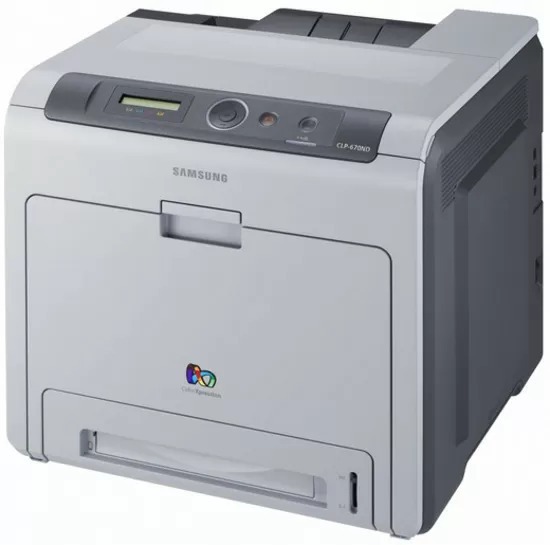
The Samsung CLP-670ND is a color laser printer from Samsung's late 2000s CLP/CLX lineup. Unlike the plain CLP-670, this one adds wired Ethernet networking and automatic duplex printing — which is what the letters mean. It was a practical fit for workgroups that needed robust color laser performance.
It feeds on the CLT-K508 cartridge set, where CLT-K508S covers black and CLT-C508S covers magenta. We stock compatible CLT-K508 toner as well as genuine Samsung OEM cartridges, and every order ships fast from Clever Supplies.
Toner Cartridges for CLP-670ND
This printer works with the following toner cartridges:
- Samsung CLT-K508S
- Samsung CLT-C508S
- Samsung CLT-M508S
- Samsung CLT-Y508S
- Samsung CLT-K508L
- Samsung CLT-C508L
- Samsung CLT-M508L
- Samsung CLT-Y508L
More Samsung Printers
Frequently Asked Questions
Why does Windows keep installing a generic driver for the CLP-670ND?
Gibberish or symbol pages from the CLP-670ND almost always mean the wrong driver or print language is selected. Remove the printer, reinstall it with the model-specific Samsung driver, and try again. If plain text pages print fine afterward, the CLT-K508S toner was never the issue.
Why does the CLP-670ND ask me to replace toner when I just installed a new cartridge?
The blinking toner light on the CLP-670ND signals low toner, an improperly installed CLT-K508S, or a cartridge the printer cannot read. Reseat the cartridge and check for packaging leftovers like seals or tabs. If the light stays on with a known-good CLT-K508S, try a different cartridge to isolate whether the issue is the cartridge or the printer.
Could a brand-new CLT-K508S cartridge be the reason the CLP-670ND is printing blank pages?
A new CLT-K508S can cause blank pages on the CLP-670ND if its seal is intact or it is not seated, but a genuinely defective cartridge is rare. Reseat it and confirm the printer recognizes the cartridge in the supplies status. If a different CLT-K508S prints normally, the first cartridge is the problem.