




CLP-670
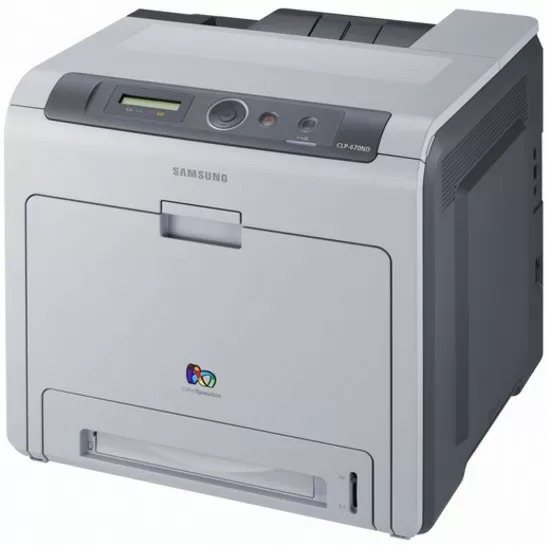
The Samsung CLP-670 is a color laser printer from the late 2000s, part of the CLP/CLX family and designed around low running costs for everyday color work. Unusually for its class, it offers two complete yield tiers. The standard tier is the CLT-508S set — CLT-K508S black, CLT-C508S cyan, CLT-M508S magenta, CLT-Y508S yellow — and the high-yield tier repeats the pattern as the CLT-508L set: CLT-K508L, CLT-C508L, CLT-M508L and CLT-Y508L.
This was a practical fit for workgroups that needed robust color laser performance, and the two-tier consumable system is a budgeting tool in disguise: a busy department can run the high-yield L cartridges everywhere, while a quieter branch office printing the same kinds of documents can stay on the standard S fill and spend less upfront. The printer makes no distinction between the tiers — the choice is purely about volume and cash flow, and the tiers can even be mixed across the four slots as levels and budgets dictate.
Toner Cartridges for CLP-670
Which cartridge should you buy?
Let monthly volume decide the tier. A CLP-670 printing hundreds of color pages a month will repay the high-yield L cartridges quickly: fewer swaps, fewer orders and a lower cost on every page. A machine that mostly idles, printing a few letters and the occasional chart, is better served by the standard S cartridges, which cost less to buy and will not sit half-used for a year. Within a tier, replace colors individually as they empty — black first, usually — and step up to a 4 Color Set only when several slots run low at once or when you want a full spare set in reserve. Every compatible cartridge on this page is sold with a 1-year warranty and 1-year returns.
Chip, toner and everyday use
Installation rewards a clean routine: open the front cover, pull the spent cartridge out by its handle, remove any orange seals or tape from the new one, and slide it in along the rails until it clicks. Close the cover and print a test page to confirm even coverage before running a real job. Fit the official Samsung driver rather than a generic class driver — the generic one can hide toner-level reporting, which is information this printer is happy to share. If levels look wrong after a driver change, restart the printer to clear the queue and let it re-read the cartridges.
Frequently Asked Questions
What should I avoid when installing a new CLT-K508S?
Do not force the cartridge and do not skip the seals: remove the orange tape and seals first, guide the cartridge along its rails, and stop when it clicks into place. A test page afterward confirms even toner coverage and catches a badly seated cartridge before a big job does.
A blank page came out of my CLP-670 — is that toner or the printer?
Intermittent blank pages suggest a loose cartridge or a driver hiccup rather than an empty cartridge, because empty toner fades gradually instead of stopping suddenly. Reseat the cartridge and restart the print spooler on your computer, then watch for a pattern — blanks only on the first page after sleep, for instance, point away from toner entirely.
Why does the driver choice matter for this printer?
When an operating system cannot reach the manufacturer's installer it loads a generic class driver, and that driver misses features such as toner-level reporting. Installing the official Samsung driver restores full control of print quality and supply status. Restart the printer after swapping drivers so the change takes effect cleanly.
Can I mix S and L cartridges in the same machine?
Yes. The four slots are independent, and the printer reads whichever cartridge is fitted. Many owners run the high-yield L in black, where volume concentrates, and keep standard S cartridges in the colors — a sensible split for document-heavy offices.
More printers that use the same cartridges
The same two-tier cartridge system serves the following Samsung models as well:
Samsung-CLT508, CLX-6250FX, CLX-6250FR, CLX-6250, CLX-6220FX/XAA, CLX-6220FX, CLX-6220, CLP-670ND, CLP-670N, CLP-620ND, CLP-620