




C612n
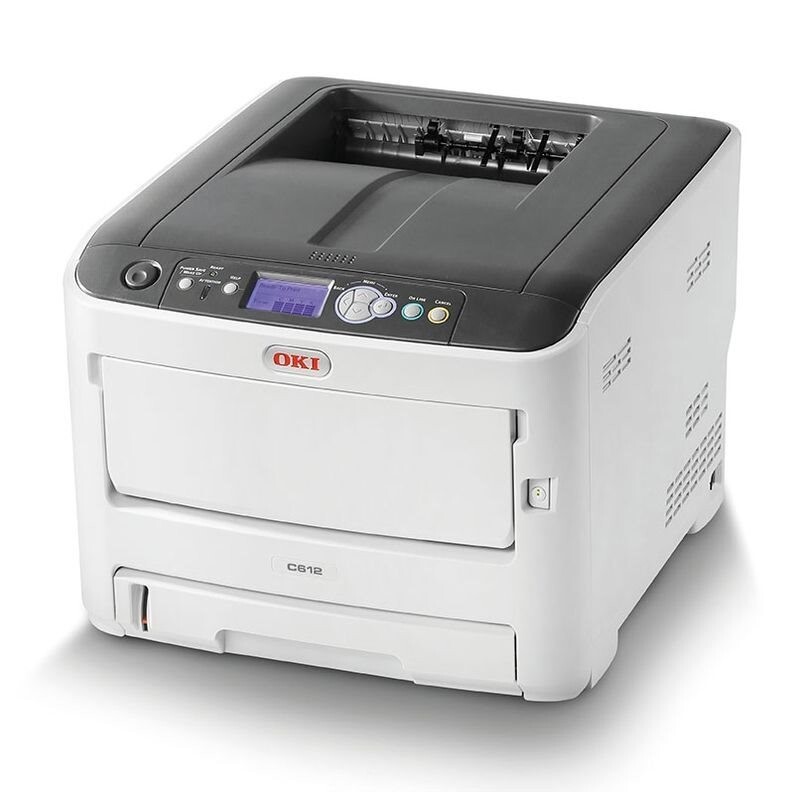
Order toner for the Okidata C612n and you are really ordering for two printers at once: this networked color model shares its engine and its complete consumable set with the C612dn. The cartridges are black 46507504 at about 8,000 pages and cyan 46507503, magenta 46507502 and yellow 46507501 at about 6,000 pages apiece. The listings on this page carry the C612dn name because that is how the shared cartridges are sold — they are the same cartridges your C612n takes. One spare set on the shelf therefore covers both models.
The C612n earns its place as the shared printer a small team prints to over the network: proposals with color covers, spreadsheets with highlighted figures, everyday correspondence. Because the four cartridges deplete at different rates depending on what the team prints, the page leans into choice — singles for the color that just ran out, black multi-packs for document-heavy months, and full sets when a general refresh is due.
Toner Cartridges for C612n
- 46507504 — black single cartridge, about 8,000 pages
- 46507503 — cyan single cartridge, about 6,000 pages
- 46507502 — magenta single cartridge, about 6,000 pages
- 46507501 — yellow single cartridge, about 6,000 pages
- 46507504 — black 2-pack, about 8,000 pages per cartridge
- 46507504 — black 3-pack, about 8,000 pages per cartridge
- 46507504 — black 5-pack, about 8,000 pages per cartridge
- 46507504, 46507503, 46507502, 46507501 — 4 Color Set with one of each cartridge
- 46507504, 46507503, 46507502, 46507501 — 5 Color Set for longer restock intervals
- 46507504, 46507503, 46507502, 46507501 — 8 Color Set for the busiest shared printers
- 46507503, 46507502, 46507501 — 6 Color Set with colors only, no black
- 46507503, 46507502, 46507501 — 3 Color Set with colors only, no black
Every listing above is a compatible cartridge built for this shared C612 engine, and each color installs in its own slot.
Which cartridge should you buy?
Let the printer tell you. When the panel reports one color low, order that single cartridge and nothing else — the other three may have thousands of pages left. If black warnings are the recurring event in your office, as they are in most, the black 2-pack, 3-pack or 5-pack brings the per-page cost down and ends the cycle of emergency orders. A 4 Color Set makes sense when several colors are aging together or when a new team inherits the printer and wants a known starting point; the 5 and 8 Color Sets stretch that logic for heavier shared use. The two colors-only sets exist for the common moment when black was just replaced but the color trio is fading as a group.
Chip, toner and everyday use
The chip on each compatible cartridge lets the C612n recognize the cartridge and report its level, so a replacement settles in without menu work. Quoted yields assume 5% page coverage, the standard estimating basis; full-color pages draw considerably more. Two habits stretch every cartridge: run internal documents in draft or toner-save mode, and reserve full color for the copies that leave the building. If a new color prints with a white streak, power the printer off and gently wipe that color's LED printhead lens with a soft, dry, lint-free cloth — dust on the lens blocks light and leaves exactly that mark.
Frequently Asked Questions
Does the C612n use the same cartridges as the C612dn?
Yes, exactly the same four: yellow 46507501, magenta 46507502, cyan 46507503 and black 46507504. That is why the listings on this page carry the C612dn name, and why one spare set covers both printers.
How do I clean the LED printheads on the C612n?
Power the printer off first, then gently wipe each LED printhead lens with a soft, dry, lint-free cloth. Dust on the lens blocks light and leaves white streaks down the page. Avoid touching the lens surface with bare fingers.
What is the cheapest way to print color on this machine?
Use draft or toner-save mode for internal documents and save full color for final copies. Since each of the four cartridges is replaced separately, stretching the one your documents actually use is what stretches your budget.
Are the cartridges replaced together or one by one?
One by one. Each color sits in its own slot and reports its own level, so you only ever change the cartridge that has run out.
More printers that use the same cartridges
The C612n's twin model uses the identical cartridges and is covered by the same listings: