






 See Compatible Printers
 Read more about our ink!
Okidata
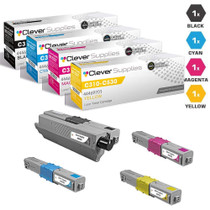
Compatible Okidata C310DN Laser Toner Cartridges 4 Color Set
- Page Yield:
- Black: 3,500, Colors: 3,000 Each
- Availability:
- In Stock
- Shipping:
- Free Shipping

Amazon Price:

- Page Yield:
- Black: 3,500, Colors: 3,000 Each
- Availability:
- In Stock
- Shipping:
- Free Shipping
- Compatible Printers
- Oki C330dn
- Oki C331dn
- Oki C530dn
- Oki C531dn
- Oki MC361
- Oki MC362W
- Oki MC561
- Oki MC562w
- Oki MC890
- Oki MC950
- Oki MC950 MFPi>
- Specifications
- SKU:
- Okidata-C310DN-4CS
- Printer Brand:
- Okidata
- OEM Number:
- 44469801, 44469703, 44469702, 44469701
- Ink Color:
- Black, Cyan, Magenta, Yellow
- Page Yield:
- Black: 3,500, Colors: 3,000 Each
- Printer Type:
- Laser Cartridge Set
- Condition:
- New Compatible
- Description
- Yields up to: Black: 3500 Colors: 3000 Each
- Ink/toner: 4 Color Set
- Cartridge yield type: Standard
- Compatible with: Okidata C: 310 530 562W 890 950 series printers
- Print technology: Laser
- Print presentations with detail
- Prints cleanly and consistently
- Supply Type: Toner
- Ink/Toner Cartridge Type: Compatible
- Ink/Toner Pack Size: 4/Set
- Reviews

/> 

Compatible Okidata C310DN Laser Toner Cartridges 4 Color Set is Compatible with Okidata C: 310 530 562W 890 950 series printers and has productivity of Black: 3500 Colors: 3000 Each.
Okidata Laser Toner cartridge in 4 color set features compatible toner and is ideal to use with okidata laser printers of Compatible with Okidata C: 310 530 562W 890 950 series printers. Cartridge is reliable dependable with quickly and easy installation.
Features:
Cross-reference: Oki 44469801, the Type C17 black toner cartridge (3,500 pages). The Type C17 family is Oki's number series 44469701 (yellow), 44469702 (magenta) and 44469703 (cyan), rated at 3,000 pages each, with black under 44469801 at 3,500 pages; the high-yield set is 44469719 (yellow), 44469720 (magenta), 44469721 (cyan) and 44469802 (black), rated at 5,000 pages each. These cartridges fit the Oki C310dn, C330dn, C331dn, C510dn, C511dn, C530dn and C531dn color printers and the MC351dn, MC352dn, MC361dn, MC362dn, MC561dn, MC562dn and MC562dnw MFPs.
Frequently Asked Questions
Why is the black cartridge rated at 3,500 pages but the colors at 3,000?
That is simply how this cartridge family is specified. The black cartridge for the C310DN (Oki part number 44469801) carries a rating of up to 3,500 pages, while each color cartridge (Oki 44469701, 44469702 and 44469703) is rated at up to 3,000 pages — all at the standard 5% coverage measurement. It does not mean the colors are weaker cartridges; it reflects the different fill and rating basis the family was designed around.
What am I getting for $64.38?
All four cartridges the C310DN uses — black, cyan, magenta and yellow — for about $16.10 per cartridge. Buying them as one set means a single order restores the printer completely, and you have each of the four part numbers (44469801, 44469701, 44469702, 44469703) on hand instead of discovering mid-job that the color you need is the one you did not order.
Does a compact printer like the C310DN really need a full set?
Only if several cartridges are low — but that is a common situation with a desktop color printer that has been running on its original cartridges, because they tend to age together. The set also works as insurance: install what is empty now and keep the rest sealed as spares. Cartridges store well in a cool, dry drawer, so there is no pressure to install all four at once.
What coverage do the page ratings assume?
Five percent of the page — roughly a standard text document with a small logo. A page of full-color presentation slides uses many times that, so real-world life will be shorter than 3,500 and 3,000 pages if your C310DN mostly prints graphics. For text-heavy office use, the ratings are a fair planning guide.
Are these genuine Okidata cartridges?
No — they are compatible cartridges built to match the Oki part numbers 44469801, 44469701, 44469702 and 44469703. That is why four cartridges cost $64.38. They are backed by our 1-year warranty and 1-year free returns rather than the manufacturer's warranty; full terms are on our shipping and returns page.
How do I reach someone if I have a problem?
Our support team is available Monday through Friday, 9 AM to 5 PM Central. Orders themselves ship from our warehouses in Illinois, Pennsylvania, Georgia and California, and you will find cartridges for other models in our Okidata catalog.
If I am replacing several cartridges at once, in what order should I fit them?
One at a time, with a pause between each. Fit the first cartridge — say the black 44469801 — close the printer up and print a page you know well before moving on to the next color. Working through the set this way means that if a page comes out wrong, you know exactly which swap introduced the problem instead of facing four new cartridges and no clue. The C310DN monitors each cartridge separately, so there is no requirement to change them together; a methodical sequence simply makes any hiccup easy to trace.
How do I make sure each color cartridge goes into the right slot?
Match the part number to the color before you break the seal. In this family the numbers are color-specific: 44469701 is yellow, 44469702 is magenta and 44469703 is cyan, alongside the black 44469801. Read the number on the box, confirm it against the empty cartridge you are about to pull — the old cartridge's label carries its own number — and only then open the new one. A sealed cartridge can always go back on the shelf; an opened cartridge in the wrong color is a mess that a ten-second number check prevents entirely.
Which cartridge in the set is likely to run out first?
It follows your documents, not a fixed order. Black does the heavy lifting in text work and usually cycles fastest on a document printer, but the colors drain according to what your pages actually carry: a business whose output is full of blue charts and diagrams will pull the cyan 44469703 down ahead of the others, while logo-heavy pages lean on magenta and yellow. Before reordering a single, check the printer's level display for all four — the color that looks fine today may be the one that stops a job next month.
What should I do with the four empty cartridges?
Hold each empty until its replacement has printed cleanly for a few days, keeping it in the box the new cartridge arrived in. With four cartridges in play, that habit is what lets you point to the exact unit if a color starts streaking or fading under the 1-year warranty. Once every replacement has proved itself, the spent 44469801, 44469701, 44469702 and 44469703 can leave together through whatever local route you use for used toner cartridges, rather than accumulating one by one in the desk drawer the spares came from.
About This Okidata C310DN 4 Color Set
A complete compatible toner set for the desktop Okidata C310DN: black (Oki 44469801, rated up to 3,500 pages) plus cyan, magenta and yellow (Oki 44469701, 44469702, 44469703, rated up to 3,000 pages each). At $64.38 for the set — about $16.10 per cartridge — it is an economical full refresh for a small printer, and because the cartridges are individually sealed, it doubles as a tidy spare stock for a desk drawer. The set ships from our Illinois, Pennsylvania, Georgia or California warehouses and is covered by a 1-year warranty and 1-year free returns, with support on hand Monday–Friday, 9–5 Central.
Any one of 44469801, 44469701, 44469702 and 44469703 can be bought on its own once a single color gives out. The trays in Oki MC362W, Oki MC562w, Oki MC890, Oki MC950, Oki C330dn, Oki C331dn, Oki C530dn and Oki C531dn take this four-color set every time.
Related Items
Okidata
Compatible Okidata C310DN Premium Quality Laser Toner Cartridges 4 Color Set
/>


Okidata
Compatible Okidata C711WT Laser Toner Cartridges 4 Color Set
/>

Okidata
Compatible Okidata MC851CDXN Laser Toner Cartridges 4 Color Set
/>

Okidata
Compatible Okidata C510 Laser Toner Cartridges 4 Color Set
/>