




Optra S2420
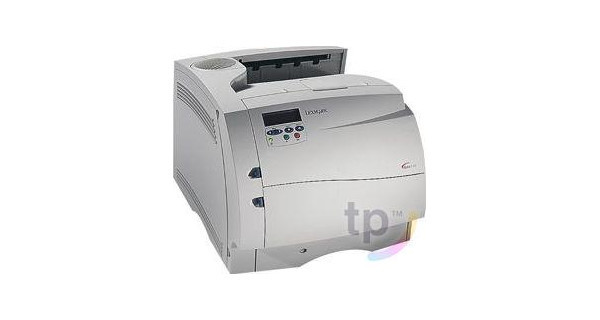
At the 24-page-per-minute class, the Lexmark Optra S2420 stood at the fast end of the Optra S monochrome lineup — in its day, that output rate was seriously quick for an office laser. It uses the cartridge the entire family shares, the 1382925 high-yield black toner, rated at approximately 17,600 pages. Lexmark's older Optra S catalogues numbered this black cartridge 1382625 as well, so a supply order written with either code lands on the same compatible unit for the S2420.
A printer bought for speed tends to stay busy, and the S2420's workload profile explains the survivors: departmental queues, long reports, end-of-month runs. Machines like this do not get retired for being slow — they get retired when supplies dry up, and that has not happened here. The family's shared high-yield cartridge remains easy to find in compatible form, so the arithmetic of keeping an S2420 is mostly the arithmetic of toner. For an office that values a fast, paid-for printer over a new lease, this page is the whole maintenance plan.
Toner Cartridges for Optra S2420
Which cartridge should you buy?
High throughput changes the buying logic in one direction: everything points to capacity. The high-yield 1382925, at roughly 17,600 pages, keeps a fast printer away from the swap-and-wait cycle far longer than the standard-yield 1382920, and its cost per page is the lower of the two by a wide margin. Within the high-yield listings, choose by volume rhythm. A single cartridge suits an S2420 that runs in bursts with quiet weeks between. Steady departmental use calls for the 2-pack, and genuinely heavy queues justify the 4-pack, where the per-cartridge price is best and toner changes become scheduled events instead of emergencies.
Chip, toner and everyday use
Fast printers consume their warnings quickly, so treat the low-toner signal as an instruction to stage the spare, not as background noise. The swap itself is uneventful on this hardware — no pairing routine, just seat the cartridge and the queue moves again. Published yields rest on 5% page coverage, which long text reports approximate reasonably well; forms with big shaded blocks will pull the real number down. Store multipack spares flat in their sealed boxes, and rotate the oldest to the front so the cartridge that goes in is always the one that has waited longest.
Frequently Asked Questions
What toner cartridge does the Optra S2420 take?
It takes the 1382925 high-yield black cartridge, the supply common to the whole Optra S family. Older Lexmark catalogues may show the same cartridge numbered 1382625; the compatible version on this page answers to both codes.
What does the 5% coverage basis of the page rating actually mean?
The roughly 17,600-page rating assumes each page carries toner over about 5% of its surface — the density of a typical business letter, per the ISO/IEC 19752 method. Print pages with charts, logos or solid fills and the same cartridge will finish sooner; print light memos and it can run longer.
My order form lists 1382625. Will the cartridge still be right?
Yes. That number is the earlier Optra S catalogue code for this printer's black cartridge family, and the compatible units stocked here are sold under that designation as well, so ordering by either number gets the correct cartridge.
Are the cartridges here made by Lexmark?
No, they are premium compatibles built for the Optra S2420, not original Lexmark supplies. They install and print like the original cartridge, and they are covered by a 1-year warranty and 1-year returns.
More printers that use the same cartridges
The S2420's cartridge serves the complete Optra S family, which also includes:
Optra 4059, Optra S1250, Optra S1255, Optra S1620, Optra S1625, Optra S1650, Optra S1855, Optra S2450, Optra S2455