






 See Compatible Printers
 Read more about our ink!
Lexmark
Compatible Lexmark OPTRA S1250 (1382925) Toner Cartridge Black 2 Pack

Amazon Price:

- Page Yield:
- Black: 17600
- Availability:
- In Stock
- Shipping:
- Free Shipping
- Compatible Printers
- Specifications
- SKU:
- CS-Lexmark-4059-OPTRA-S1250-2BK
- Printer Brand:
- Lexmark
- OEM Number:
- 1382925
- Ink Color:
- Black
- Page Yield:
- Black: 17600
- Printer Type:
- Laser Cartridge
- Condition:
- New Compatible
- Description
- Reviews



Ensure consistent and professional results with the Lexmark 4059 toner cartridge, including the Lexmark 4059 1382925 BLACK. This compatible Lexmark cartridge is designed to deliver crisp black text and sharp images, making it ideal for a wide range of business and personal printing needs. Engineered for dependable performance, the Lexmark 4059 toner cartridge provides reliable output across large print volumes, helping to maintain productivity and minimize interruptions. Compatible with Lexmark 4059, OPTRA S1250, OPTRA S1620, OPTRA S1650, OPTRA S1855, OPTRA S2420, and OPTRA S2450 printers, this toner integrates seamlessly into your existing printing setup for hassle-free operation. Trust the Lexmark 4059 1382925 BLACK to deliver superior page yields and long-lasting print quality. With the Lexmark 4059 toner cartridge, your office can count on efficiency and clarity from the first page to the last.
Frequently Asked Questions
What does the second cartridge in this pack really buy us?
Continuity. The Optra S1250 is usually the only printer a small team has, so when it stops, everyone stops. The spare means the swap happens on the spot, and the reorder can wait for a convenient moment instead of becoming an emergency.
How much cheaper is the pair than two separate orders?
Two singles come to $218.86; the two-pack is $200.38, saving $18.48 and pricing each cartridge at $100.19. Across the combined 35,200 rated pages, your cost lands near 0.57 cents per page.
Our S1250 shares a room with another Optra — does one pack cover both?
Very likely, yes. This listing names the S1250, but the 1382925 cartridge fits the whole Optra S platform: OPTRA S1250, OPTRA S1620, OPTRA S1650, OPTRA S1855, OPTRA S2420 and OPTRA S2450. One pack can keep two different models running, which simplifies stocking considerably.
Is there a risk in storing the spare for a long stretch?
No real risk. Toner powder does not dry out, and a sealed cartridge stored flat in a dry, room-temperature cupboard keeps indefinitely for practical purposes. It will print like a fresh one whenever the S1250 finally asks for it.
How do I know when to install the spare?
Watch for the low-toner warning and fading output on long runs. On a printer of this vintage, it is wise to swap when pages first lighten consistently rather than waiting for blank pages mid-job.
What warranty and returns apply to this pack?
Both cartridges are backed by a one-year warranty, and returns are free within the first year. You will find the full terms on our shipping and returns page; support is staffed Monday through Friday, 9 AM to 5 PM CST.
What should we check when this pack arrives?
Count two cartridges, confirm the 1382925 code on both boxes, and check that the packaging seals are unbroken. That minute at delivery is what turns the second cartridge into a reserve the team can genuinely rely on when the S1250 stops mid-week — a wrong or damaged unit is a trivial fix on arrival day and a real problem discovered at the moment of need. Writing the delivery date on the outer box also helps later, when someone asks how long the spare has been waiting.
How does the swap go on the S1250 when the first cartridge gives out?
Prepare the spare before opening the printer: rock it gently from side to side to level the toner, then pull the seal out fully. Swap the units, and before any real work goes through, print a page the team knows by heart — the standard letter or invoice the office sends every day. Even, solid output on that familiar page confirms the new cartridge is seated and feeding correctly. On a small team's only printer, that one-page check is the difference between a confident restart and a morning of doubt.
How can we tell roughly when the spare's turn will come?
Note the date — and the page counter, if your S1250 displays one — when the first cartridge is installed, and write both on its box. Each cartridge is rated at 17,600 pages, so even a rough monthly page estimate tells the team whether the spare is likely to be called on in weeks or in many months. That simple note turns the reorder into a planned purchase made in good time, instead of a scramble on the day the only printer in the office stops.
What should we do with the empty cartridge once the spare is running?
Keep the empty in its box for the first few days, while the spare proves itself on the team's real documents; if anything looks off, the old unit is there for comparison. Once the replacement is running clean, send the empty out through a local office-supply recycling collection rather than the general trash. After that, the only follow-up is the reorder itself — with the pack's routine established, the empty shelf slot is the signal, and no one needs to track anything more complicated than that.
About This Lexmark 1382925 Two-Pack for the Optra S1250
This two-pack of compatible Lexmark 1382925 cartridges provides 35,200 rated pages for the Optra S1250 at $100.19 per cartridge — one installed, one in reserve. It ships from our IL, PA, GA, or CA warehouses, with a one-year warranty and one-year free returns on each cartridge. See more on our Lexmark toner page.
Related Items

Lexmark
Compatible Lexmark OPTRA S1250 (1382925) Toner Cartridge Black


Lexmark
Compatible Lexmark OPTRA S1250 (1382925) Toner Cartridge Black 4 Pack

Lexmark
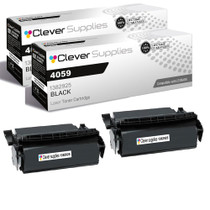
Compatible Lexmark Optra 4059 (1382925) Toner Cartridge Black 2 Pack
Lexmark
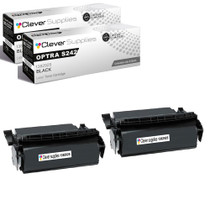
Compatible Lexmark OPTRA S2420 (1382925) Toner Cartridge Black 2 Pack