




Optra S1855
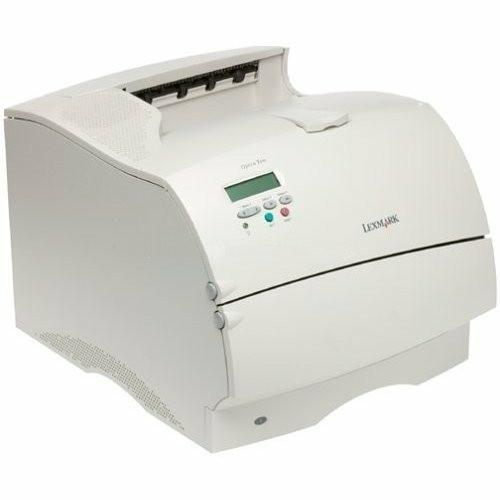
The Optra S1855 carried the Optra S series into the 18-page-per-minute class, a genuine speed step for the mid-size offices of the late 1990s that Lexmark aimed it at. Despite the faster engine, it stayed loyal to the family's single supply: the 1382925 high-yield black toner cartridge, rated at around 17,600 pages and shared with every slower sibling. Period Lexmark paperwork also shows this printer's toner under a second number, 1382625, an earlier Optra S catalogue code for the same black cartridge family.
An 18-ppm printer in a mid-size office lived at the center of things: the queue formed at its tray, and its output set the pace for meetings, mailings and end-of-day reports. The S1855s still running today have outlasted several generations of the computers that fed them, largely because nothing about their job went away. Paper documents persist, and a machine that produces them quickly and crisply stays useful. Keeping one costs little more than toner, and with the family's high-yield cartridge available as a compatible, the per-page figure stays as modest as the printer's appetite for attention.
Toner Cartridges for Optra S1855
Which cartridge should you buy?
Two cartridges historically fit this printer: the standard-yield 1382920 and the high-yield 1382925. For a machine with the S1855's pace, the comparison is not close. The high-yield unit's roughly 17,600 pages keep it in service far longer between swaps, and the cost per page drops accordingly — the standard cartridge mainly makes sense for a printer that barely prints. This page stocks the high-yield cartridge, in a single for lighter duty or in 2-pack and 4-pack form for offices that print in volume. Busy departments usually find the 4-pack the practical choice: fewer orders to place, a lower price per cartridge, and a spare always within reach.
Chip, toner and everyday use
At this printer's speed, a toner shortage surfaces quickly — a queue of jobs behind an empty cartridge is how offices discover nobody ordered a spare. Keep one sealed cartridge near the machine and the problem disappears. Fitting the replacement needs no software negotiation on this hardware generation; the printer acknowledges it and resumes the queue. Yields are rated at 5% page coverage, so a department printing dense documents will cycle cartridges sooner than the headline number suggests. A fading cartridge can usually be coaxed through the day by removing it and rocking it gently to level the toner inside.
Frequently Asked Questions
Which toner cartridge fits the Optra S1855?
The printer takes the 1382925 high-yield black cartridge, the same supply used across the Optra S family. Documentation from the period may list it as 1382625 instead; the compatible cartridges here cover that earlier code too.
What is the difference between the 1382920 and the 1382925?
Fill level, in a word. The 1382920 is the standard-yield cartridge and the 1382925 is the high-yield version at about 17,600 pages — the same fit in the printer, but the high-yield unit's much larger page count gives it a considerably lower cost per page.
How many pages does one cartridge deliver in this printer?
Around 17,600 pages at 5% coverage, measured to the ISO/IEC 19752 standard. That figure assumes ordinary office documents; pages with heavy graphics or solid black areas draw more toner and shorten the cartridge's run.
Are these cartridges original Lexmark products?
No. They are premium compatible cartridges produced for the Optra S1855 rather than original Lexmark stock. They are made to install and print like the OEM supply, and each is protected by a 1-year warranty with 1-year returns.
More printers that use the same cartridges
Every Optra S model draws on the same cartridge shelf; the family includes:
Optra 4059, Optra S1250, Optra S1255, Optra S1620, Optra S1625, Optra S1650, Optra S2420, Optra S2450, Optra S2455