






 See Compatible Printers
 Read more about our ink!
Lexmark
Compatible Lexmark OPTRA S2420 (1382925) Toner Cartridge Black

Amazon Price:

- Page Yield:
- Black: 17600
- Availability:
- In Stock
- Shipping:
- Free Shipping
- Compatible Printers
- Specifications
- SKU:
- CS-Lexmark-4059-OPTRA-S2420-BK
- Printer Brand:
- Lexmark
- OEM Number:
- 1382925
- Ink Color:
- Black
- Page Yield:
- Black: 17600
- Printer Type:
- Laser Cartridge
- Condition:
- New Compatible
- Description
- Reviews



Ensure consistent and professional results with the Lexmark 4059 toner cartridge, including the Lexmark 4059 1382925 BLACK. This compatible Lexmark cartridge is designed to deliver crisp black text and sharp images, making it ideal for a wide range of business and personal printing needs. Engineered for dependable performance, the Lexmark 4059 toner cartridge provides reliable output across large print volumes, helping to maintain productivity and minimize interruptions. Compatible with Lexmark 4059, OPTRA S1250, OPTRA S1620, OPTRA S1650, OPTRA S1855, OPTRA S2420, and OPTRA S2450 printers, this toner integrates seamlessly into your existing printing setup for hassle-free operation. Trust the Lexmark 4059 1382925 BLACK to deliver superior page yields and long-lasting print quality. With the Lexmark 4059 toner cartridge, your office can count on efficiency and clarity from the first page to the last.
Frequently Asked Questions
Is toner still being made for the Optra S2420?
Yes — that surprises a lot of people, but the Optra S platform had an enormous installed base and thousands of these printers are still on desks and in back offices. The compatible 1382925 stays in regular production because demand never really went away. Your S2420 does not need to be retired for lack of supplies.
How many pages will I get from one cartridge?
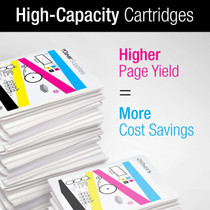
The rating is 17,600 pages at 5% coverage, the standard test measure. The S2420 was usually a departmental workhorse, so at 2,000 pages a month you would see roughly nine months per cartridge; a quieter office printing 500 pages a month can stretch one cartridge past two years. Dense forms and heavy graphics will land somewhere below the rating.
Is this the right cartridge for my machine?
This listing is titled for the Optra S2420, and the 1382925 is the single cartridge number shared by the full Optra S line: OPTRA S1250, OPTRA S1620, OPTRA S1650, OPTRA S1855, OPTRA S2420 and OPTRA S2450. Any model on that list takes this same cartridge — the name in the title is just one representative of the family.
What am I paying per page?
At $109.43 and 17,600 rated pages, the math comes to about 0.62 cents per page. Few printers of any era run cheaper, which is precisely why organizations keep these machines in service: the toner bill for an S2420 is a rounding error next to replacing the printer.
My S2420 prints faded pages on one side only. Is that the toner?
One-sided fading on a printer this age is often the laser scanner window or a tired transfer roller rather than the cartridge. Before replacing toner, print ten or fifteen blank pages to clear loose toner, and check whether the fade follows the cartridge into another Optra if you have one. If the cartridge is at fault, the warranty below has you covered.
What happens if the cartridge doesn't perform?
You're protected for a full year: every cartridge includes a one-year warranty and free returns within that year. Details live on our shipping and returns page, and you can reach a real person Monday through Friday, 9 AM to 5 PM CST.
Does it make sense to keep a spare cartridge for a single S2420?
For most owners, yes. The S2420 usually carries real departmental work, so an empty cartridge does not just pause one person — it stalls everyone routed to that machine. A sealed 1382925 on the shelf turns a toner outage into a two-minute swap. It stores for years without degrading, so the spare costs nothing to keep and removes the only urgent deadline in the whole supply chain.
What does installing this cartridge involve?
Very little: open the printer, slide the old unit out, rock the new 1382925 gently to distribute the toner, pull the shipping seal completely, and slide the cartridge in until it seats. Print a few pages afterward and confirm the density looks even. There are no settings to change and no tools involved — the printer recognizes the cartridge on its own and returns to service immediately.
How can we predict when this cartridge will need replacing?
Note the printer's page counter reading on the day you install the cartridge, then compare it with your monthly volume. If the S2420 averages 1,500 pages a month, a 17,600-page rating points to a change roughly eleven months out; at 3,000 a month, expect it in about six. Rechecking the counter every couple of months keeps the estimate honest and gives you weeks of warning.
How should the empty cartridge be disposed of?
Slide the spent 1382925 into the new cartridge's box and hold onto it until the replacement has proven itself over several days of normal printing. Then pass it to a local cartridge recycling collection instead of the trash. Keeping the empty briefly is a small habit with real value: if the new unit ever raises a question, the old one is still on hand for comparison.
About This Lexmark 1382925 Toner Cartridge for the Optra S2420
This compatible Lexmark 1382925 black toner cartridge keeps the Optra S2420 printing its rated 17,600 pages at roughly 0.62 cents per page — proof that a well-built legacy printer still earns its keep. It ships from our IL, PA, GA, and CA warehouses and is covered by a one-year warranty with one-year free returns. Find more for your machine on our Lexmark toner page.
Related Items
Lexmark
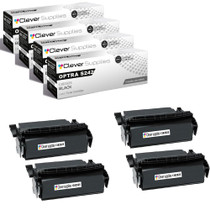
Compatible Lexmark OPTRA S2420 (1382925) Toner Cartridge Black 4 Pack

Lexmark
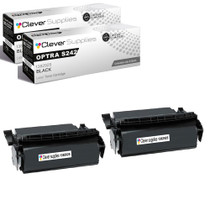
Compatible Lexmark OPTRA S2420 (1382925) Toner Cartridge Black 2 Pack

Lexmark
Compatible Lexmark OPTRA S1250 (1382925) Toner Cartridge Black


Lexmark
Compatible Lexmark OPTRA S1855 (1382925) Toner Cartridge Black