




LaserJet M4345XMMFP
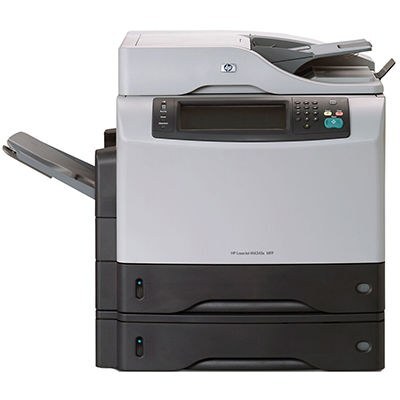
HP's M4345XMMFP is the expanded M4345XM under its complete multifunction catalog name — the mid-2000s all-in-one at full capability. Like every machine in its clan it feeds on a single cartridge family: the Q5945A (HP 45A) in standard form, and the maximum-yield Q5945X (HP 45X) when the workload demands a larger fill. Order by the code printed on the cartridge you take out and the fit is guaranteed to match.
Top-of-line configurations were bought to be the office's one machine — scanner, copier and printer in a single footprint, specified at full capability so nothing had to be added later. An XMMFP still on duty has usually outlasted several of the computers around it; what keeps a veteran like this useful is not features but continuity — the right cartridge, available the day it is needed.
Toner Cartridges for M4345XMMFP
| Cartridge | Color | Page Yield |
|---|---|---|
| Q5945A Toner Cartridge Black MICR | Black (MICR) | See product page |
| Q5945X Toner Cartridge Black Maximum Yield | Black | See product page |
| LaserJet M4345XMMFP Toner Cartridge Black | Black | See product page |
| Q5945A Premium Quality Toner Cartridge Black | Black | See product page |
| Q5945A Toner Cartridge Black | Black | See product page |
Which cartridge should you buy?
For a machine specified at full capability, match the fill to the workload honestly. The standard Q5945A and its Premium build cover moderate, everyday volume without waste. If the XMMFP is the office's combined print-and-copy hub, the maximum-yield Q5945X is the rational default: it is sized for heavier monthly volume, so the cost per page falls and cartridge changes stop landing in the middle of busy days. The MICR listing serves check printing, and the model-named cartridge is a compatible labeled for this exact model. All are covered by a 1-year warranty and 1-year returns.
Chip, toner and everyday use
Slide the new cartridge in until it clicks, close the door and let the machine read the chip and calibrate before sending work. If the first pages after a change are blank, the sealing tape is still inside the cartridge — remove it completely and refit. Keep the spare sealed and stored flat, away from sunlight and heat; rock it gently before installation if it has sat for months so the toner bed levels. And plan reorders from observed life, not the headline yield — 5%-coverage ratings flatter every real office.
Frequently Asked Questions
What toner cartridge does the LaserJet M4345XMMFP use?
The Q5945A, with the maximum-yield Q5945X as the larger fill in the same family. The code on your current cartridge confirms the match.
Can it copy and scan without a PC attached?
Yes — it works as a standalone copier from its control panel, and it can scan to a computer, email or a USB drive. Basic copying needs no computer connection at all.
What is the MICR cartridge on this page used for?
Check printing. The MICR build of the Q5945A carries magnetic toner that bank readers can process; everyday documents belong on the regular black fills.
The printer does not recognize a new cartridge — what should I check?
Reseat the cartridge firmly until it clicks, then restart the machine so it re-reads the chip. Most recognition messages on this family clear with a clean seat and a fresh chip read.
More printers that use the same cartridges
Every model in this family shares the same two fills:
LaserJet 4345XSMFP, LaserJet M4345, LaserJet M4345MFP, LaserJet M4345X, LaserJet M4345XM, LaserJet M4345XMFP, LaserJet M4345XS, LaserJet M4345XSMFP, HP Q5945A, LaserJet 4345, LaserJet 4345MFP, LaserJet 4345X, LaserJet 4345XM, LaserJet 4345XMFP, LaserJet 4345XMMFP, LaserJet 4345XS