




LaserJet M4345XM
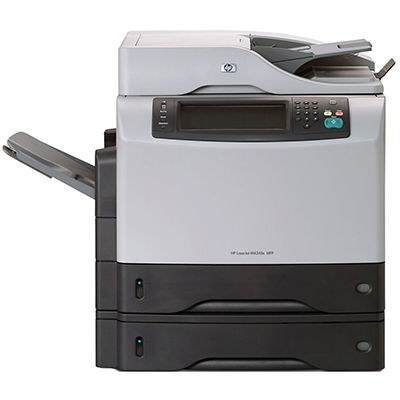
HP's M4345XM bundled the M4345 multifunction with additional features — the mid-2000s all-in-one, tuned for offices with heavier document workflows. Print, scan, and copy shared one reliable chassis.
Cartridges: the HP 45A (Q5945A). Our compatible 45A toner and genuine OEM Q5945A both fit the M4345XM.
Toner Cartridges for LaserJet M4345XM
This printer works with the following toner cartridges:
- HP Q5945A
More HP Printers
- LaserJet 4345
- LaserJet 4345MFP
- LaserJet 4345X
- LaserJet 4345XM
- LaserJet 4345XMFP
- LaserJet 4345XMMFP
- LaserJet 4345XS
- LaserJet 4345XSMFP
- LaserJet M4345
- LaserJet M4345MFP
- LaserJet M4345X
- LaserJet M4345XMFP
- LaserJet M4345XMMFP
- LaserJet M4345XS
- LaserJet M4345XSMFP
Frequently Asked Questions
Which toner cartridge does the LaserJet M4345XM use?
The LaserJet M4345XM uses the Q5945A toner cartridge. Confirm the code printed on your current cartridge matches before ordering a replacement.
Why is my LaserJet M4345XM printing blank pages?
Blank pages from the LaserJet M4345XM usually mean the cartridge is empty or the protective seal was never removed from a new one. Check the supply level, and if you just installed a cartridge in the LaserJet M4345XM, remove it and pull the sealing tape completely.
Should I buy genuine or compatible toner for the LaserJet M4345XM?
Both work in the LaserJet M4345XM: genuine cartridges come from HP, while compatible cartridges are third-party versions built for the same printer. Many LaserJet M4345XM owners choose based on budget and print volume without issue.