




LaserJet M4345XMFP
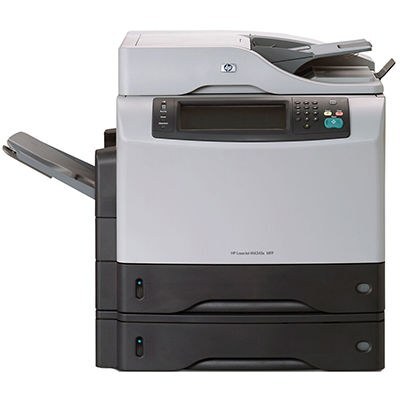
The M4345XMFP is the full multifunction listing of HP's expanded M4345XM — the mid-2000s all-in-one for offices that needed more from their MFP. Everything it prints and copies runs on one cartridge family: the standard Q5945A (HP 45A) and the maximum-yield Q5945X (HP 45X). Whichever build is installed now, its code is printed on the cartridge body — match it and the next one seats and registers.
An expanded multifunction sits at the center of an office's paper traffic: originals scanned in, copies run off, print jobs collected all day. That centrality is exactly why the XMFP's supplies deserve a plan rather than a scramble — when this machine pauses for toner, it is rarely one person's problem. A spare on the shelf turns a supply stop into a two-minute swap.
Toner Cartridges for M4345XMFP
| Cartridge | Color | Page Yield |
|---|---|---|
| Q5945A Toner Cartridge Black | Black | See product page |
| Q5945A Premium Quality Toner Cartridge Black | Black | See product page |
| LaserJet M4345XMFP Toner Cartridge Black | Black | See product page |
| Q5945X Toner Cartridge Black Maximum Yield | Black | See product page |
| Q5945A Toner Cartridge Black MICR | Black (MICR) | See product page |
Which cartridge should you buy?
Standard or maximum — that is the whole decision on this page. The Q5945A (including its Premium build) suits an XMFP whose daily load is moderate. Offices that lean on the machine for copying as well as printing should default to the maximum-yield Q5945X: the bigger fill is sized for heavier monthly volume, so changes come less often and cost per page drops. The MICR cartridge covers check printing with magnetic toner, and the model-named listing is a compatible labeled for the M4345XMFP itself. Every cartridge carries a 1-year warranty and 1-year returns.
Chip, toner and everyday use
Fit the replacement until it clicks and close the door so the chip can be read; let the calibration cycle finish before the first job. Blank output after a change almost always means the protective seal stayed in the cartridge — pull it out and remove the strip fully. Spares should stay sealed, stored flat in a cool dry cupboard; before fitting one that has waited, rock it gently to redistribute the toner. Quoted yields assume 5% coverage, so scan-and-copy-heavy offices will cycle fills faster than the estimate suggests.
Frequently Asked Questions
Can the LaserJet M4345XMFP scan to email or a USB drive?
Yes — documents can be scanned to a computer, to email or to a USB drive. The scanner glass handles single pages and delicate originals best.
Can the M4345XMFP make copies without a computer?
Yes. It works as a standalone copier: place the original on the scanner, press copy on the control panel, and no computer connection is needed for basic copying.
Which toner does the LaserJet M4345XMFP take?
The Q5945A family — standard fill, its Premium build, or the maximum-yield Q5945X for heavier volume.
Why does my office go through cartridges faster than the rated yield?
Yields are measured at 5% page coverage. Copies and prints with dense text, forms or graphics use far more toner per page, so real-world life lands below the rating — one more reason to favor the maximum-yield fill.
More printers that use the same cartridges
The wider 4345 family on the same cartridges: