




LaserJet 4345XSMFP
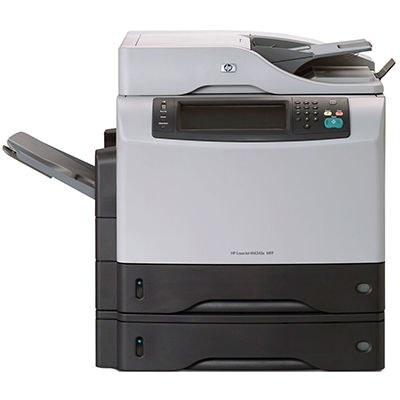
The LaserJet 4345XSMFP is the full multifunction listing of the 4345XS — the 2004 all-in-one in its solutions configuration, aimed at offices with specialized document needs rather than plain page output. Print, copy and scan arrive in one box, and the supply side is equally concentrated: the Q5945A (45A) does the everyday work, while the Q5945X (45X) carries a maximum-yield fill for the stretches when specialized jobs run back to back. The four listings below are the compatible options stocked for this machine.
A solutions-configuration machine usually lives where documents are more than documents — forms that feed a workflow, records that get scanned into a system, output that has to land in a particular tray or format. That kind of work punishes downtime, because the queue behind it is rarely just one person's print job. Keeping the right cartridge tier on hand matters more here than squeezing the last page out of a standard fill, and the buying notes below are written with that priority in mind.
Toner Cartridges for LaserJet 4345XSMFP
- Q5945X — Black — maximum yield — See product page
- Q5945A MICR — Black — magnetic toner for checks — See product page
- Q5945A — Black — standard fill — See product page
- Q5945A Premium Quality — Black — premium grade — See product page
Which cartridge should you buy?
For a machine doing specialized document work, the practical question is how much disruption a cartridge change causes. The maximum-yield Q5945X stretches the interval between swaps the furthest, which suits a 4345XSMFP that sits in the middle of a team's workflow. The standard Q5945A remains the sensible pick for moderate volume or a second machine. Between the two 45A variants, the Premium Quality listing targets buyers who judge output against factory cartridges, and the MICR listing is a specialist tool — magnetic toner for printing checks that bank equipment must read. Order MICR only for that purpose; it is not a general upgrade.
Chip, toner and everyday use
The cartridge chip reports remaining toner to the machine, so let the panel gauge — not a calendar — tell you when to reorder. Before installing a fresh cartridge, hold it level and rock it slowly from side to side; this loosens toner that compacted during shipping and prevents a pale first run. Store the spare sealed, flat and out of direct sunlight. When pages start to fade evenly across the sheet, the cartridge is nearing its end: a gentle redistribution can recover a short run of pages, but on a workflow machine the wiser move is to swap in the spare and reorder the same day.
Frequently Asked Questions
What toner does the LaserJet 4345XSMFP take?
The standard cartridge is the Q5945A (HP 45A). If your machine empties it quickly, the Q5945X maximum-yield cartridge fits the same bay and simply lasts longer between changes.
Does the 4345XSMFP work as a copier on its own?
Yes — place the original on the scanner and press copy on the control panel. It makes copies without any computer attached, and the scanner glass handles single pages and fragile originals.
When would I choose the MICR listing?
Only when the machine prints checks. The MICR version of the 45A uses magnetic toner so the coded line on a check can be read by banking equipment; ordinary documents gain nothing from it.
What warranty do these compatible cartridges carry?
They are covered by a 1-year warranty with 1-year returns, which matches how long most offices expect a stocked spare to sit before it is used.
More printers that use the same cartridges
Every model in the wider 4345 and M4345 family runs on this same cartridge line: LaserJet M4345XSMFP, LaserJet M4345XS, LaserJet M4345XMMFP, LaserJet M4345XMFP, LaserJet M4345XM, LaserJet M4345X, LaserJet M4345MFP, LaserJet M4345, LaserJet 4345XS, LaserJet 4345XMMFP, LaserJet 4345XMFP, LaserJet 4345XM, LaserJet 4345X, LaserJet 4345MFP, LaserJet 4345, HP Q5945A.