




LaserJet 4345
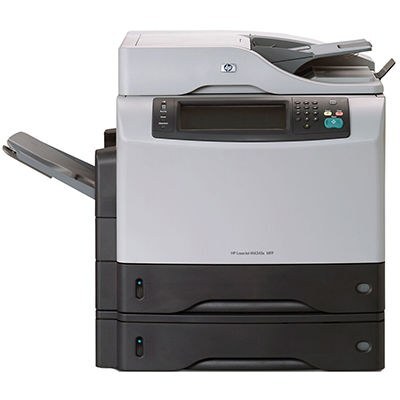
HP's LaserJet 4345, launched in 2004, carried workgroup multifunction printing into the mainstream: one A4 monochrome box that printed, copied and scanned, at a price small and midsize offices could finally justify. Everything it does runs on a single cartridge, the Q5945A — HP's 45A — with a maximum-yield sibling, the Q5945X or 45X, for machines whose copy volume matches their print volume.
An MFP quietly doubles the meaning of toner planning, because the copier drinks from the same cartridge as the printer. A 4345 that seems to eat toner is usually a 4345 doing walk-up copies nobody counted. The cartridge choice below is therefore really a question about total pages — printed and copied together — and how often anyone wants to open the front panel.
Toner Cartridges for LaserJet 4345
| Cartridge | Build | Page Yield |
|---|---|---|
| Q5945A | Standard yield | See product page |
| Q5945X | Maximum yield | See product page |
| Q5945A MICR | MICR build for check printing | See product page |
| Q5945A Premium | Premium build | See product page |
| Cartridge for LaserJet 4345 | Cartridge listed for this model | See product page |
Which cartridge should you buy?
The standard 45A suits a 4345 whose days are mostly printing with occasional copies: lowest cost per cartridge, simple routine. Busy multifunction duty argues for the maximum-yield 45X — it carries more toner per swap, so the panel opens less often and the cost per page improves across the cartridge's life. Between those poles, the premium build of the standard cartridge rewards offices that run the machine hard and want the higher-grade construction. The MICR row is the outlier by design: magnetic toner for check printing, stocked for that task alone. Whichever build you choose, keep one sealed spare in the building; an MFP with no toner is three machines down, not one.
Chip, toner and everyday use
The printer reads the cartridge's chip for level reporting, which on an MFP deserves more respect than usual — the gauge has to cover the copies nobody logs as well as the print queue. When copies come out lighter than prints, the toner bed is usually uneven rather than empty; remove the cartridge, rock it gently side to side, and test again. Store the spare flat, sealed and away from sunlight, and wipe any spilled toner with a dry cloth rather than washing it into the paper path.
Frequently Asked Questions
Which toner cartridge does the LaserJet 4345 use?
The Q5945A as standard, or the maximum-yield Q5945X — both fit the same slot.
Why does my 4345 run through toner faster than expected?
Copies count. Every walk-up copy draws on the same cartridge as printing, so total page volume on an MFP is always higher than the print queue suggests.
Do the M4345 models take the same cartridge?
Yes — the 4345 and M4345 multifunction lines share this cartridge family, as the model list below shows.
What is the MICR cartridge for?
Check printing: the Q5945A MICR build's magnetic toner lets bank equipment read the characters printed along a check's bottom edge.
More printers that use the same cartridges
The whole 4345 and M4345 multifunction family runs on these cartridges:
HP Q5945A, LaserJet 4345MFP, LaserJet 4345X, LaserJet 4345XM, LaserJet 4345XMFP, LaserJet 4345XMMFP, LaserJet 4345XS, LaserJet 4345XSMFP, LaserJet M4345, LaserJet M4345MFP, LaserJet M4345X, LaserJet M4345XM, LaserJet M4345XMFP, LaserJet M4345XMMFP, LaserJet M4345XS, LaserJet M4345XSMFP