




LaserJet M4345
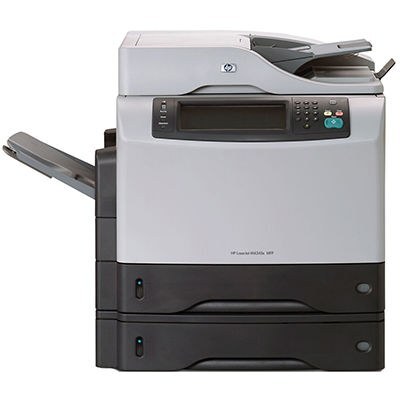
The LaserJet M4345 carried HP's 4345 multifunction line into the M-series era — the same A4 all-in-one offices had trusted since 2004, refreshed for the mid-2000s, with print, copy and scan as its core strengths. It takes one cartridge family: the Q5945A (HP 45A) as the standard fill, and the maximum-yield Q5945X (HP 45X) for the machine's busiest weeks. Match the code on the cartridge you remove and the replacement registers without fuss.
The 4345 formula — one cabinet that prints, copies and scans for a whole office — was a fixture of mid-2000s workplaces, and the M4345 kept it current. Machines like this survive on dependability rather than novelty, and their owners tend to keep them for years; a steady, predictable toner supply is what makes that long service possible, which is why this page stocks the family in several builds, including a model-named listing for this exact printer.
Toner Cartridges for M4345
| Cartridge | Color | Page Yield |
|---|---|---|
| Q5945A Toner Cartridge Black MICR | Black (MICR) | See product page |
| Q5945X Toner Cartridge Black Maximum Yield | Black | See product page |
| LaserJet M4345 Toner Cartridge Black | Black | See product page |
| Q5945A Premium Quality Toner Cartridge Black | Black | See product page |
| Q5945A Toner Cartridge Black | Black | See product page |
Which cartridge should you buy?
The choice here is between two fills of one design. The standard Q5945A covers ordinary office volume and is the economical pick for an M4345 that prints modestly. If the machine is the office's default for print and copy work, the maximum-yield Q5945X is built to outlast an ordinary 45A between swaps — fewer changes, lower cost per page. The Premium listing is a higher-grade build of the standard cartridge, and the MICR version prints checks with magnetic toner for accounting use. There is also a model-named compatible cartridge for the M4345 itself. Every option carries a 1-year warranty and 1-year returns.
Chip, toner and everyday use
Seating matters most on this family: slide the cartridge fully home so its chip meets the reader, close the door and let the machine register the new supply before judging print quality. Just fitted a cartridge and getting blank pages? The protective sealing tape was probably never pulled — remove the cartridge and take the strip out completely. Spares keep best sealed, flat and away from sunlight; a gentle rock levels toner that has settled in storage. Remember yields are 5%-coverage estimates.
Frequently Asked Questions
Which toner cartridge does the LaserJet M4345 use?
The Q5945A — confirm the code printed on your current cartridge matches before ordering a replacement. For heavier volume the maximum-yield Q5945X fits the same machine.
Why is my LaserJet M4345 printing blank pages?
Blank pages usually mean the cartridge is empty or the protective seal was never removed from a new one. Check the supply level; if you just installed the cartridge, take it out and pull the sealing tape fully.
Should I buy genuine or compatible toner for the M4345?
Both types work in this machine: genuine cartridges come from HP, while compatible cartridges are third-party builds for the same printer, like the ones on this page. Most owners choose by budget and print volume.
Is there a larger fill than the standard cartridge?
Yes — the Q5945X is a maximum-yield compatible build sized to outlast a standard 45A between swaps.
More printers that use the same cartridges
The whole 4345 and M4345 clan below shares these cartridges:
HP Q5945A, LaserJet 4345, LaserJet 4345MFP, LaserJet 4345X, LaserJet 4345XM, LaserJet 4345XMFP, LaserJet 4345XMMFP, LaserJet 4345XS, LaserJet 4345XSMFP, LaserJet M4345MFP, LaserJet M4345X, LaserJet M4345XM, LaserJet M4345XMFP, LaserJet M4345XMMFP, LaserJet M4345XS, LaserJet M4345XSMFP