




LaserJet 4345MFP
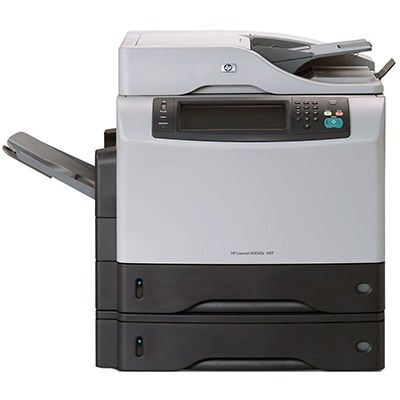
The LaserJet 4345MFP is the full-name listing of HP's 4345 — the 2004 all-in-one that gave an office print, copy and scan in one dependable A4 unit, and earned a set-and-forget reputation doing it. Its toner is HP's Q5945A (45A), with a longer-running option in the Q5945X (45X), a maximum-yield cartridge that extends the standard 45A's run between changes. The shelf below rounds out with a premium build, a MICR build, and one black listing sold under the printer's own name rather than a cartridge code.
A multifunction at the center of an office has a particular duty cycle: it prints the reports, copies the handouts and scans the signed pages, often for people who never learn its name. What it asks in return is one cartridge type and the occasional five-minute swap — and the longer the cartridge runs, the longer the machine can be forgotten about, which is the entire point of a set-and-forget install.
Toner Cartridges for LaserJet 4345MFP
| Cartridge | Color | Page Yield |
|---|---|---|
| Q5945A — Black, single cartridge | Black | See product page |
| Q5945X — Maximum Yield Black, single cartridge | Black | See product page |
| Q5945A — Premium Quality Black, single cartridge | Black | See product page |
| Q5945A — Black MICR, single cartridge | Black | See product page |
| LaserJet 4345MFP — Black, model listing | Black | See product page |
Which cartridge should you buy?
Most 4345MFPs should live on the Q5945X. A machine that prints, copies and scans for a whole office consumes toner in the background all day, and the maximum-yield cartridge is the one that keeps changes rare — the standard Q5945A suits only a genuinely quiet install. The premium Q5945A build is the alternative for buyers who want that line's finish at the standard capacity. The listing sold under the printer's own name is the same black supply for this model in a code-free listing — order it when you prefer to match by printer rather than by cartridge code. Pick the MICR build only if this unit prints checks.
Chip, toner and everyday use
Because this machine copies standalone, it can drain a cartridge without any computer noticing — check the panel's toner gauge when you are at the machine, not just when a print job complains. Swapping is the usual routine: open the cartridge door, slide the old unit out, remove the new one's sealing tape, and slide it in until the chip seats and the printer recognizes it. Keep the spare sealed, flat and stored in a cool dry place. If copies start coming out lighter than the originals while prints still look fine, that is the cartridge nearing its end — a gentle rock to redistribute the toner will even things out briefly.
Frequently Asked Questions
Which toner cartridge does the LaserJet 4345MFP use?
The Q5945A — with the Q5945X maximum-yield version as the longer-running alternative in the same slot. Confirm the code printed on your current cartridge before ordering if you want an exact match.
Can the LaserJet 4345MFP make copies without a computer?
Yes. It works as a standalone copier: place the original on the scanner and press copy on the control panel — no computer connection is needed for basic copying.
Can I scan documents with it?
Yes. It is a multifunction printer with a built-in scanner — scan to your computer, email or a USB drive, using the scanner glass for single pages and delicate originals.
What does "maximum yield" mean on the Q5945X?
It carries more toner than the standard Q5945A, so it prints more pages before the next change. On a shared all-in-one, that difference shows up as fewer interruptions across the year.
More printers that use the same cartridges
The 45A/45X family covers the 4345 and M4345 generations, including their MFP variants:
HP Q5945A, LaserJet 4345, LaserJet 4345X, LaserJet 4345XM, LaserJet 4345XMFP, LaserJet 4345XMMFP, LaserJet 4345XS, LaserJet 4345XSMFP, LaserJet M4345, LaserJet M4345MFP, LaserJet M4345X, LaserJet M4345XM, LaserJet M4345XMFP, LaserJet M4345XMMFP, LaserJet M4345XS, LaserJet M4345XSMFP