




LaserJet 4345XM
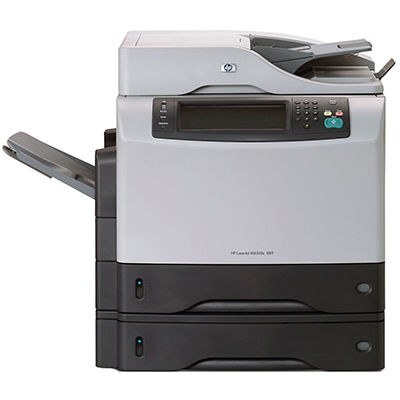
The 4345XM bundled HP's 4345 multifunction with additional features for demanding small offices — the 2004 all-in-one, tuned for heavier document workflows. Print, copy, and scan all ran through one box.
Cartridges: the HP 45A (Q5945A). Our compatible 45A toner and genuine OEM Q5945A both fit the 4345XM.
Toner Cartridges for LaserJet 4345XM
This printer works with the following toner cartridges:
- HP Q5945A
More HP Printers
- LaserJet 4345
- LaserJet 4345MFP
- LaserJet 4345X
- LaserJet 4345XMFP
- LaserJet 4345XMMFP
- LaserJet 4345XS
- LaserJet 4345XSMFP
- LaserJet M4345
- LaserJet M4345MFP
- LaserJet M4345X
- LaserJet M4345XM
- LaserJet M4345XMFP
- LaserJet M4345XMMFP
- LaserJet M4345XS
- LaserJet M4345XSMFP
Frequently Asked Questions
Which toner cartridge does the LaserJet 4345XM use?
The LaserJet 4345XM uses the Q5945A toner cartridge. Confirm the code printed on your current cartridge matches before ordering a replacement.
What should I do if paper jams in the LaserJet 4345XM?
Turn off the LaserJet 4345XM, open the rear access door and the toner compartment, and pull the jammed sheet gently in the direction of the paper path. Remove any torn fragments from the LaserJet 4345XM, close everything, and resume printing.
How do I replace the toner cartridge in the LaserJet 4345XM?
Open the toner-access door on the LaserJet 4345XM, pull the spent cartridge out by its handle, and slide the new Q5945A straight in until it clicks. The LaserJet 4345XM recognizes the new cartridge automatically — print a test page to confirm clean output.