




LaserJet M426FDW
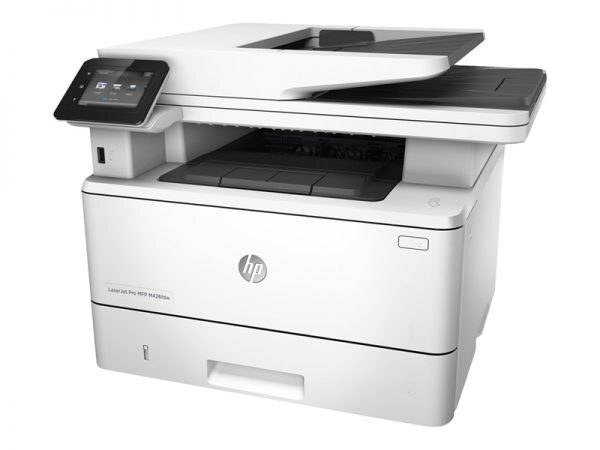
For anyone running a LaserJet M426FDW, the appeal is clear: a mid-2010s mono single-function printer with none of the fragility of newer machines. The LaserJet M426FDW was purpose-built for everyday office document printing, and it handles that workload with unhurried confidence. The wireless-ready LaserJet M426FDW drops into a modern office network with ease — no cable required to share it.
The LaserJet M426FDW runs on the HP 26A family — the CF226A cartridge — shared with 7 other HP models, so supplies stay easy to find. Busy LaserJet M426FDW owners often grab the high-yield CF226X, while the standard CF226A is plenty for steady everyday office document printing.
Toner Cartridges for LaserJet M426FDW
This printer works with the following toner cartridges:
- HP CF226A
- HP CF226X
More HP Printers
- LaserJet M402D
- LaserJet M402DN
- LaserJet M402DW
- LaserJet M402n MFP
- LaserJet M426dw MFP
- LaserJet M426fdn MFP
- LaserJet Pro M402
Frequently Asked Questions
Which cartridge codes fit the LaserJet M426FDW?
The LaserJet M426FDW fits CF226A, CF226X. The code printed on the box is what matters; matching it exactly is how you avoid returns.
How should I store spare toner for the LaserJet M426FDW?
Keep spare CF226A cartridges sealed in their original packaging until the LaserJet M426FDW needs them — toner breaks down faster in heat and humidity. Store them flat in a cool, dry spot away from direct sunlight. Don't open a new cartridge until you're ready to install it.
How do I print on both sides with the LaserJet M426FDW?
Look for the duplex or "print on both sides" option in the print dialog when printing from the LaserJet M426FDW. You can set it as the default in the printer preferences to save paper automatically. If the option is missing, reinstall the driver for the LaserJet M426FDW and check again.