




Laserjet 1022N
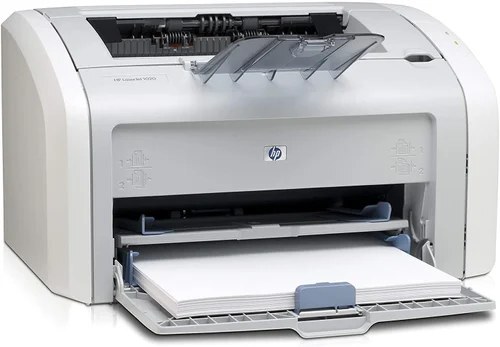
HP's Laserjet 1022N brought Ethernet to the 1022 personal laser, letting small workgroups share one compact printer — in the mid-2000s, this was the affordable way to put laser output on an office network. Sharing changes the toner math, because several people's printing drains a single bay: the standard 12A (Q2612A) and the high-yield 12X (Q2612X) both fit, and the 1022N also accepts the jumbo-yield Q2612AJ for the longest runs between swaps.
A shared printer has no single owner, and that is its one real weakness: nobody watches the toner light, because the light is everybody's problem and therefore nobody's. The offices that keep a 1022N happy treat toner as a team supply — a spare cartridge lives next to the machine, and whoever sees the low warning orders the next one. Everything on this page supports that habit, from multi-packs to the jumbo tier that puts off the whole question for months.
Toner Cartridges for Laserjet 1022N
| Cartridge | Color | Page Yield |
|---|---|---|
| Q2612A + 12A · 6 Pack | Black | See product page |
| Q2612A + 12A · MICR | Black (MICR) | See product page |
| Q2612AJ · 4 Pack · Jumbo Yield | Black | See product page |
| Q2612AJ · Jumbo Yield | Black | See product page |
| Q2612A + 12A · 10 Pack | Black | See product page |
| Q2612A + 12A · 2 Pack | Black | See product page |
| Q2612A + 12A · 3 Pack | Black | See product page |
| Q2612A + 12A · 5 Pack | Black | See product page |
| Q2612A + 12A · 5 Pack · Premium | Black | See product page |
| HP Laserjet 1022N Black | Black | See product page |
| Q2612A + 12A | Black | See product page |
| Q2612X + 12X · High Yield | Black | See product page |
| Q2612X + 12X · 10 Pack · High Yield | Black | See product page |
| Q2612X + 12X · 2 Pack · High Yield | Black | See product page |
| Q2612X + 12X · 3 Pack · High Yield | Black | See product page |
| Q2612X + 12X · 5 Pack · High Yield | Black | See product page |
| 12X + Q2612A + Q2612X · 4 Black | Black | See product page |
| 12A + Q2612A | Black | See product page |
Which cartridge should you buy?
On a shared machine, capacity is kindness. The standard 12A is fine for a 1022N serving two light users, but most workgroups should start at the high-yield 12X: fewer changes, fewer interruptions, and a lower cost spread across everybody's pages. The jumbo Q2612AJ is the right answer when the printer serves a whole team or a public counter — the fewer times a shared printer stops for toner, the fewer people are inconvenienced at once. Whatever tier you settle on, buy it in a multi-pack and station the spare beside the printer; the best cartridge policy for a network machine is the one that survives somebody being on vacation. Compatible cartridges on this page carry a 1-year warranty and 1-year returns.
Chip, toner and everyday use
When a shared 1022N warns about low toner, order the replacement that day — a workgroup can drain what is left of a cartridge before the week is out, and redistributing the old unit only buys a little time. Swapping is the same one-minute job as on the base model: top open, old cartridge out, sealing tape off the new one, new cartridge seated firmly. One network-specific habit helps: whoever changes the cartridge should print a test page from their own machine afterward, confirming both the install and that the printer is still answering the network as expected.
Frequently Asked Questions
Can I share the Laserjet 1022N with other computers on the network?
Yes — the Laserjet 1022N has built-in networking, so once it has an IP address, every computer on the same network can add it. Install the HP driver on each machine and point it at the 1022N, and the whole workgroup prints to the one bay.
Does the Laserjet 1022N print in color?
No — the Laserjet 1022N is a monochrome laser printer, so it prints in black toner only. Its single cartridge holds black toner; there are no color cartridges for this model, which keeps shared-office supply simple.
Will the Q2612X fit my Laserjet 1022N if it shipped with a Q2612A?
Yes — the 1022N accepts both the standard Q2612A and the high-yield Q2612X with no modification. You can move up to the 12X, or to the jumbo, the next time the printer asks for toner.
Who should change the cartridge on a shared printer?
Whoever notices it first — that is the workable rule. The change takes about a minute, the printer recognizes the new cartridge itself, and a test page afterward confirms the job is done for the whole team.
More printers that use the same cartridges
The networked 1022N shares its cartridge family with the full list below, starting with HP Q2612A, LaserJet 1010, LaserJet 1010W, LaserJet 1018S, LaserJet 1022NXI, LaserJet 1030, LaserJet 3015, LaserJet 3015MFP, LaserJet 3020, LaserJet 3020MFP, LaserJet 3030, LaserJet 3030MFP, LaserJet 3050, LaserJet 3050MFP, LaserJet 3050Z,
and the rest of the family: LaserJet 3052, LaserJet 3052MFP, LaserJet 3055, LaserJet M1005, LaserJet M1005 MFP, LaserJet M1005MFP, LaserJet M1319, LaserJet M1319F, LaserJet M1319F MFP, Laserjet 1010, Laserjet 1012, Laserjet 1015, Laserjet 1018, Laserjet 1020, Laserjet 1022, Laserjet 1022NW.