




LaserJet 1010
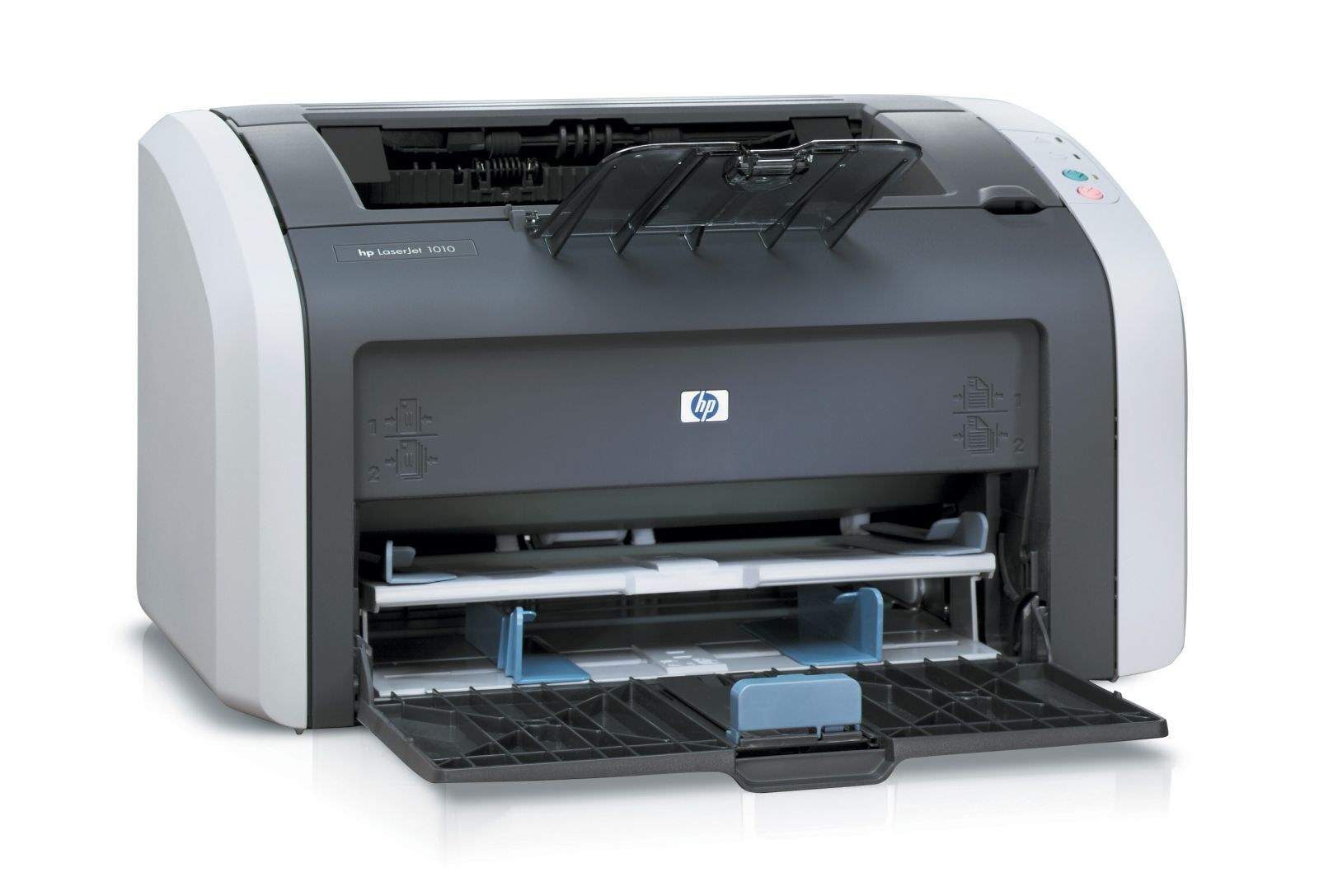
For home desks and small offices, the LaserJet 1010 brought early-2000s laser printing in a compact personal package — and reliability, not flash, is what keeps this machine on desks years later. It runs on a single cartridge, the Q2612A, stocked on this page as the 12A single below. The family also has a high-yield Q2612X; on this page that X tier appears only inside the 12X four-pack listing.
A one-cartridge printer makes ownership simple: there is no color set to manage, no drum on a separate schedule, just a black toner cartridge that you replace when it runs out. The 1010 was designed around that cartridge, and the same cartridge family serves the long list of sibling models below — one reason supplies for a machine of this age remain easy to find. Reordering takes a minute; being without toner costs far more.
Toner Cartridges for LaserJet 1010
| Cartridge | Color | Page Yield |
|---|---|---|
| Q2612A — Black, single | Black | See product page |
| Q2612A — Black, single (alternate listing) | Black | See product page |
| Q2612A / Q2612X — 4 Black (four-pack, listed as 12X) | Black | See product page |
Which cartridge should you buy?
For most 1010 owners the answer is the standard Q2612A single: a personal printer's volume rarely justifies stocking up, and one cartridge in the machine plus none on the shelf is the normal pattern — just reorder when the installed one starts to fade. The four-pack makes sense if this printer still does daily duty in a small office, or if you maintain several machines from the family list below and want spares within reach. Note the four-pack is the dual-code 12X listing, so read its details if the high-yield Q2612X tier is specifically what you are after.
Chip, toner and everyday use
When a new cartridge goes into the 1010, two small things decide whether it works smoothly: the protective seal and clips must be fully removed, and the cartridge must click home into its slot. Most recognition complaints on a printer this simple trace back to one of those two steps. After that, toner care is minimal — keep the spare sealed until its day comes, and if a nearly empty cartridge starts printing light, a gentle side-to-side rock can even out what toner remains while the replacement is on its way.
Frequently Asked Questions
Which toner cartridge works with the LaserJet 1010?
The Q2612A — the HP 12A cartridge. It is the only cartridge this page stocks for the 1010, in single and four-pack listings, and it is the cartridge the printer was designed for. The high-yield Q2612X from the same family appears on this page only within the 12X four-pack listing.
Does the LaserJet 1010 use the C7115A cartridge instead?
No. The C7115A belongs to a different HP family and does not fit this printer, despite what some older listings claim. Order by the Q2612A code — matching the code on the cartridge you remove is the safest check of all.
My 1010 does not recognize the new cartridge — what should I check?
First confirm the protective seal and clips were fully removed and that the cartridge has clicked into place. If it still is not recognized, the cartridge's chip may be damaged, or the cartridge may carry the wrong code for this printer — verify it reads Q2612A before assuming the printer is at fault.
Should I update the firmware on my LaserJet 1010?
Firmware updates from HP's official support page can fix bugs and improve reliability, and they are the only source you should install from. Avoid starting an update in the middle of an urgent print run — let important jobs finish first, then update.
More printers that use the same cartridges
The Q2612A family also serves these models:
- HP Q2612A
- LaserJet 1010W
- LaserJet 1018S
- LaserJet 1022NXI
- LaserJet 1030
- LaserJet 3015
- LaserJet 3015MFP
- LaserJet 3020
- LaserJet 3020MFP
- LaserJet 3030
- LaserJet 3030MFP
- LaserJet 3050
- LaserJet 3050MFP
- LaserJet 3050Z
- LaserJet 3052
- LaserJet 3052MFP
- LaserJet 3055
- LaserJet M1005
- LaserJet M1005 MFP
- LaserJet M1005MFP
- LaserJet M1319
- LaserJet M1319F
- LaserJet M1319F MFP
- Laserjet 1010
- Laserjet 1012
- Laserjet 1015
- Laserjet 1018
- Laserjet 1020
- Laserjet 1022
- Laserjet 1022N
- Laserjet 1022NW