




LaserJet 1022NXI
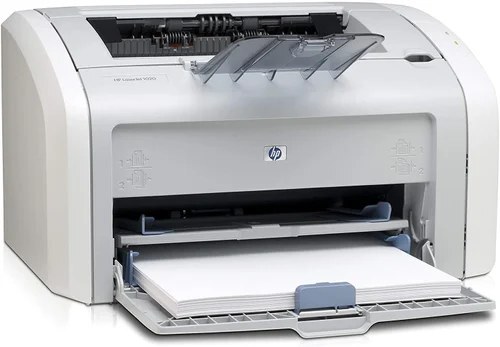
The 1022nxi was a retail-packaged configuration of HP's LaserJet 1022, bundling the popular mid-2000s personal laser for big-box shoppers. The printer inside is the same dependable 1022 offices knew well.
The HP 12A (Q2612A) fits, and the HP 12X (Q2612X) high-yield stretches further. Compatible and genuine OEM cartridges available.
Toner Cartridges for LaserJet 1022NXI
This printer works with the following toner cartridges:
- HP Q2612A
- HP Q2612X
More HP Printers
- Laserjet 1010
- LaserJet 1010W
- Laserjet 1012
- Laserjet 1015
- Laserjet 1018
- LaserJet 1018S
- Laserjet 1020
- Laserjet 1022
- Laserjet 1022N
- Laserjet 1022NW
- LaserJet 1030
- LaserJet 3015
- LaserJet 3015MFP
- LaserJet 3020
- LaserJet 3020MFP
- LaserJet 3030
- LaserJet 3030MFP
- LaserJet 3050
- LaserJet 3050MFP
- LaserJet 3050Z
- LaserJet 3052
- LaserJet 3052MFP
- LaserJet 3055
- LaserJet M1005
- LaserJet M1005 MFP
- LaserJet M1005MFP
- LaserJet M1319
- LaserJet M1319F
- LaserJet M1319F MFP
Frequently Asked Questions
What is the difference between the Q2612A and Q2612X cartridges for the HP LaserJet 1022NXI?
For the HP LaserJet 1022NXI, Q2612A and Q2612X are the same cartridge family in two capacities: standard (HP 12A) and high-yield (HP 12X). Either one installs the same way; the choice is purely about how much you print.
Will the HP LaserJet 1022NXI work with a newer computer?
The HP LaserJet 1022NXI can generally be coaxed onto a modern computer: try HP's support site for a driver, then fall back to the universal print driver. As long as the HP LaserJet 1022NXI connects over USB or the network, the software side is solvable.
Do I need to shake the Q2612A cartridge before installing it in the HP LaserJet 1022NXI?
Yes, give the Q2612A a few gentle horizontal rocks before sliding it into the HP LaserJet 1022NXI. This is especially useful if the cartridge has been stored upright — it evens out the toner for the first pages.