




LaserJet 3030
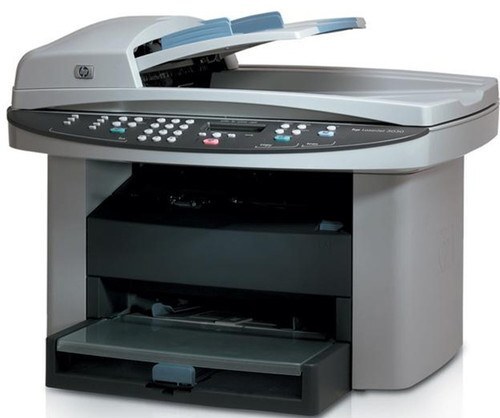
HP's LaserJet 3030, from around 2004, added fax to the 3015/3020 multifunction formula — a true four-function office machine for its time. It gave small businesses enterprise-style document handling in a desktop footprint.
It takes HP 12A toner (Q2612A), with the high-yield HP 12X (Q2612X) for heavier fax-and-print workloads. Compatible and genuine OEM cartridges available. Fax-and-print workloads empty cartridges quickly; the jumbo-yield 12AJ (Q2612AJ) gives the 3030 its longest stretch between replacements.
Toner Cartridges for LaserJet 3030
This printer works with the following toner cartridges:
- HP Q2612A
- HP Q2612X
More HP Printers
- Laserjet 1010
- LaserJet 1010W
- Laserjet 1012
- Laserjet 1015
- Laserjet 1018
- LaserJet 1018S
- Laserjet 1020
- Laserjet 1022
- Laserjet 1022N
- Laserjet 1022NW
- LaserJet 1022NXI
- LaserJet 1030
- LaserJet 3015
- LaserJet 3015MFP
- LaserJet 3020
- LaserJet 3020MFP
- LaserJet 3030MFP
- LaserJet 3050
- LaserJet 3050MFP
- LaserJet 3050Z
- LaserJet 3052
- LaserJet 3052MFP
- LaserJet 3055
- LaserJet M1005
- LaserJet M1005 MFP
- LaserJet M1005MFP
- LaserJet M1319
- LaserJet M1319F
- LaserJet M1319F MFP
Frequently Asked Questions
What is the difference between the Q2612A and Q2612X cartridges for the HP LaserJet 3030?
For the HP LaserJet 3030, Q2612A and Q2612X are the same cartridge family in two capacities: standard (HP 12A) and high-yield (HP 12X). Either one installs the same way; the choice is purely about how much you print.
Do I need to shake the Q2612A cartridge before installing it in the HP LaserJet 3030?
Yes, give the Q2612A a few gentle horizontal rocks before sliding it into the HP LaserJet 3030. This is especially useful if the cartridge has been stored upright — it evens out the toner for the first pages.
How do I clear a paper jam in the HP LaserJet 3030?
Power off the HP LaserJet 3030, open the front and rear covers, and gently pull the jammed sheet in the direction of the paper path — never against it. Remove any torn scraps, close everything, and the HP LaserJet 3030 should resume on its own.