




Laserjet 1022
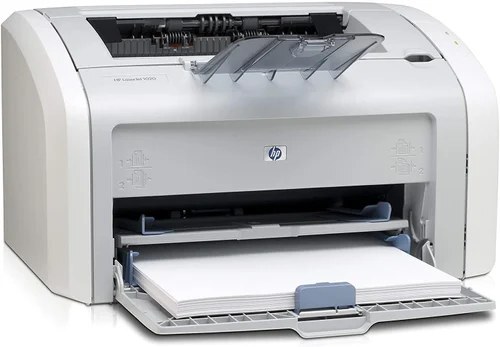
The LaserJet 1022 picked up where the 1020 left off, adding speed and polish to HP's mid-2000s personal laser line. It became a fixture in home offices and dorm rooms that wanted more than entry-level performance.
It runs on HP 12A (Q2612A) or high-yield HP 12X (Q2612X) toner. Compatible and genuine OEM cartridges both available for the 1022. Above the 12X sits the jumbo-yield 12AJ (Q2612AJ), aimed at 1022 users who burn through high-yield cartridges quickly.
Toner Cartridges for Laserjet 1022
This printer works with the following toner cartridges:
- HP Q2612A
- HP Q2612X
More HP Printers
- Laserjet 1010
- LaserJet 1010W
- Laserjet 1012
- Laserjet 1015
- Laserjet 1018
- LaserJet 1018S
- Laserjet 1020
- Laserjet 1022N
- Laserjet 1022NW
- LaserJet 1022NXI
- LaserJet 1030
- LaserJet 3015
- LaserJet 3015MFP
- LaserJet 3020
- LaserJet 3020MFP
- LaserJet 3030
- LaserJet 3030MFP
- LaserJet 3050
- LaserJet 3050MFP
- LaserJet 3050Z
- LaserJet 3052
- LaserJet 3052MFP
- LaserJet 3055
- LaserJet M1005
- LaserJet M1005 MFP
- LaserJet M1005MFP
- LaserJet M1319
- LaserJet M1319F
- LaserJet M1319F MFP
Frequently Asked Questions
What is the difference between the Q2612A and Q2612X cartridges for the HP Laserjet 1022?
For the HP Laserjet 1022, Q2612A and Q2612X are the same cartridge family in two capacities: standard (HP 12A) and high-yield (HP 12X). Either one installs the same way; the choice is purely about how much you print.
Should I buy the Q2612A or the Q2612X for my HP Laserjet 1022?
Choose the Q2612X for the HP Laserjet 1022 when toner changes feel constant; choose the Q2612A when the printer sits idle for stretches. Both are genuine fits for the HP Laserjet 1022, so there is no compatibility risk either way.
Why is my HP Laserjet 1022 printing faded or streaky pages?
Faded output on the HP Laserjet 1022 usually means the Q2612A cartridge is running low — check the toner gauge on the printer's display or status page. If the cartridge is new, remove the HP 12A cartridge, rock it gently to redistribute toner, and reseat it in the HP Laserjet 1022.