




LaserJet 1018S
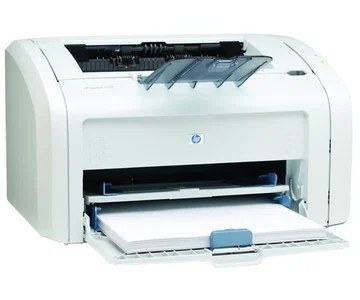
The 1018S was a retail-channel variant of HP's popular LaserJet 1018, packaging the 2005 compact personal laser for value-focused shoppers. Same tiny footprint, same crisp monochrome pages.
It takes the HP 12A (Q2612A), with the high-yield HP 12X (Q2612X) as the economical choice. Compatible and genuine OEM cartridges are available.
Toner Cartridges for LaserJet 1018S
This printer works with the following toner cartridges:
- HP Q2612A
- HP Q2612X
More HP Printers
- Laserjet 1010
- LaserJet 1010W
- Laserjet 1012
- Laserjet 1015
- Laserjet 1018
- Laserjet 1020
- Laserjet 1022
- Laserjet 1022N
- Laserjet 1022NW
- LaserJet 1022NXI
- LaserJet 1030
- LaserJet 3015
- LaserJet 3015MFP
- LaserJet 3020
- LaserJet 3020MFP
- LaserJet 3030
- LaserJet 3030MFP
- LaserJet 3050
- LaserJet 3050MFP
- LaserJet 3050Z
- LaserJet 3052
- LaserJet 3052MFP
- LaserJet 3055
- LaserJet M1005
- LaserJet M1005 MFP
- LaserJet M1005MFP
- LaserJet M1319
- LaserJet M1319F
- LaserJet M1319F MFP
Frequently Asked Questions
What is the difference between the Q2612A and Q2612X cartridges for the HP LaserJet 1018S?
Both the Q2612A (HP 12A) and the Q2612X (HP 12X) fit the HP LaserJet 1018S; the X is simply the high-yield version that lasts longer per cartridge. The cartridges are physically interchangeable, so pick whichever matches your print volume.
How do I clear a paper jam in the HP LaserJet 1018S?
Turn the HP LaserJet 1018S off first, then open the access doors and ease the stuck paper out along its normal travel direction. Check for small torn pieces inside the HP LaserJet 1018S, close the covers, and print a test page.
How do I print a test page on the HP LaserJet 1018S after changing the toner?
Seat the replacement Q2612A, close the HP LaserJet 1018S, and print a page — the printer's built-in demo or status page works well. Even black coverage tells you the HP 12A cartridge is installed right in the HP LaserJet 1018S.