




LaserJet 3052
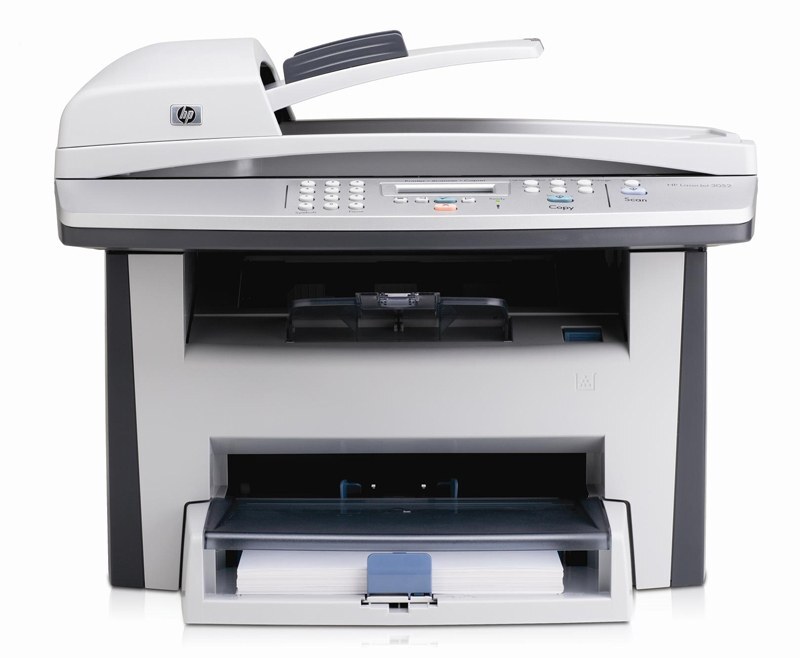
HP's LaserJet 3052, from 2006, refined the small-office multifunction formula with a cleaner design and better usability than its predecessors. This monochrome MFP covered printing, scanning, and copying — the essentials, done well.
The cartridge is the HP 12A (Q2612A), with the high-yield HP 12X (Q2612X) for lower per-page costs. Compatible and genuine OEM toner available.
Toner Cartridges for LaserJet 3052
This printer works with the following toner cartridges:
- HP Q2612A
- HP Q2612X
More HP Printers
- Laserjet 1010
- LaserJet 1010W
- Laserjet 1012
- Laserjet 1015
- Laserjet 1018
- LaserJet 1018S
- Laserjet 1020
- Laserjet 1022
- Laserjet 1022N
- Laserjet 1022NW
- LaserJet 1022NXI
- LaserJet 1030
- LaserJet 3015
- LaserJet 3015MFP
- LaserJet 3020
- LaserJet 3020MFP
- LaserJet 3030
- LaserJet 3030MFP
- LaserJet 3050
- LaserJet 3050MFP
- LaserJet 3050Z
- LaserJet 3052MFP
- LaserJet 3055
- LaserJet M1005
- LaserJet M1005 MFP
- LaserJet M1005MFP
- LaserJet M1319
- LaserJet M1319F
- LaserJet M1319F MFP
Frequently Asked Questions
What is the difference between the Q2612A and Q2612X cartridges for the HP LaserJet 3052?
The Q2612A is the standard-yield HP 12A cartridge and the Q2612X is the high-yield HP 12X — both made for the HP LaserJet 3052. If you print regularly, the Q2612X usually means fewer cartridge swaps over time.
Will the Q2612X fit my HP LaserJet 3052 if it shipped with a Q2612A?
Absolutely. HP designed the HP LaserJet 3052 to take either the Q2612A or the Q2612X; swapping yields mid-stream is completely normal. Just seat the new cartridge until it clicks and print a test page.
How do I fix light vertical bands on prints from my HP LaserJet 3052?
Light vertical bands on the HP LaserJet 3052 typically trace back to the Q2612A cartridge — toner distribution or a worn roller inside the cartridge. Remove the HP 12A cartridge, rock it gently, and reinstall it in the HP LaserJet 3052; if the bands persist with a fresh Q2612A, the cartridge was the fix.