




LaserJet M1319F
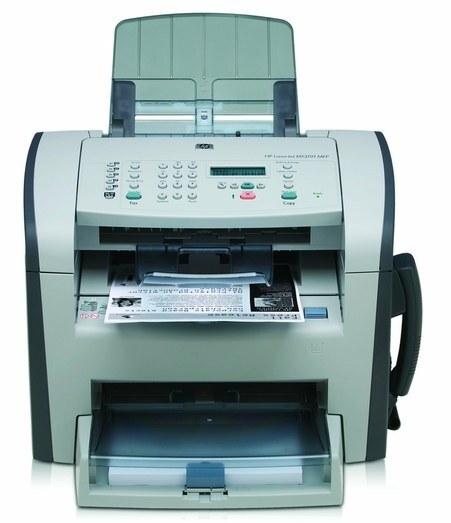
The LaserJet M1319F added full fax capability to HP's 2008 M1319 multifunction line — the configuration for offices that still lived on faxed orders and confirmations. Print, scan, copy, and fax all lived in one compact unit.
It takes HP 12A (Q2612A) toner; the HP 12X (Q2612X) high-yield is the economical choice. Compatible and genuine OEM cartridges available. Offices that lived on faxed orders can feed the M1319F the jumbo 12AJ (Q2612AJ) and replace toner far less often.
Toner Cartridges for LaserJet M1319F
This printer works with the following toner cartridges:
- HP Q2612A
- HP Q2612X
More HP Printers
- Laserjet 1010
- LaserJet 1010W
- Laserjet 1012
- Laserjet 1015
- Laserjet 1018
- LaserJet 1018S
- Laserjet 1020
- Laserjet 1022
- Laserjet 1022N
- Laserjet 1022NW
- LaserJet 1022NXI
- LaserJet 1030
- LaserJet 3015
- LaserJet 3015MFP
- LaserJet 3020
- LaserJet 3020MFP
- LaserJet 3030
- LaserJet 3030MFP
- LaserJet 3050
- LaserJet 3050MFP
- LaserJet 3050Z
- LaserJet 3052
- LaserJet 3052MFP
- LaserJet 3055
- LaserJet M1005
- LaserJet M1005 MFP
- LaserJet M1005MFP
- LaserJet M1319
- LaserJet M1319F MFP
Frequently Asked Questions
How do I set up faxing on the HP LaserJet M1319F?
Plug an analog phone line into the HP LaserJet M1319F's line jack and complete the fax setup on the display — number, company name, and dialing rules. The HP LaserJet M1319F can then send and receive faxes on its own.
What is the difference between the Q2612A and Q2612X cartridges for the HP LaserJet M1319F?
For the HP LaserJet M1319F, Q2612A and Q2612X are the same cartridge family in two capacities: standard (HP 12A) and high-yield (HP 12X). Either one installs the same way; the choice is purely about how much you print.
How do I replace the toner in the HP LaserJet M1319F?
Power on the HP LaserJet M1319F, open the cartridge door, and remove the spent Q2612A. Unwrap the replacement HP 12A cartridge, rock it gently side to side to distribute the toner, insert it into the HP LaserJet M1319F, and close the door.