




Laserjet 1022NW
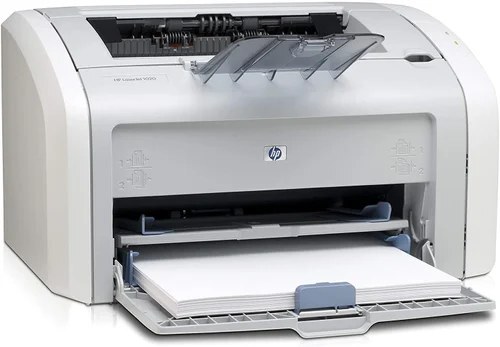
The 1022NW added wireless to the networked 1022 formula — HP's answer for offices that wanted shared laser printing without Ethernet drops. This mid-2000s compact printer covered every connection option of its day.
It uses HP 12A (Q2612A) toner, with the high-yield HP 12X (Q2612X) for heavier use. Compatible and genuine OEM cartridges in stock.
Toner Cartridges for Laserjet 1022NW
This printer works with the following toner cartridges:
- HP Q2612A
- HP Q2612X
More HP Printers
- Laserjet 1010
- LaserJet 1010W
- Laserjet 1012
- Laserjet 1015
- Laserjet 1018
- LaserJet 1018S
- Laserjet 1020
- Laserjet 1022
- Laserjet 1022N
- LaserJet 1022NXI
- LaserJet 1030
- LaserJet 3015
- LaserJet 3015MFP
- LaserJet 3020
- LaserJet 3020MFP
- LaserJet 3030
- LaserJet 3030MFP
- LaserJet 3050
- LaserJet 3050MFP
- LaserJet 3050Z
- LaserJet 3052
- LaserJet 3052MFP
- LaserJet 3055
- LaserJet M1005
- LaserJet M1005 MFP
- LaserJet M1005MFP
- LaserJet M1319
- LaserJet M1319F
- LaserJet M1319F MFP
Frequently Asked Questions
What is the difference between the Q2612A and Q2612X cartridges for the HP Laserjet 1022NW?
The Q2612A is the standard-yield HP 12A cartridge and the Q2612X is the high-yield HP 12X — both made for the HP Laserjet 1022NW. If you print regularly, the Q2612X usually means fewer cartridge swaps over time.
How do I connect the HP Laserjet 1022NW to Wi-Fi?
On the HP Laserjet 1022NW, run the wireless setup from the network menu and join your Wi-Fi network. After the HP Laserjet 1022NW connects, add it on your computer through the standard printer setup — the driver usually discovers the HP Laserjet 1022NW automatically.
Do I need to shake the Q2612A cartridge before installing it in the HP Laserjet 1022NW?
It helps: rocking the Q2612A horizontally a few times levels the toner powder before installation in the HP Laserjet 1022NW. Skip the vigorous shaking, which can spill toner, and keep the cartridge level as you load it.