




LaserJet 3020MFP
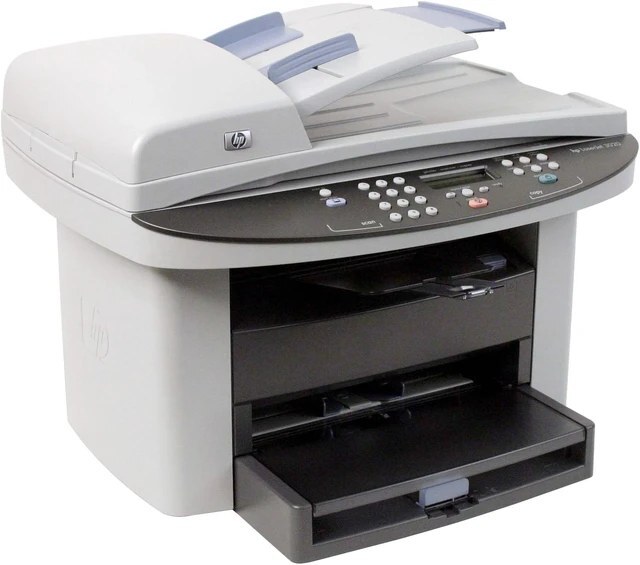
Listed as the LaserJet 3020MFP, this is HP's 3020 multifunction printer under its full MFP name — the early-2000s all-in-one for printing, scanning, and copying in tight spaces. Small offices made it a workhorse.
The cartridge family is HP 12A/12X: Q2612A standard, Q2612X high-yield. Compatible and genuine OEM options in stock. For heavier daily volume, the 3020MFP can use the jumbo 12AJ (Q2612AJ) instead, the family's longest-running compatible cartridge.
Toner Cartridges for LaserJet 3020MFP
This printer works with the following toner cartridges:
- HP Q2612A
- HP Q2612X
More HP Printers
- Laserjet 1010
- LaserJet 1010W
- Laserjet 1012
- Laserjet 1015
- Laserjet 1018
- LaserJet 1018S
- Laserjet 1020
- Laserjet 1022
- Laserjet 1022N
- Laserjet 1022NW
- LaserJet 1022NXI
- LaserJet 1030
- LaserJet 3015
- LaserJet 3015MFP
- LaserJet 3020
- LaserJet 3030
- LaserJet 3030MFP
- LaserJet 3050
- LaserJet 3050MFP
- LaserJet 3050Z
- LaserJet 3052
- LaserJet 3052MFP
- LaserJet 3055
- LaserJet M1005
- LaserJet M1005 MFP
- LaserJet M1005MFP
- LaserJet M1319
- LaserJet M1319F
- LaserJet M1319F MFP
Frequently Asked Questions
What is the difference between the Q2612A and Q2612X cartridges for the HP LaserJet 3020MFP?
The Q2612A is the standard-yield HP 12A cartridge and the Q2612X is the high-yield HP 12X — both made for the HP LaserJet 3020MFP. If you print regularly, the Q2612X usually means fewer cartridge swaps over time.
How do I replace the toner in the HP LaserJet 3020MFP?
Open the front cover of the HP LaserJet 3020MFP, pull the old Q2612A cartridge straight out, then unbox the new one and remove any protective seals. Slide the new HP 12A cartridge into the HP LaserJet 3020MFP until it clicks, close the cover, and print a test page.
How can I lower toner costs on the HP LaserJet 3020MFP?
The biggest lever on the HP LaserJet 3020MFP is cartridge choice: compatible HP 12A toner costs less to run than OEM Q2612A for routine work. Pair it with draft-mode printing and the HP LaserJet 3020MFP sips toner instead of gulping it.