




Color MFP M175A
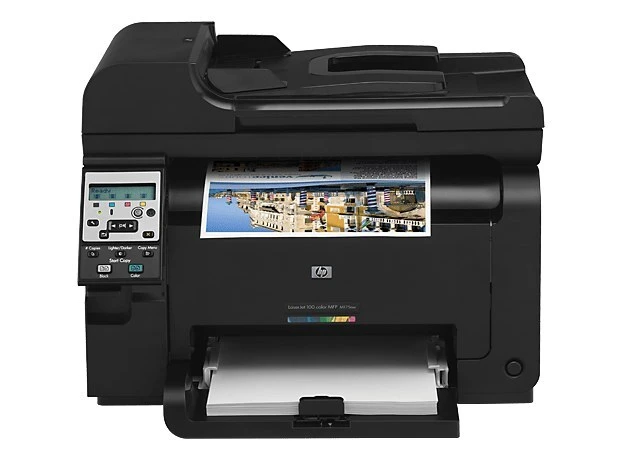
Color multifunction for the smallest offices: the Color MFP M175a packs print, scan and copy into a compact color unit — the entry point of the M175 line. It takes the HP 126A four-cartridge set: CE310A black with CE311A, CE312A, CE313A color.
Genuine OEM and compatible 126A cartridges for the M175a are both stocked here. Compact multifunctions sip toner rather than gulp it, so the standard set goes a long way; fast shipping from Clever Supplies covers reorders.
Toner Cartridges for Color MFP M175A
This printer works with the following toner cartridges:
- HP CE310A
- HP CE311A
- HP CE312A
- HP CE313A
More HP Printers
- Color CP1025
- Color CP1025NW
- Color LaserJet CP1025
- Color LaserJet CP1025nw
- Color LaserJet M175nw
- Color LaserJet Pro 100 Color MFP M175A
- Color LaserJet Pro 100 Color MFP M175NW
- Color LaserJet Pro 200 M275NW
- Color LaserJet Pro CP1025
- Color LaserJet Pro CP1025nw
- Color LaserJet Pro M175
- Color LaserJet Pro M175 MFP
- Color LaserJet Pro M175A
- Color LaserJet Pro M175nw
- Color LaserJet TopShot LaserJet Pro M275
- Color LaserJet TopShot LaserJet Pro M275NW
- Color MFP M175NW
- LaserJet Pro 100 Color M175A
- LaserJet Pro 100 Color M175N
- LaserJet Pro 100 Color M175W
- LaserJet Pro 100 color MFP M175NW
- TopShot LaserJet Pro M275 MFP
Frequently Asked Questions
Are third-party toner cartridges safe to use in the Color MFP M175A?
The Color MFP M175A does not require genuine HP toner — quality third-party cartridges built to the HP 126A specification (CE310A, CE311A, CE312A, CE313A) seat and print the same way. Choose a supplier that guarantees the chip and fit for the Color MFP M175A, since bargain no-name cartridges are the ones most likely to cause recognition errors.
How do I clear a paper jam in the Color MFP M175A safely?
Heavier stock jams more easily, so on the Color MFP M175A load thick paper one tray setting at a time and select the matching media type. Keeping the paper dry and flat matters more than anything for the Color MFP M175A.
Which software do I need to get the Color MFP M175A working?
If your computer doesn't see the Color MFP M175A, start by reinstalling the driver from HP's support page and checking the USB or network connection. A fresh driver install fixes most recognition problems on the Color MFP M175A.