




Color LaserJet 3500N
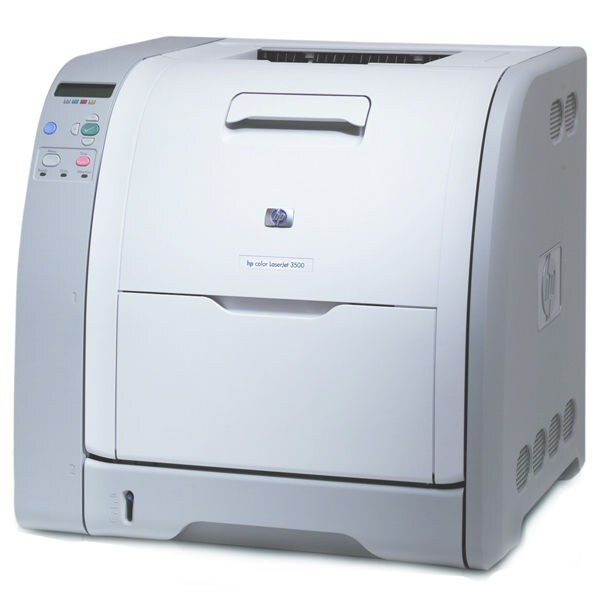
Shared color printing over the network defined the HP Color LaserJet 3500N. In the early 2000s it gave workgroups an affordable path to full-color laser output.
It uses HP 308A Q2670A black with 309A color Q2671A, Q2672A and Q2673A. We stock compatible and genuine OEM cartridges for the Color LaserJet 3500N.
Toner Cartridges for Color LaserJet 3500N
This printer works with the following toner cartridges:
- HP Q2670A
- HP Q2671A
- HP Q2672A
- HP Q2673A
More HP Printers
- Color 3500
- Color 3500dn
- Color 3500dtn
- Color 3500N
- Color 3550
- Color 3550N
- Color LaserJet 3500
- Color LaserJet 3500dn
- Color LaserJet 3500dtn
- Color LaserJet 3550
- Color LaserJet 3550N
Frequently Asked Questions
What are the correct toner cartridge numbers for the Color LaserJet 3500N?
The correct cartridges for the Color LaserJet 3500N are Q2670A, Q2671A, Q2672A, Q2673A (HP 308A Black + 309A Color). Whether you buy OEM or compatible, that number is what matters — anything outside HP 308A Black + 309A Color will not seat properly in the Color LaserJet 3500N.
What is the most economical way to buy toner for the Color LaserJet 3500N?
The simplest way to cut costs on the Color LaserJet 3500N is buying compatible HP 308A Black + 309A Color cartridges and replacing only the empty one. Defaulting everyday printing to black-and-white also helps the color cartridges last longer.
How do I clear a paper jam in the Color LaserJet 3500N safely?
Frequent jams in the Color LaserJet 3500N are often about paper, not the printer: use dry, flat sheets and don't overfill the tray. If a jam occurs, remove every scrap and restart the Color LaserJet 3500N before printing again.