




Color 3500dtn
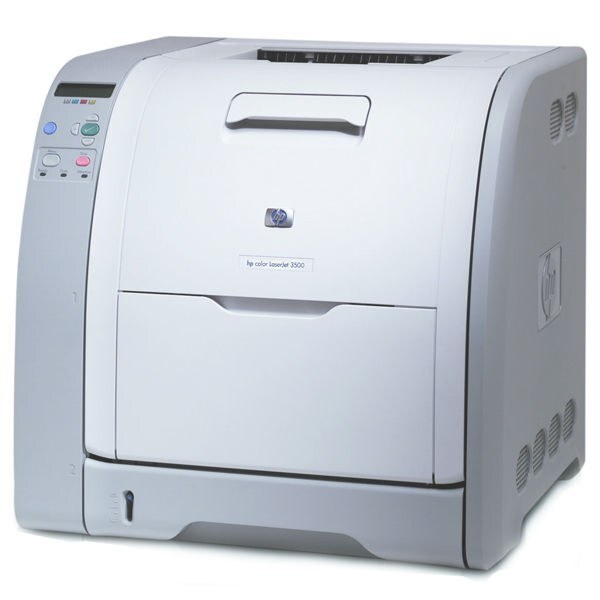
Departments that print in long, heavy runs are exactly who the Color 3500dtn was configured for: it takes the duplexed, networked 3500 platform and adds the extra paper capacity that keeps big color jobs moving with minimal attention. The cartridge set is the same four as its siblings — black from the Q2670A (309A) and color from the Q2671A, Q2672A and Q2673A 3 Color Set — all compatible cartridges, each replaced independently as it empties.
Paper capacity is the quiet feature that decides whether a departmental printer feels effortless or needy. With more sheets loaded, a 3500dtn can take a morning of reports, mail merges and presentation drafts without someone refilling a tray mid-run — and on a machine fed this steadily, toner planning matters just as much: the black cartridge turns over far faster than the colors, so the supply routine here is built around it.
Toner Cartridges for Color 3500dtn
| Cartridge | Color | Page Yield |
|---|---|---|
| 3 Color Set — Q2671A / Q2672A / Q2673A | Cyan / Yellow / Magenta | See product page |
| Q2670A — HP 309A Black | Black | See product page |
Which cartridge should you buy?
On a high-throughput machine, buy for uptime. The black Q2670A is the fast-moving cartridge — heavy text volume drains it long before the colors — so hold a spare single on site and reorder when the spare goes in, not when the printer stops. The colors move slowly but together; when the first one flags low, the 3 Color Set on this page refreshes all three at once, which also evens out color balance on a machine that has been printing with aged cartridges. Both listings are compatible cartridges backed by a 1-year warranty and 1-year returns.
Chip, toner and everyday use
Volume printing punishes sloppy habits: a cartridge swapped mid-run should be the right code, tape removed, seated firmly, because a badly seated cartridge on a busy machine can cost a whole batch of pages. Read the four toner gauges on the printer's status page before scheduling long jobs, and rotate spare stock so the oldest sealed cartridge is used first. When output fades near the end of a cartridge, a gentle side-to-side rock redistributes the remaining toner and usually buys enough clean pages to finish the job at hand.
Frequently Asked Questions
How do I know which toner to order for my Color 3500dtn?
Order by code, not by the printer's nickname: Q2670A for black and Q2671A, Q2672A, Q2673A for the colors. Anything outside that set will not seat properly in this machine, whatever the box promises.
Does the extra paper capacity change how much toner the 3500dtn uses?
No — the trays hold paper, not toner. Bigger capacity simply means longer runs between refills; toner use still depends on how much you print and how much of it is color.
What should I check if paper keeps jamming in the Color 3500dtn?
Heavier stock is the usual culprit. Load thick paper with the matching media-type setting, keep sheets dry and flat, and clear every scrap after a jam before restarting the job.
More printers that use the same cartridges
The 3500dtn shares its four cartridges with the wider 3500, 3550 and 3700 lines:
HP 308A-311A, HP 308A-309A, Color LaserJet 3750N, Color LaserJet 3750DTN, Color LaserJet 3750DN, Color LaserJet 3750, Color LaserJet 3700, Color LaserJet 3550N, Color LaserJet 3550, Color LaserJet 3500dtn, Color LaserJet 3500dn, Color LaserJet 3500N, Color LaserJet 3500, Color 3750N, Color 3750DTN, Color 3750DN, Color 3750, Color 3700N, Color 3700DTN, Color 3700DN, Color 3700, Color 3550N, Color 3550, Color 3500dn, Color 3500N, Color 3500, COLOR LASERJET 3700N, COLOR LASERJET 3700DTN, COLOR LASERJET 3700DN