




Color LaserJet 3500dtn
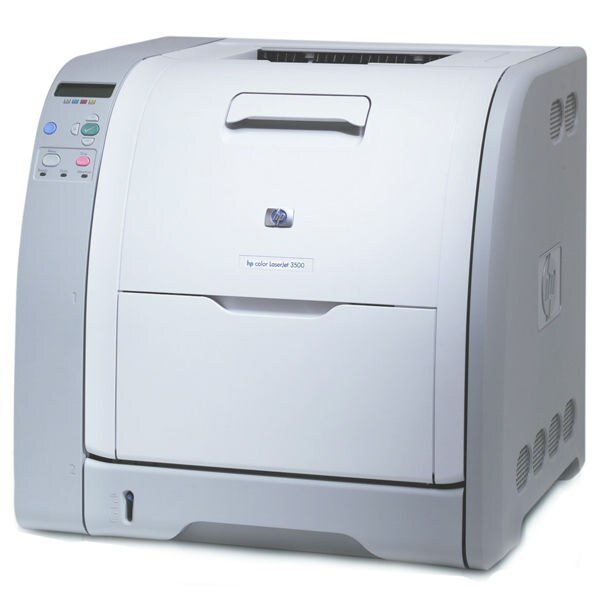
Maximum paper capacity met automatic duplexing in the HP Color LaserJet 3500dtn, the range-topper for high-volume color departments. It was built for offices where the printer rarely sat idle.
HP 308A black Q2670A and 309A color cartridges Q2671A, Q2672A, Q2673A keep it running. Compatible and genuine OEM toner for the 3500dtn is available here.
Toner Cartridges for Color LaserJet 3500dtn
This printer works with the following toner cartridges:
- HP Q2670A
- HP Q2671A
- HP Q2672A
- HP Q2673A
More HP Printers
- Color 3500
- Color 3500dn
- Color 3500dtn
- Color 3500N
- Color 3550
- Color 3550N
- Color LaserJet 3500
- Color LaserJet 3500dn
- Color LaserJet 3500N
- Color LaserJet 3550
- Color LaserJet 3550N
Frequently Asked Questions
Which cartridges fit the Color LaserJet 3500dtn?
Order by the HP 308A Black and 309A Color family numbers — Q2670A for black, and Q2671A, Q2672A, and Q2673A for the colors — and the Color LaserJet 3500dtn seats them all. OEM and compatible versions of those exact codes work the same way; cartridges from other HP families will not fit the Color LaserJet 3500dtn.
How do I get the Color LaserJet 3500dtn onto my office network?
Plug a standard Ethernet cable from the Color LaserJet 3500dtn into your router or network switch — it picks up an address automatically on most networks. Print a configuration page from the control panel to find the Color LaserJet 3500dtn's IP address, then install the driver on each computer.
Do I need any tools to change the toner in the Color LaserJet 3500dtn?
Open the front cover of the Color LaserJet 3500dtn, pull the empty cartridge out by its handle, slide the new one in until it clicks, and close the cover. The Color LaserJet 3500dtn usually calibrates itself right after.