




Color 3500N
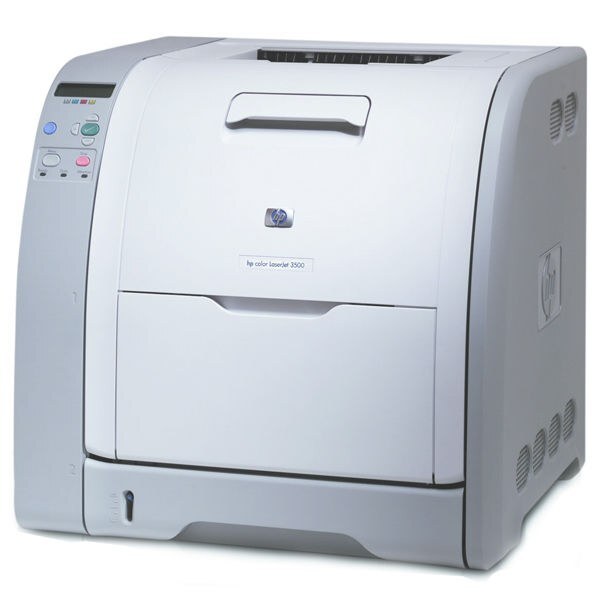
The HP Color 3500N put early-2000s color laser output on the office network — the N is the networked build, shared by a whole workgroup at a time when shared color was still a novelty. Its cartridge set matches its non-networked sibling: black comes from the 309A (Q2670A), and the three process colors are stocked on this page as a single combined set — Q2671A cyan, Q2672A magenta and Q2673A yellow.
A networked color printer develops a different appetite from a personal one. Jobs arrive from every desk, color pages mix with routine black documents, and no single user sees the whole picture — which makes the printer's own per-cartridge level reporting the thing to trust. The 3500N's split personality helps: its black cartridge serves the everyday document traffic, while the color set is spent only by the jobs that actually carry color. Budgeting follows the same split.
Toner Cartridges for Color 3500N
| Cartridge | Color | Page Yield |
|---|---|---|
| 309A (Q2670A) | Black | See product page |
| Q2671A Q2672A Q2673A 3 Color Set | Cyan / Magenta / Yellow | See product page |
Which cartridge should you buy?
Two purchases cover this printer, and they happen on different clocks. The black — the Q2670A single — is the consumable a shared machine burns through first, so it is the one to keep a sealed spare of. The colors come only as the 3 Color Set on this page: when the first color position empties, the set is the replacement unit stocked here, and individual color singles are not offered on this shelf. For a workgroup printer, the practical rule is to order the black when its warning appears and the set when a color actually fades — the printer's estimates run conservative, so there is usually time.
Chip, toner and everyday use
Supply reporting on the 3500N is per cartridge and chip-based, and the compatible cartridges stocked here carry chips the printer reads normally. Swap cartridges one at a time to keep colors in their correct positions, remove the full length of sealing tape, and let the printer calibrate before the next job runs. Remember that yield ratings assume 5% coverage — a shared printer producing presentations and charts will move through color toner well ahead of that pace. Store the spare black upright and sealed; opened early, a cartridge only risks dust and light damage.
Frequently Asked Questions
Does the Color 3500N need a specific cartridge family?
Yes — it works with the Q2670A black and the Q2671A, Q2672A and Q2673A colors, in genuine or quality-compatible builds. Cartridges from other HP families will not seat, so the code on the cartridge is the whole test.
The toner-low message is showing — can we keep printing?
Yes. The 3500N estimates toner from page counts, so the warning arrives early by design. Keep printing while output looks right; replace the cartridge when it reports empty or quality drops.
Are the colors sold individually for the 3500N?
On this page the three colors are stocked together as the 3 Color Set — that set is the replacement when a color runs out. Only the black, the Q2670A, is a separate single-cartridge purchase here.
Is long-term compatible use safe for this printer?
The 3500N runs compatible cartridges built to the family's specification without harm, provided the code matches exactly and the cartridge seats properly. Clever Supplies backs its compatibles with a 1-year warranty and 1-year returns.
More printers that use the same cartridges
Networking aside, the 3500N drinks from the same cartridge shelf as the whole 3500/3550/3700 family listed here: HP 308A-311A, HP 308A-309A, Color LaserJet 3750N, Color LaserJet 3750DTN, Color LaserJet 3750DN, Color LaserJet 3750, Color LaserJet 3700, Color LaserJet 3550N, Color LaserJet 3550, Color LaserJet 3500dtn, Color LaserJet 3500dn, Color LaserJet 3500N, Color LaserJet 3500, Color 3750N, Color 3750DTN, Color 3750DN, Color 3750, Color 3700N, Color 3700DTN, Color 3700DN, Color 3700, Color 3550N, Color 3550, Color 3500dtn, Color 3500dn, Color 3500, COLOR LASERJET 3700N, COLOR LASERJET 3700DTN, COLOR LASERJET 3700DN.