




Color LaserJet 3500dn
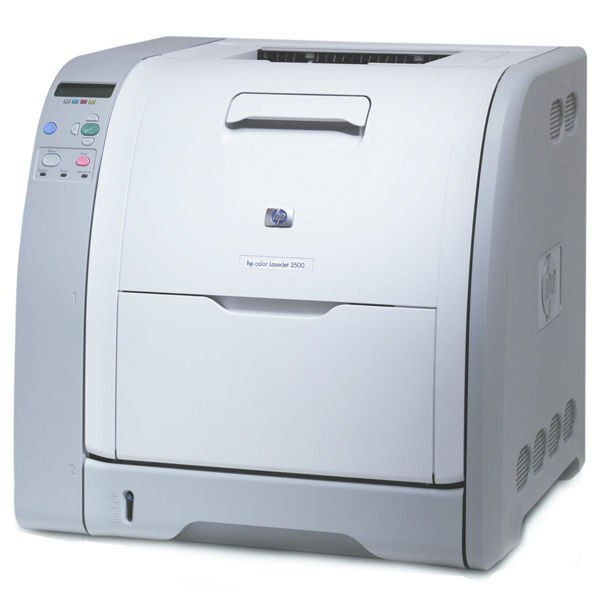
Duplexing and networking came standard on the HP Color LaserJet 3500dn, making it the configuration most offices chose. Two-sided color output, shared by the team, at a sensible price.
It takes HP 308A black Q2670A with 309A color Q2671A, Q2672A, Q2673A. Compatible and genuine OEM cartridges for the 3500dn are both stocked.
Toner Cartridges for Color LaserJet 3500dn
This printer works with the following toner cartridges:
- HP Q2670A
- HP Q2671A
- HP Q2672A
- HP Q2673A
More HP Printers
- Color 3500
- Color 3500dn
- Color 3500dtn
- Color 3500N
- Color 3550
- Color 3550N
- Color LaserJet 3500
- Color LaserJet 3500dtn
- Color LaserJet 3500N
- Color LaserJet 3550
- Color LaserJet 3550N
Frequently Asked Questions
Which cartridges fit the Color LaserJet 3500dn?
Use Q2670A, Q2671A, Q2672A, Q2673A in the Color LaserJet 3500dn — that is the full HP 308A Black + 309A Color set. Compatible replacements work fine as long as they are made for HP 308A Black + 309A Color; the Color LaserJet 3500dn will not accept cartridges from other HP families.
Do I have to change all four cartridges at once in the Color LaserJet 3500dn?
Only the empty cartridge needs replacing in the Color LaserJet 3500dn; the color cartridges are independent. Changing a half-full cartridge wastes toner and money.
Why does the Color LaserJet 3500dn jam more often when printing heavier paper?
Frequent jams in the Color LaserJet 3500dn are often about paper, not the printer: use dry, flat sheets and don't overfill the tray. If a jam occurs, remove every scrap and restart the Color LaserJet 3500dn before printing again.