




Color LaserJet 3500
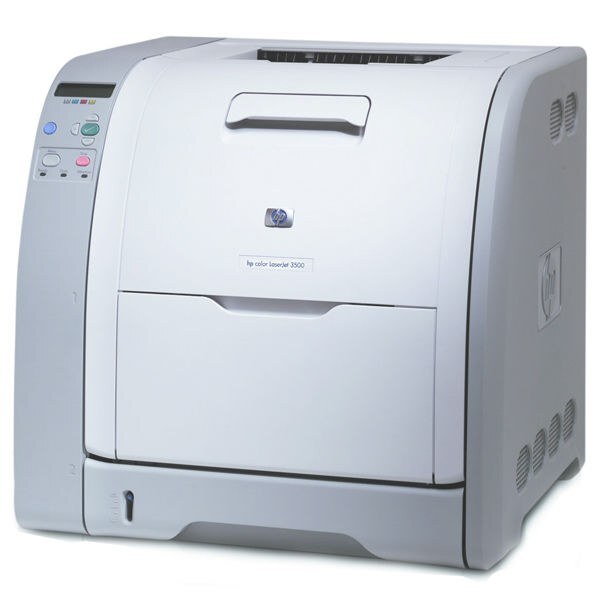
The HP Color LaserJet 3500 helped usher color lasers into mainstream offices in the early 2000s. Businesses that once sent everything to a print shop could suddenly produce color documents at their desks.
Toner is the HP 308A/309A family — black Q2670A with cyan Q2671A, magenta Q2672A and yellow Q2673A. We carry compatible and genuine OEM cartridges for the Color LaserJet 3500.
Toner Cartridges for Color LaserJet 3500
This printer works with the following toner cartridges:
- HP Q2670A
- HP Q2671A
- HP Q2672A
- HP Q2673A
More HP Printers
- Color 3500
- Color 3500dn
- Color 3500dtn
- Color 3500N
- Color 3550
- Color 3550N
- Color LaserJet 3500dn
- Color LaserJet 3500dtn
- Color LaserJet 3500N
- Color LaserJet 3550
- Color LaserJet 3550N
Frequently Asked Questions
What toner cartridges does the Color LaserJet 3500 accept — OEM and compatible?
Yes — the Color LaserJet 3500 works with compatible HP 308A Black + 309A Color cartridges (Q2670A, Q2671A, Q2672A, Q2673A) as well as genuine HP. Just confirm the cartridge code matches, since cartridges for other HP printers will not fit the Color LaserJet 3500.
My computer doesn't recognize the Color LaserJet 3500 — where do I start?
Download the latest driver for the Color LaserJet 3500 from HP's official support site, choosing your exact operating system. Install it with the printer connected or on the same network, then print a test page.
Should I replace the cartridge as soon as the Color LaserJet 3500 warns about low toner?
The Color LaserJet 3500 estimates toner from page counts, so the warning comes early by design. You can keep printing past it; replace the cartridge when the Color LaserJet 3500 reports it empty or the print quality drops.