




Color 3500dn
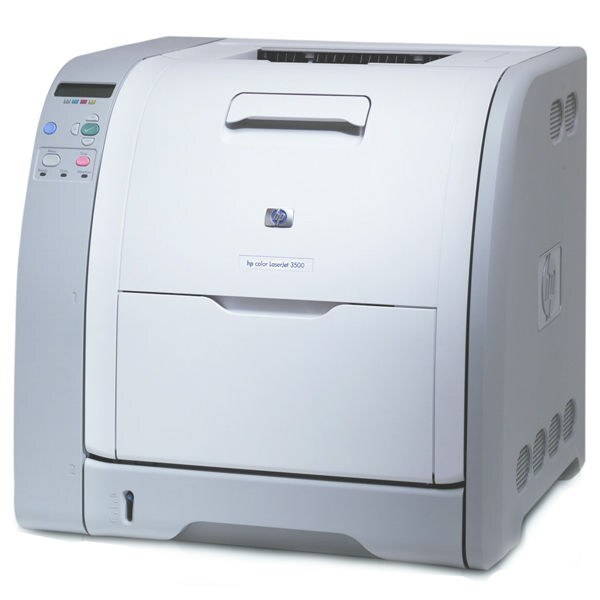
The Color 3500dn is the networked, duplexing member of HP's 3500 color laser family — a shared office printer that turns out two-sided color documents for the whole team. Its black cartridge is the Q2670A (309A), and color comes from three cartridges sold on this page as a single 3 Color Set carrying Q2671A (cyan), Q2672A (yellow) and Q2673A (magenta). All four are compatible cartridges, and each color slot is tracked and replaced on its own.
A printer wired into the office network lives a different life from a personal desktop machine: jobs arrive from every desk, all day, and nobody walks over to check the toner until a page comes out pale. The 3500dn suits that shared role — automatic duplexing keeps two-sided reports cheap on paper, and because the whole team depends on it, keeping one spare black on the shelf is cheap insurance against a stalled workday.
Toner Cartridges for Color 3500dn
| Cartridge | Color | Page Yield |
|---|---|---|
| Q2670A — HP 309A Black | Black | See product page |
| Q2671A / Q2672A / Q2673A — 3 Color Set | Cyan / Yellow / Magenta | See product page |
Which cartridge should you buy?
Start with how your office actually prints. Most shared-printer output is text — memos, invoices, reports — so the black Q2670A wears down well ahead of the colors, and the single black cartridge is the routine reorder for this page. The three colors are sold here together as one set rather than individually, which suits a planned refresh: when one color finally flags low after a long stretch, its two partners are usually not far behind, and one set restores all three in a single order. Every compatible cartridge on this page carries a 1-year warranty and 1-year returns, so a spare black kept in the supply cabinet costs you nothing in risk while it waits.
Chip, toner and everyday use
Each cartridge carries a chip the printer reads to report toner levels, and the 3500dn shows the four levels separately — trust that readout over guesswork, and check it before a long run rather than after a faded one. When you swap a cartridge, pull the sealing tape fully, seat it until it clicks, and let the printer finish its calibration before judging print quality. A cartridge that reads low but still prints cleanly can often be coaxed along by removing it and rocking it gently side to side to redistribute the toner inside; keep spares sealed, upright and out of direct sunlight until the day they are needed.
Frequently Asked Questions
What toner does the Color 3500dn use?
Four cartridges: the Q2670A black and the Q2671A, Q2672A and Q2673A colors. This page sells the black as a single cartridge and the three colors together as one set, all in compatible form.
If only the black runs out, do the color cartridges need changing too?
No. Each of the four cartridges is independent, and the printer reports them separately, so you replace only the one that is empty and leave the rest to finish their toner.
Can I buy the cyan, yellow or magenta separately on this page?
Not individually — the three colors come as a single 3 Color Set here. That works well when the colors have been draining together, as they usually do on a shared office printer.
More printers that use the same cartridges
The same four cartridges also serve the rest of the 3500, 3550 and 3700 families:
COLOR LASERJET 3700DN, COLOR LASERJET 3700DTN, COLOR LASERJET 3700N, Color 3500, Color 3500N, Color 3500dtn, Color 3550, Color 3550N, Color 3700, Color 3700DN, Color 3700DTN, Color 3700N, Color 3750, Color 3750DN, Color 3750DTN, Color 3750N, Color LaserJet 3500, Color LaserJet 3500N, Color LaserJet 3500dn, Color LaserJet 3500dtn, Color LaserJet 3550, Color LaserJet 3550N, Color LaserJet 3700, Color LaserJet 3750, Color LaserJet 3750DN, Color LaserJet 3750DTN, Color LaserJet 3750N, HP 308A-309A, HP 308A-311A