




Color Laser Laser B3465DN
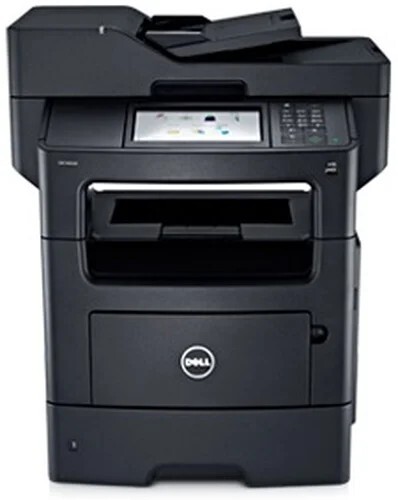
For whoever watches the print budget, the Dell B3465DN is the tidy option: a networked monochrome multifunction that prints, copies, scans and faxes for a whole workgroup, with automatic duplexing trimming the paper bill as it goes. Its standard-yield black supply is the 331-9805 cartridge, stocked here as a single and in packs of two, three, five and ten.
The network connection changes how this machine should be supplied. Nobody owns a shared printer, so nobody notices the toner falling until it is gone — unless the ordering is systematized. One cartridge number across the machine, a standing spare on the shelf beside it, and a pack size matched to the department's volume turn toner from a recurring small emergency into a line item nobody has to think about.
Toner Cartridges for B3465DN
| Cartridge | Color | Page Yield |
|---|---|---|
| 331-9805 Black Toner — Single Cartridge | Black | See product page |
| 331-9805 Black Toner — 2 Pack | Black | See product page |
| 331-9805 Black Toner — 3 Pack | Black | See product page |
| 331-9805 Black Toner — 5 Pack | Black | See product page |
| 331-9805 Black Toner — 10 Pack | Black | See product page |
Which cartridge should you buy?
Standardize. Pick the pack your volume justifies — a single cartridge plus a shelf spare for a small team, the 5 or 10 pack for a department that prints and copies all day — and reorder the same thing every time. Because every listing here is the same 331-9805 cartridge, there is no wrong choice, only a reorder frequency: light users buy singles, workgroups buy packs, and anyone who has ever lost an afternoon to an empty shared printer keeps one cartridge in reserve permanently.
Chip, toner and everyday use
A networked machine lets you check the toner level from the control panel or its web page before you order, so replacements can be timed instead of guessed. The physical swap takes about a minute and needs no tools. When the new cartridge goes in, the gauge should reset on its own; if an error message lingers, reseat the unit and restart the printer. Send empties back through your usual recycling route rather than the trash — the cartridge body is the bulky part, and it has no business in landfill.
Frequently Asked Questions
Do I need a print server for the Dell B3465DN?
No. The B3465DN connects to the network itself through its Ethernet port and shares itself with the workgroup, so no dedicated computer has to stay switched on just to pass print jobs along.
Which cartridge fits the B3465DN?
The 331-9805 black cartridge. If the machine was installed before you inherited it, confirm by opening the front cover and reading the code on the cartridge inside — ordering against that number is the surest match there is.
What paper weights can the B3465DN handle?
Standard 20 lb office paper belongs in the main tray; heavier stock goes through the manual feed one sheet at a time. Check the manual for the exact supported range before ordering specialty paper in bulk.
Does duplex printing use more toner?
No — two-sided printing puts the same amount of toner on each printed side. What duplexing saves is paper, roughly half of it on long documents, which is why the DN models are the budget-friendly members of this family.
More printers that use the same cartridges
Other Dell workgroup machines run on this same cartridge family. If the printer your team uses is one of the models below, its page lists the same toner choices: Dell B2360D, Dell B2360DN, Dell B3460, Dell B3460DN, Dell B3465, Dell B3465DNF, Dell B2360, Dell B3460, Dell 331-9805, Dell B2360, Dell B2360D, Dell B2360DN, Dell B3460, Dell B3460DN, Dell B3460DNF, Dell B3465, Dell B3465DN, Dell B3465DNF.