




Color Laser Laser B3460DN
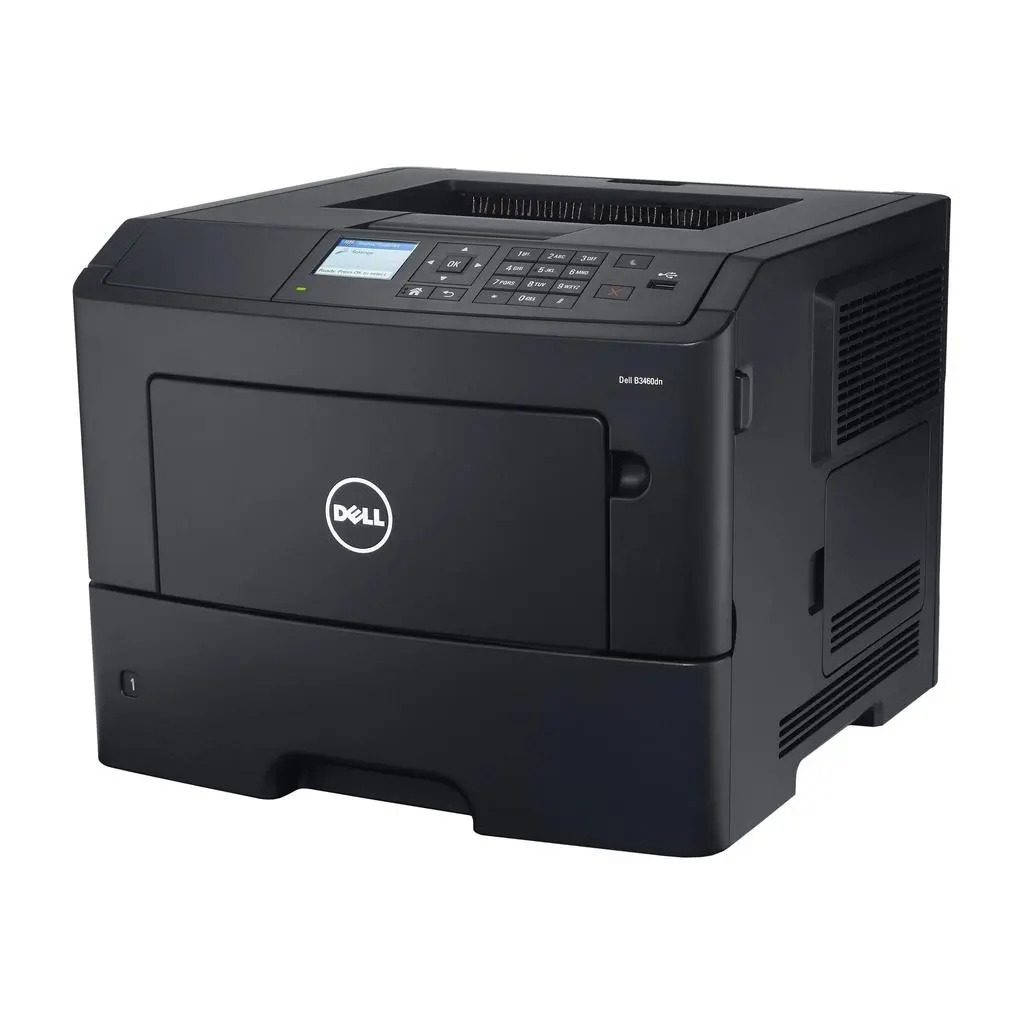
One printer, a whole department: the Dell B3460DN is a rugged monochrome laser with a wired network connection and automatic two-sided printing, built to sit in a shared corner and produce steady, high-volume output month after month. Its high-yield black cartridge is the 331-9805, rated at about 8,500 pages, and this page stocks it as a single cartridge and in packs of two, three, five and ten.
A shared printer lives a different life from a personal one. Jobs arrive from every desk, duplexing quietly halves the paper bill on long documents, and the toner level falls on a rhythm the whole office can set its watch by. That predictability is an advantage when you plan for it — a B3460DN that is restocked before it runs dry never becomes the reason a meeting starts late.
Toner Cartridges for B3460DN
| Cartridge | Color | Page Yield |
|---|---|---|
| 331-9805 Black Toner — Single Cartridge | Black | Approx. 8,500 pages per cartridge |
| 331-9805 Black Toner — 2 Pack | Black | Approx. 8,500 pages per cartridge |
| 331-9805 Black Toner — 3 Pack | Black | Approx. 8,500 pages per cartridge |
| 331-9805 Black Toner — 5 Pack | Black | Approx. 8,500 pages per cartridge |
| 331-9805 Black Toner — 10 Pack | Black | Approx. 8,500 pages per cartridge |
Which cartridge should you buy?
The arithmetic here starts with the rating: at roughly 8,500 pages per cartridge, a single 331-9805 covers a small team's printing for a good stretch. A 2 pack doubles that runway and leaves a spare in the drawer for the day the warning light appears mid-job. Busy departments should step up to the 5 or 10 pack — on a networked machine used by many people, the cost of an empty printer is measured in other people's stalled work, not just in toner. All five listings are the same high-yield cartridge; the packs simply decide how often you reorder.
Chip, toner and everyday use
When the B3460DN reports low toner, it is estimating from the chip, not weighing the cartridge — treat the warning as a prompt to check the shelf, not as a hard stop. A fresh cartridge is read automatically once installed; if the level still looks wrong afterward, pull the cartridge out and reseat it so the chip makes clean contact. Store spare cartridges sealed and flat, away from heat and direct light, and hold on to the empty unit until the new one has printed cleanly, in case a return is ever needed.
Frequently Asked Questions
What do the letters in B3460DN stand for?
The D marks automatic duplex printing — the machine turns the page over itself for two-sided output — and the N is the built-in network port, which lets the printer be shared by every computer on the office network.
How many pages does the 331-9805 cartridge print in a B3460DN?
It is rated at about 8,500 pages, measured at the standard 5% page coverage. Reports full of dense text, forms or graphics cover more of each page and will bring that figure down.
Can the B3460DN print envelopes and labels?
Yes. Feed envelopes and label sheets through the manual or multipurpose tray rather than the main cassette, and set the paper type to envelope or labels in the print dialog so the fuser runs at the right temperature for the stock.
My prints are coming out light. Is the cartridge empty?
Not necessarily. Toner settles as the level drops, so remove the cartridge and rock it gently side to side a few times to redistribute what remains. If the output stays light after that, the cartridge really is at the end of its life.
More printers that use the same cartridges
The B3460DN shares its cartridge with a wide band of Dell's B-series mono lasers. If your shared printer is one of these models instead, you will find the same toner on its page: Dell B2360D, Dell B2360DN, Dell B3460, Dell B3465, Dell B3465DN, Dell B3465DNF, Dell B2360, Dell B3460, Dell 331-9805, Dell B2360, Dell B2360D, Dell B2360DN, Dell B3460, Dell B3460DN, Dell B3460DNF, Dell B3465, Dell B3465DN, Dell B3465DNF.