




Color Laser Laser B3460
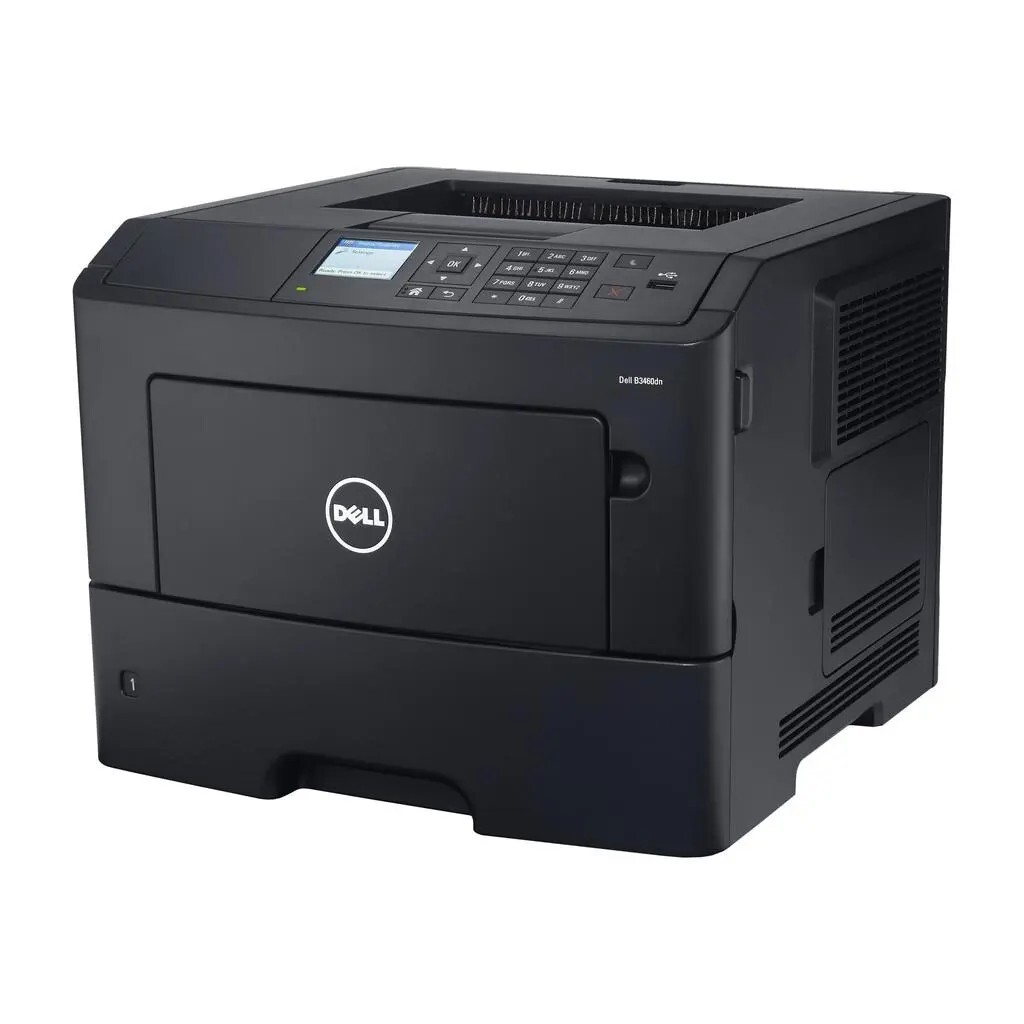
The Dell B3460 is a monochrome laser printer that earns its place in busy offices on running cost: a fast black-and-white engine, a paper path built for constant use, and one standard-yield cartridge to feed it. That cartridge is the 331-9805, the regular-yield member of its toner family, and every listing on this page is built around it — a single cartridge or multi-packs of two, three, five and ten, so the restock can match the pace of the office it serves.
Total cost of ownership is the honest way to judge a printer like this. The purchase price is paid once; the cartridge bill arrives every month for years. A high-volume mono laser already wins that math against smaller machines, and keeping a spare cartridge in the supply cabinet removes the other hidden cost — the afternoon a whole team loses when the printer stops mid-run and the replacement is still in transit.
Toner Cartridges for B3460
| Cartridge | Color | Page Yield |
|---|---|---|
| 331-9805 Black Toner — Single Cartridge | Black | See product page |
| 331-9805 Black Toner — 2 Pack | Black | See product page |
| 331-9805 Black Toner — 3 Pack | Black | See product page |
| 331-9805 Black Toner — 5 Pack | Black | See product page |
| 331-9805 Black Toner — 10 Pack | Black | See product page |
Which cartridge should you buy?
Start with how much this printer actually prints. A single 331-9805 suits a B3460 that serves one or two people with moderate output. For a workgroup machine, the 2 pack is the sensible default restock: one cartridge in the printer, one on the shelf. Departments that run the B3460 hard should look at the 5 and 10 packs — fewer orders to raise, fewer deliveries to track, and no gap between an empty cartridge and its replacement. Whichever size you choose, the cartridge itself is identical; only the box count changes.
Chip, toner and everyday use
Each cartridge carries a chip the printer reads on installation, and the swap itself needs no tools: open the front, slide the old unit out, slide the new one in until it seats. If pages begin to fade before the printer declares the cartridge empty, remove it and rock it gently from side to side — the toner settles unevenly as the level drops, and redistributing it often restores even coverage for a while longer. Keep unopened spares in their sealed bags, stored flat in a cool, dry place, and remember that rated page yields assume roughly 5% page coverage, so dense text and graphics finish a cartridge sooner.
Frequently Asked Questions
Which toner cartridge does the Dell B3460 take?
This printer runs on the 331-9805 black cartridge. The listings above offer it as a single cartridge and in packs of two, three, five and ten; if you are ever unsure before ordering, compare the code printed on the cartridge you are taking out.
Does the B3460 print in color?
No. The B3460 is a monochrome machine and prints in black only, which is exactly why its running costs stay low — there are no color cartridges to buy. Color work has to be sent to a color printer instead.
Why does my B3460 say the cartridge is not recognized?
Nine times out of ten the cartridge is simply not seated all the way. Take it out, check that the code on its label reads 331-9805, wipe the chip contacts once with a dry, lint-free cloth, and reinstall it firmly until it clicks into place.
Are the cartridges on this page covered by a warranty?
Yes. The compatible cartridges sold here carry a 1-year warranty and 1-year returns, so a cartridge that fails early is replaced or refunded rather than written off.
More printers that use the same cartridges
The same black cartridge family also feeds the other B-series machines in Dell's lineup — if the printer on your desk is one of these instead, its page carries the same toner: Dell B2360D, Dell B2360DN, Dell B3460DN, Dell B3465, Dell B3465DN, Dell B3465DNF, Dell B2360, Dell B3460, Dell 331-9805, Dell B2360, Dell B2360D, Dell B2360DN, Dell B3460, Dell B3460DN, Dell B3460DNF, Dell B3465, Dell B3465DN, Dell B3465DNF.