




Color Laser Laser B3465
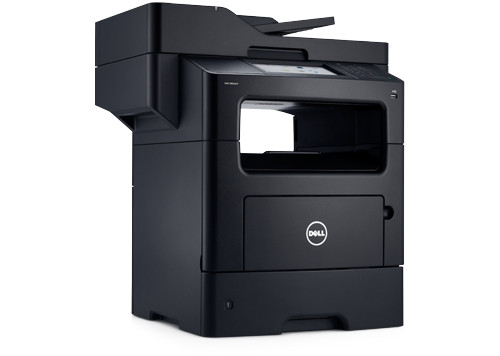
The Dell B3465 folds four office jobs — printing, copying, scanning and faxing — into a single monochrome machine, and it feeds all of them from one black cartridge. That cartridge is the standard-yield 331-9805, and the listings here offer it as a single cartridge or in packs of two, three, five and ten. One machine, one toner number to remember, one supply to keep on the shelf.
Consolidation is the B3465's whole argument. Four separate devices would mean four power supplies, four maintenance stories and four different consumables to stock; a multifunction reduces that to a single supply chain that one person can manage in minutes a month. The trade-off is concentration: when this machine stops, four workflows stop with it, which makes a spare cartridge less of a luxury and more of a policy.
Toner Cartridges for B3465
| Cartridge | Color | Page Yield |
|---|---|---|
| 331-9805 Black Toner — Single Cartridge | Black | See product page |
| 331-9805 Black Toner — 2 Pack | Black | See product page |
| 331-9805 Black Toner — 3 Pack | Black | See product page |
| 331-9805 Black Toner — 5 Pack | Black | See product page |
| 331-9805 Black Toner — 10 Pack | Black | See product page |
Which cartridge should you buy?
Judge the pack size by how many of the machine's jobs you actually use. Printing, copying and received faxes all draw on the same cartridge, so a B3465 that copies heavily empties faster than its print count alone suggests — scanning, by contrast, uses no toner at all. A single cartridge suits a small office with light, mixed use. If the B3465 is the only output device in the building, take at least the 2 pack so a spare is always within reach, and move to the 5 or 10 pack when several people depend on it daily.
Chip, toner and everyday use
Install a fresh cartridge with the machine switched on so it reads the new chip straight away and updates the toner gauge on the panel. When the display warns that toner is low, treat it as an estimate: output usually stays clean for a while yet, and the right moment to swap is when copies start to fade unevenly. Keep the replacement sealed until that day arrives — an opened cartridge stored in bright light or a warm room ages faster than one left in its bag.
Frequently Asked Questions
Does the B3465 use one cartridge for printing and copying?
Yes. A single black cartridge — the 331-9805 — supplies the print engine, so everything the machine puts on paper, whether a print, a copy or a received fax, draws from the same toner. Scanning a document to email or file uses no toner at all.
Which cartridge should I order for moderate four-function use?
The standard-yield 331-9805 listed on this page is the cartridge sized for that pattern. Offices that find themselves reordering often should simply buy it in the larger packs rather than switching cartridges — the 5 and 10 packs cut the ordering down to a few times a year.
Why do envelopes wrinkle in my B3465?
Envelopes wrinkle when the fuser runs hotter than they can take. Set the paper type to envelope so the machine lowers the heat, and feed envelopes through the manual tray instead of the main cassette, a few at a time.
How do I know the B3465 has accepted a new cartridge?
The toner gauge on the control panel resets once the chip is read. If it does not, open the cover, slide the cartridge out and push it back in firmly — a cartridge that is a few millimeters short of seated will print nothing and report nothing.
More printers that use the same cartridges
The B3465 is one of several Dell B-series machines drinking from the same cartridge family. The models below take the same toner — handy if your office runs more than one of them: Dell B2360D, Dell B2360DN, Dell B3460, Dell B3460DN, Dell B3465DN, Dell B3465DNF, Dell B2360, Dell B3460, Dell 331-9805, Dell B2360, Dell B2360D, Dell B2360DN, Dell B3460, Dell B3460DN, Dell B3460DNF, Dell B3465, Dell B3465DN, Dell B3465DNF.