




ImageClass MF8580CDW
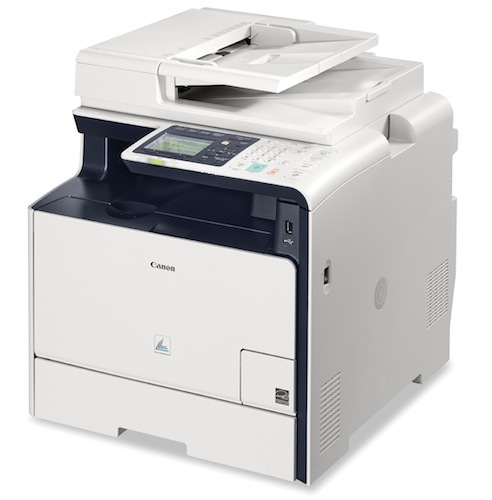
Canon's flagship of this color generation, the imageCLASS MF8580Cdw, pairs 21-ppm output with wireless networking, a 7-line color LCD, and Simple Solution Keys for one-touch workflows. It's the most fully featured 118-series MFP. It prints with the Canon 118 color set — Black (2662B001AA, 3,400 pages), Cyan (2661B001AA, 2,900), Magenta (2660B001AA, 2,900), and Yellow (2659B001AA, 2,900).
Toner Cartridges for Canon Imageclass Mf8580Cdw
| Cartridge | Color | Page Yield | OEM # |
|---|---|---|---|
| Canon 118 (Compatible) | Black |
Frequently Asked Questions
What toner does the Canon Imageclass Mf8580Cdw use?
The Canon Imageclass Mf8580Cdw uses the Canon 118 toner cartridge (OEM #).
How many pages does a Canon 118 cartridge print?
A standard Canon 118 toner cartridge yields approximately pages at 5% coverage.
Are compatible Canon 118 cartridges safe for the Imageclass Mf8580Cdw?
Compatible cartridges are designed to work in the Imageclass Mf8580Cdw. Check your printer's warranty terms for specific coverage details.
How do I install a Canon 118 toner cartridge in the Imageclass Mf8580Cdw?
Open the front cover of your Canon Imageclass Mf8580Cdw, remove the old cartridge, unpack the new Canon 118 cartridge, gently rock it to distribute toner, and slide it into place until it clicks.